www.HandiQuilter.com/ProStitcher 07/23/12 Settings Menu 8.1
Before stitching any design, it is always a good idea
to double-check the settings. Some quilters may
nd settings that will work for everything they do
and never go back to change them. However, most
will likely nd that dierent projects will require
dierent settings. Make a habit of checking these
settings before quilting any design.
Speed
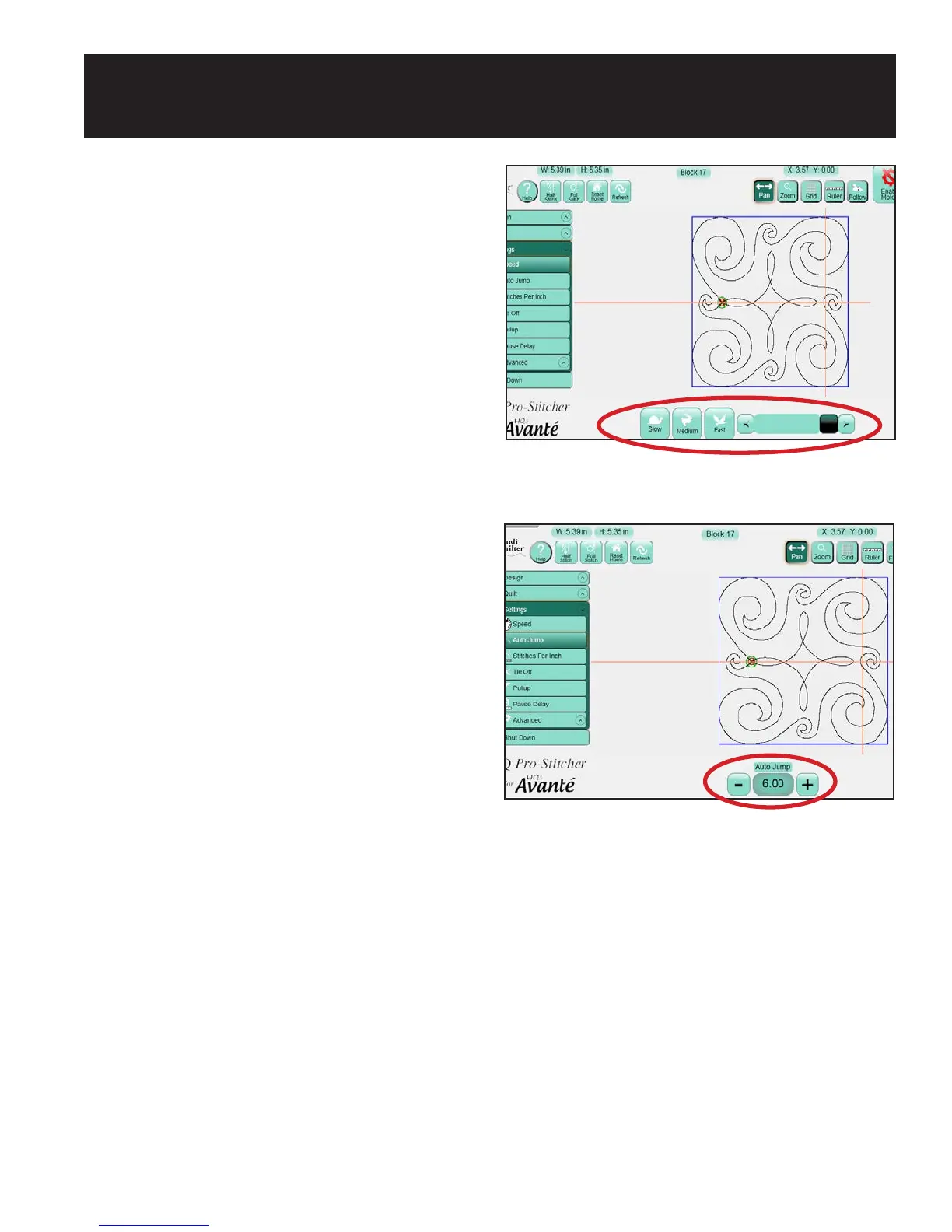
e Speed setting sets how fast the Pro-Stitcher
carriage will move through the quilting design.
Because the quilting machine regulates its own
speed to maintain a specic stitches-per-inch
setting, the speed does not directly set the needle
speed. Instead it sets how fast the machine moves
across the frame system. ree preset speed settings
are available to quickly set either a Slow, Medium,
or Fast speed setting. A Scroll bar is also available to
choose any other speed within the limits of the
Pro-Stitcher (Figure 8.1).
Auto Jump
If a quilt design contains jumps, or gaps in the
design path that are not stitched, the HQ Pro-
Stitcher handles those jumps in one of two ways.
It can either move automatically without stitching
through the jump point and begin stitching at the
end of the jump with no user intervention or it can
pause before the jump so the quilter can trim the
thread before it moves to the next starting point.
e longer the jump, the more likely the thread will
break or the quilt will gather or become distorted as
the machine pulls the thread to the next start point.
is is where the Auto Jump threshold is useful.
If a jump distance is less than the Auto Jump
threshold, or number of inches entered in the Auto
Jump box, the Pro-Stitcher will not pause for the
quilter to trim the thread before jumping to the next
start point. If the jump is longer than the Auto Jump
Figure 8.1
Figure 8.2
8. Settings Menu
threshold, the Pro-Stitcher will pause before the
jump so the quilter may trim the thread
(Figure 8.2).












 To Next Page