HQ Pro-Stitcher User Manual07/23/123.30 Installation Instructions
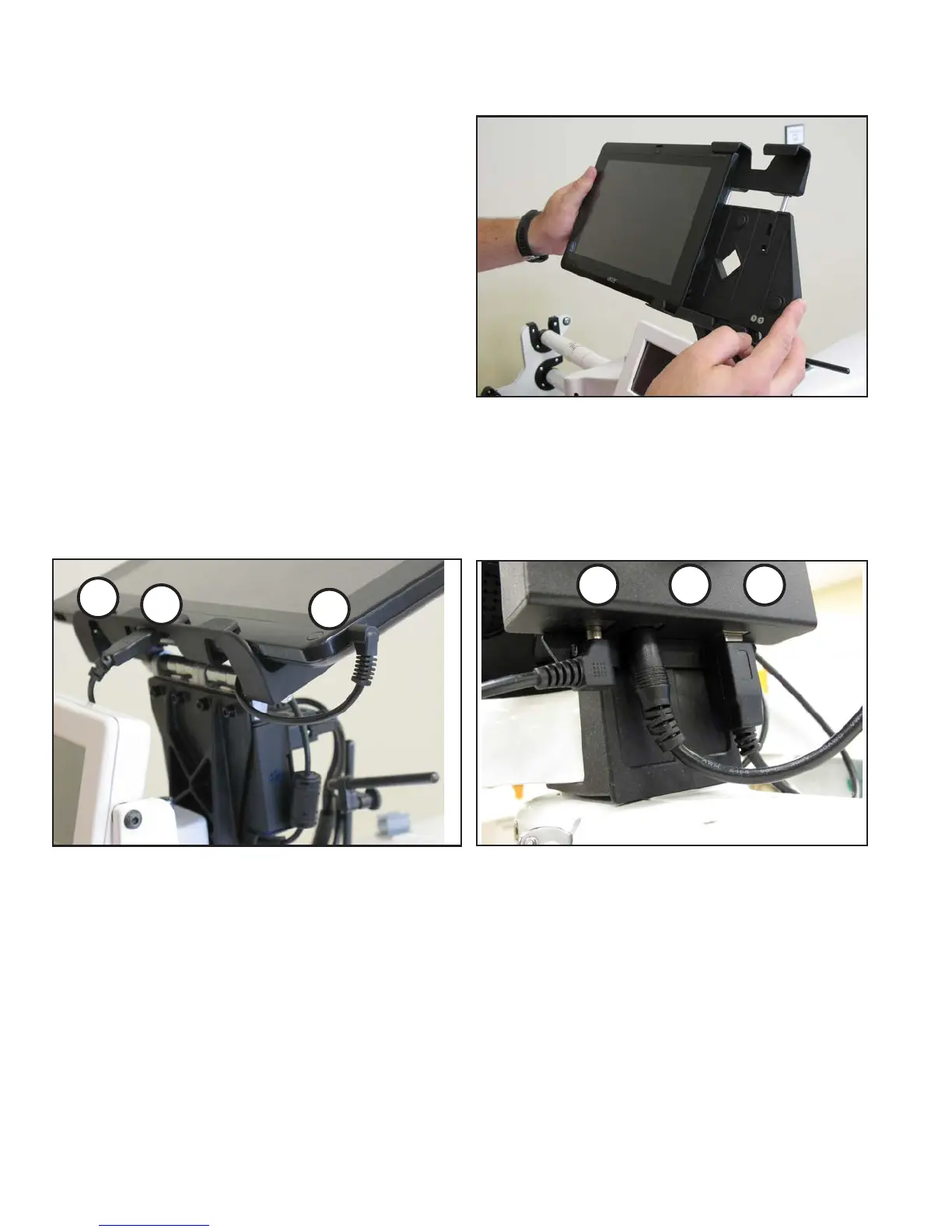
Figure 3.57
7. Remove the computer from its packaging. Install
the computer into the computer bracket by sliding
it into the black bracket from the side
(Figure 3.57).
With the computer installed in the bracket,
connect the short USB cable (Page 3.3, N)
between the bottom center USB port (Figure
3.58, position B) and the black box on the back
of the bracket (Figure 3.59, position C). Also
connect the computer power cord (Page 3.3, O)
between the computer (Figure 3.58, position C)
and the black box (Figure 3.59, position A). e
open USB port (Figure 3.58, position A) may be
used to plug in the USB Flash drive for loading
designs or for plugging in a keyboard or mouse.
Figure 3.59
A
B
C
Figure 3.58
A
B
C












 To Next Page