www.HandiQuilter.com/ProStitcher 07/23/12 Overview 4.9
Ruler
e Ruler tool is used to measure distances in a
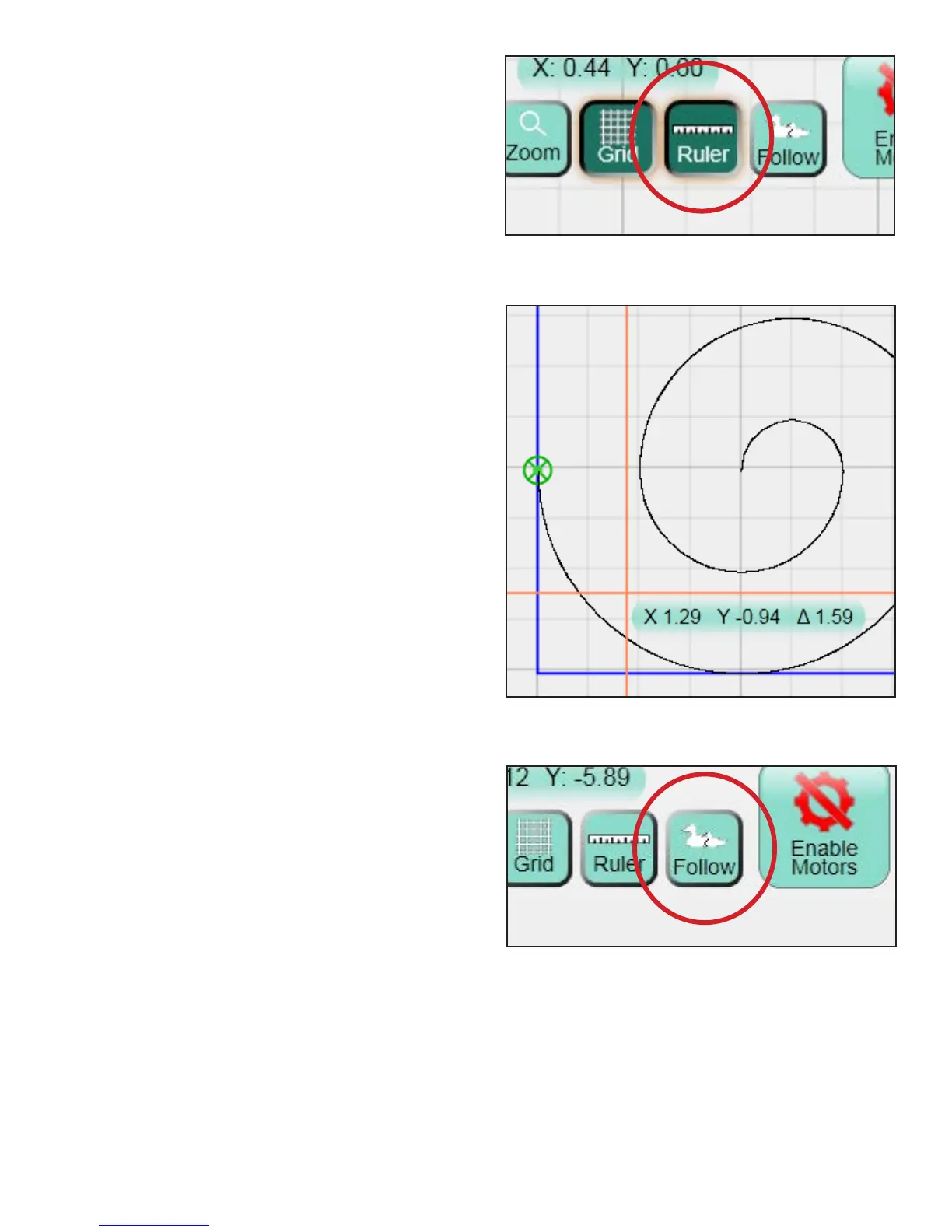
design or directly on the quilt (Figure 4.24). To use
the ruler, move the machine so the crosshairs (or the
needle) are at the starting point of the item to
be measured.
Press the Ruler button and move the machine to
begin measuring. e ruler gives you the distance
in the X and the Y directions, as well as the direct
angular distance (represented by the triangle symbol)
(Figure 4.25). Press the Ruler button again to turn
o the ruler. If the quilter wishes to reset the ruler
starting point, press the Ruler button to turn o the
ruler and then turn it back on when the crosshairs
are located at the desired starting position to begin
measuring.
Follow
e Follow button changes the way the design is
viewed relative to the crosshairs (Figure 4.26).
In the standard view (where the Follow button is
not selected) the design remains stationary in the
background but the crosshairs move when the
machine is moved.
With the Follow view, the crosshairs remain
stationary in the middle of the display. As the
machine is moved around, the design moves rather
than the crosshairs.
is view can be very helpful if the design must
be zoomed in and the quilter does not want to
constantly Pan the view to nd the crosshairs.
Figure 4.24
Figure 4.25
Figure 4.26












 To Next Page