www.HandiQuilter.com/ProStitcher 07/23/12 Design Menu 5.15
Repeat
Select the Design menu and then press the Repeat
sub-menu button (Figure 5.49). e Repeat sub-
menu gives several options for repeating a design
(Figures 5.50 and 5.51). Most of these options can
be done with or without an Area dened. Using
a dened Area in conjunction with Repeat will
stretch, skew, or t the desired number of repeats
within that area. However, the design can also
be repeated without using a pre-dened Area if
necessary. If an Area has not been dened, the
options to stretch and t will be disabled because
there is not an area to stretch or t to.
Repeats
Enter the number of repeats either on the right-
hand side of the screen (for vertical repeats)
(Figure 5.50 circled buttons) or at the bottom of the
screen (for horizontal repeats) (Figure 5.51 circled
buttons). Either use the + and – buttons or tap
directly on the number box to open the number pad
and enter the desired number of repeats.
Distance
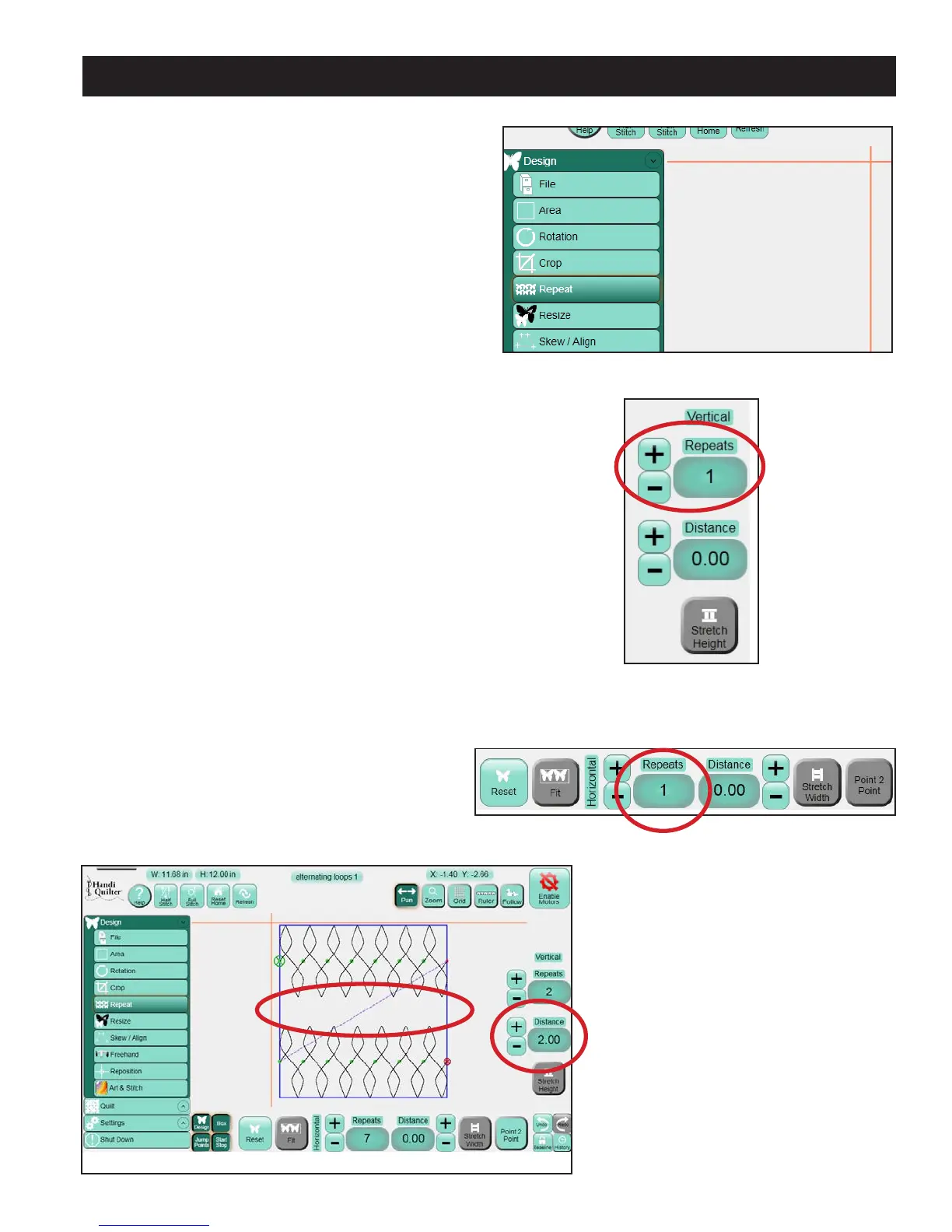
Enter a value in the Distance box (either Horizontal
or Vertical) to create a gap (in inches) between
the repeated designs (Figure 5.52). To overlap the
designs, enter a negative value.
Figure 5.49
Figure 5.51
Figure 5.50
Figure 5.52
Gap












 To Next Page