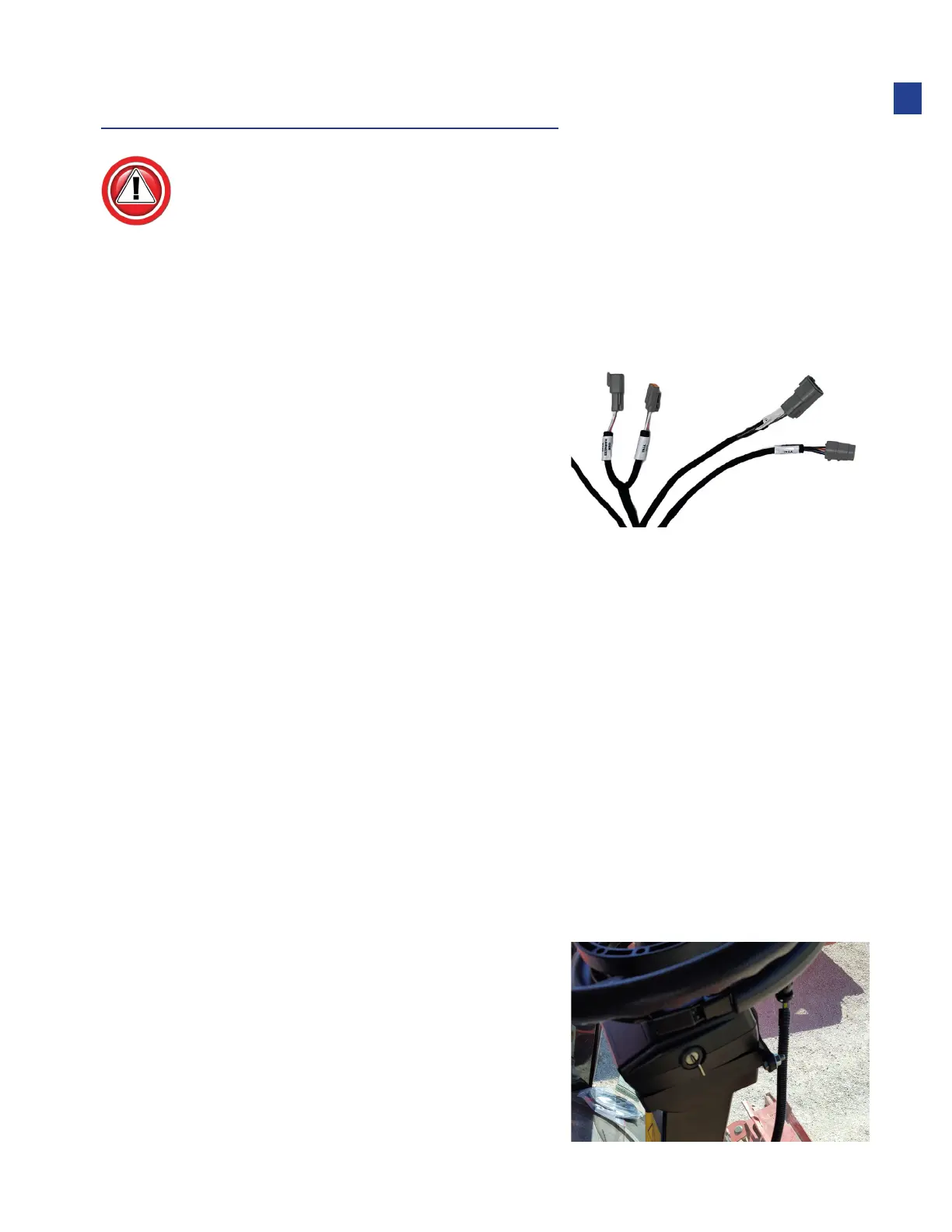
Steering Device Wiring
When installing Headsight in combination with any other steering system (Trimble,
AgLeader) the Headsight adapters should always be installed closest to the actual OEM
valve or encoder, then the other company connected to the Headsight adapter.
Trimble AutoPilot with Nav2
1. Connect Y740 to male valve control
connector on platform harness in cab.
2. Connect Y741 to female valve control
connector on platform harness in cab.
3. Connect Y742 and Y743 in line with steering
override connectors on platform harness in cab.
4. Connectors Y717A, Y718A, and Y744 are not used with Nav2.
Trimble AutoPilot w/o Nav2
1. Connect Y740 to male valve control connector on platform harness in cab.
2. Connect Y741 to female valve control connector on platform harness in cab.
3. Connect Y742 and Y744.
•
Power Bypass connection
4. Power enable connections (On main harness near TS control box.)
•
Disconnect Y717 from Y718
•
Connect Y717A to Y717
•
Connect Y718A to Y718
5. Connector Y743 is not used.
Ontrac 3 and ElectiSteer Motor
1. Connect Y748 to 9 pin connector on motor.
•
Y748 must directly connect to motor
17
Installation



 To Next Page