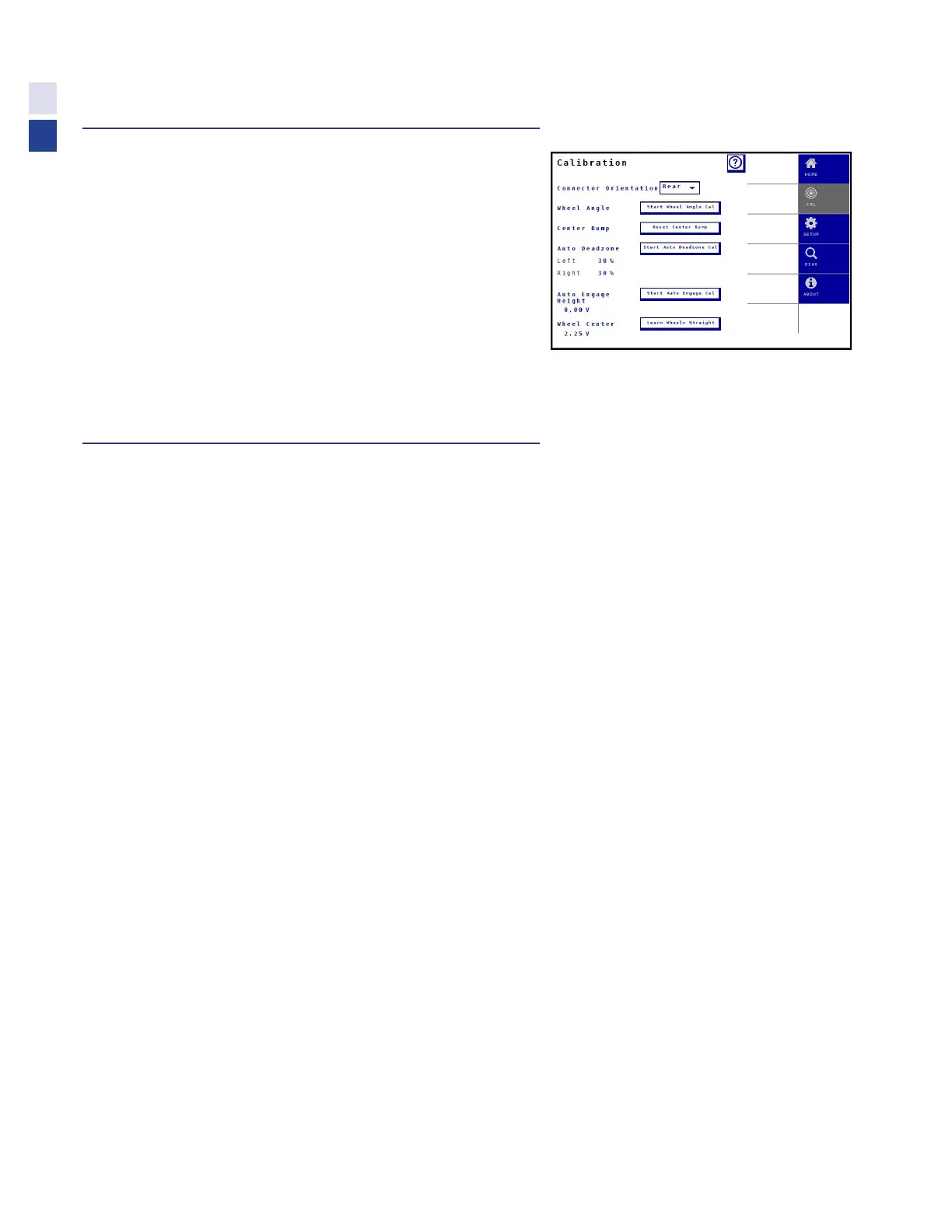
Accessing Calibrations
1. Access Truesight 2 VT screen on display.
•
If you are unsure how to do this, see Operation/Finding
VT Applications section of this manual
2. Press calibration tab.
3. Perform Tilt Sensor, Wheel Angle and
Auto Deadzone Calibrations.
•
These calibrations must be completed
for system to operate
•
Follow instructions on screen
Calibrations
Connector Orientation
This setting determines the slope compensation direction. Choosing the wrong end will make
the machine correct backwards, ie move the machine further down the slope instead of up.
•
The Truesight base must be installed correctly, flat on the floor & facing fore/aft
•
Choose if the connector on the Truesight base is facing toward the front or rear of the machine
Wheel Angle
Calibrates the maximum motion and direction of the wheel angle sensor
Center Bump
Allows “centering” the “bump” settings so sprayer runs down the center of the row at 0 bump. This
calibration does not change system operation, it just adjusts the center reference the operator sees.
•
Use the bump buttons to center the machine in the row during normal operation
•
Press “Reset Center Bump”
Auto Deadzone
Calibrates the amount of current required to start turning the wheels in each direction
•
Park combine in flat open area where there is room to drive forward slowly & steer
•
Select “Start Auto Deadzone Cal”
•
Follow on-screen instructions
•
Calibrated values are displayed
26
Calibration



 To Next Page