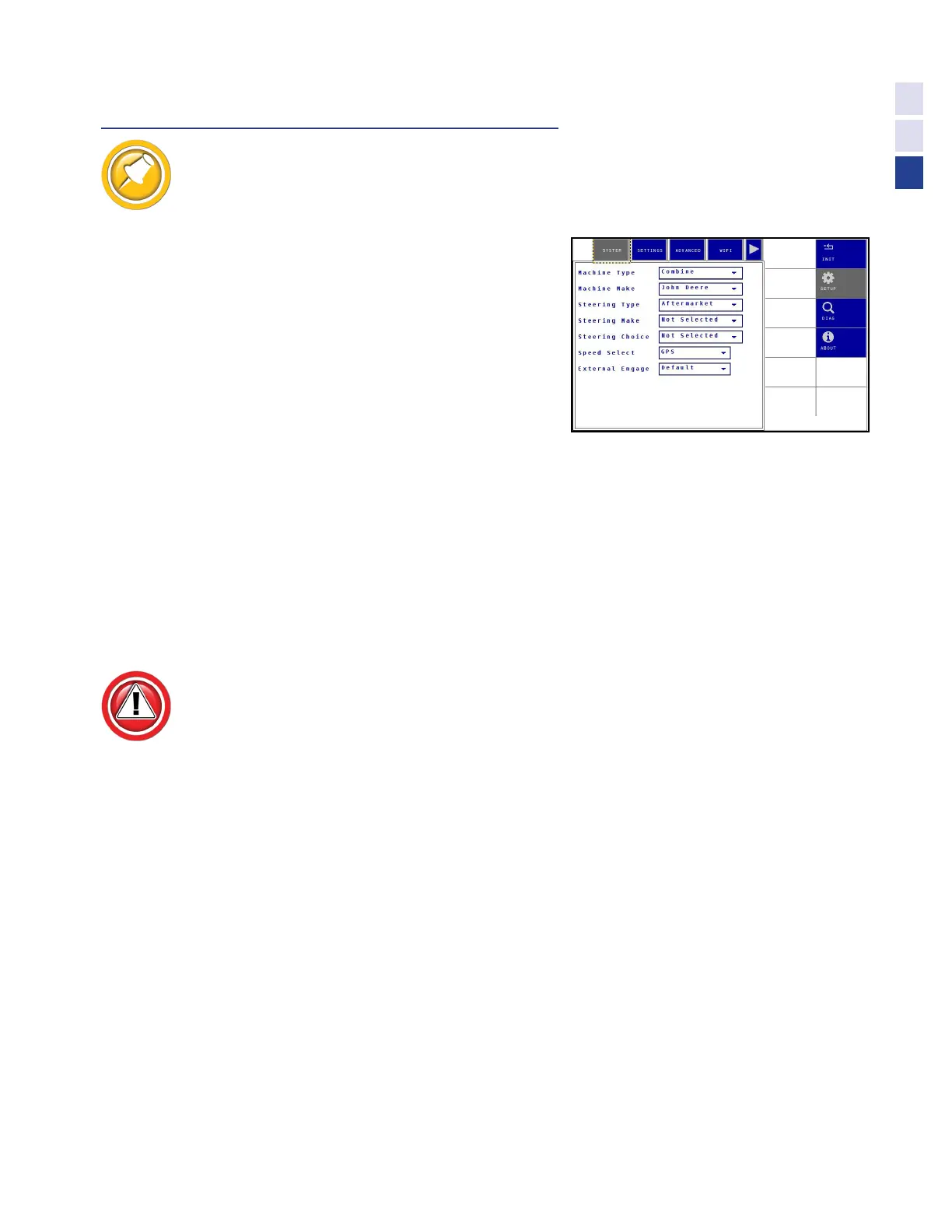
Select System
System Setup values typically will not be changed for a given system, once set.
Machine Type & Make
•
Machine Type - Combine
•
Machine Make -John Deere
Steering Type, Make & Choice
The Steering Type settings allows the configuration of
Truesight 2 for use with different valve and motor systems.
•
Type: Aftermarket
•
Steering Make:
• AgLeader
• AutoFarm
• Outback
• Trimble
• Choose valve or motor system as required
Speed Select (Default = GPS)
Turning Speed Select OFF will greatly degrade field performance. Speed
Select is a Safety Feature of Truesight 2, disable at your own risk!
The Speed Select setting properly configures Truesight 2 to read the speed sensor. If
the Speed Select is set to “OFF”, the minimum and maximum speed limits to engage
Truesight will be disabled. Choose CAN or GPS to enable speed safety feature.
•
All - Select GPS.
External Engage (Default = Default)
The External Engage turns on and off the Auxiliary switch (foot switch)
•
Off - foot switch disabled
•
Default - foot switch enabled
•
Inverted - not currently used
29
Settings



 To Next Page