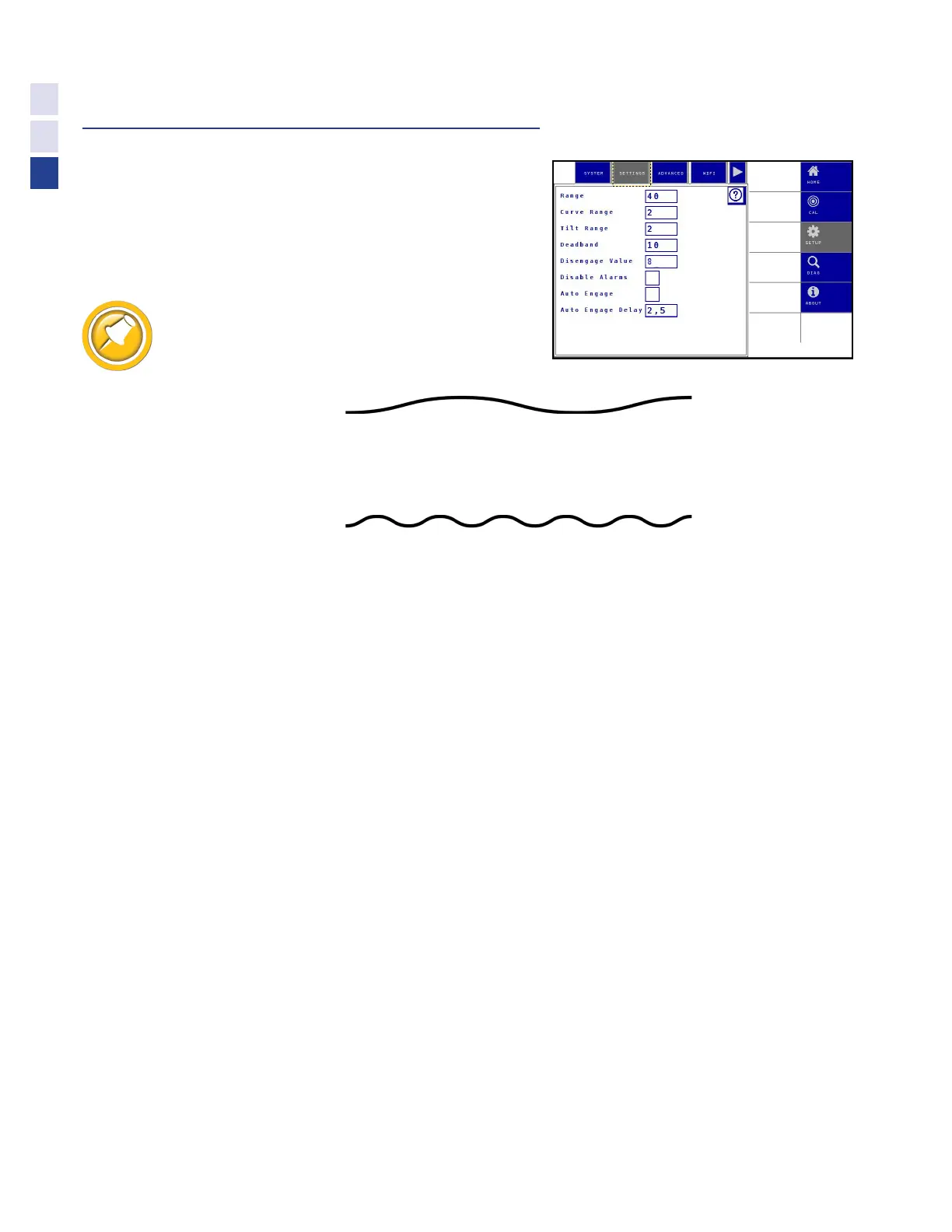
Change Settings
Range (Default = 40)
The range setting controls the aggressiveness of the Truesight
2 system. Increasing the range increases the angle to which
the wheels turn. Combine steering may weave from side to
side in the row if the range is set either too high or too low.
Properly adjusting the range is the most important
step for optimum steering response.
Increase the Range if:
•
You notice a gentle weave from side to side in the row
•
The system performs well on straight rows but does not turn sharply enough to go
around a curve
Decrease the Range if:
•
The rear wheels jerk constantly and suddenly from side to side
Curve Range (Default = 2)
The Curve Range setting allows additional compensation for curve aggressiveness
after Range has been properly adjusted for straight rows. Increasing Curve
Range will bring the tip of the snout back to the inside of the curve.
•
Adjust this setting to the lowest value possible while still
getting acceptable performance around curves.
Increase Curve Range:
•
if the tip of the snout favors the outside of the row while going around a curve.
Tilt range (Default = 2)
The Tilt Range setting allows Truesight 2 to automatically ‘bump’ the combine up a
slope to compensate for the natural tendency of the combine to slide down. A higher
tilt range setting compensates more; a lower tilt range compensates less.
Increase the Tilt Range if:
•
The snout is centered on the row when on level ground but
crowds the downhill side of the row when on a slope
Decrease the Tilt Range if:
•
The snout is centered on the row when on level ground but
crowds the uphill side of the row when on a slope
30
Settings



 To Next Page