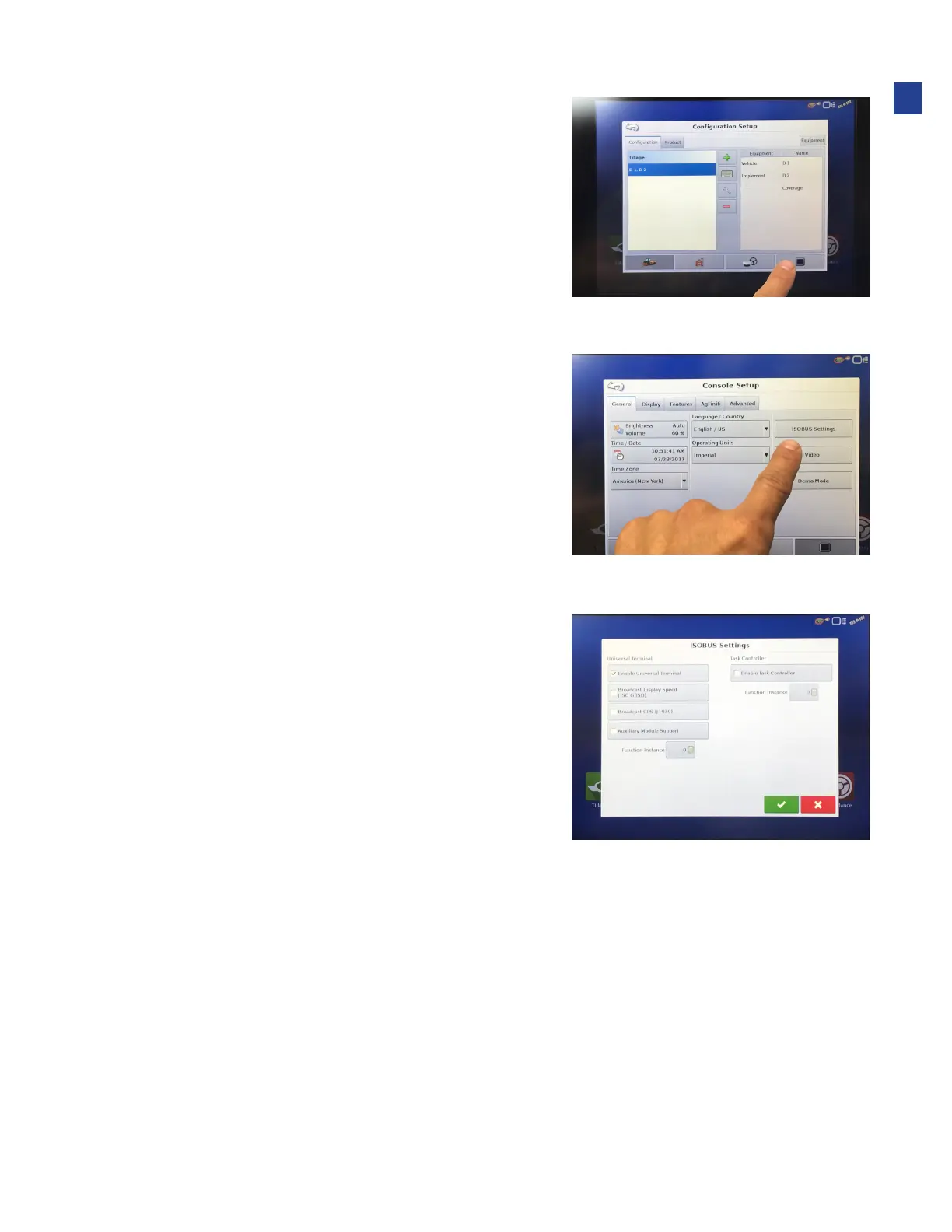
3. Enable “Universal Terminal” on the monitor.
•
On the Home page, choose the Setup (wrench) icon
•
Choose the Console (screen) tab
4. Choose Isobus Settings.
5. Enable Universal Terminal.
•
heck the UT box
•
Press Check to enable
6. Cycle power to the monitor.
•
Return to the home page
•
Check Step 2 above
23
Installation



 To Next Page