059305–00 REV. E
HEAT-TIMER CORP.
|
41
DISPLAY ICONS AND MESSAGES
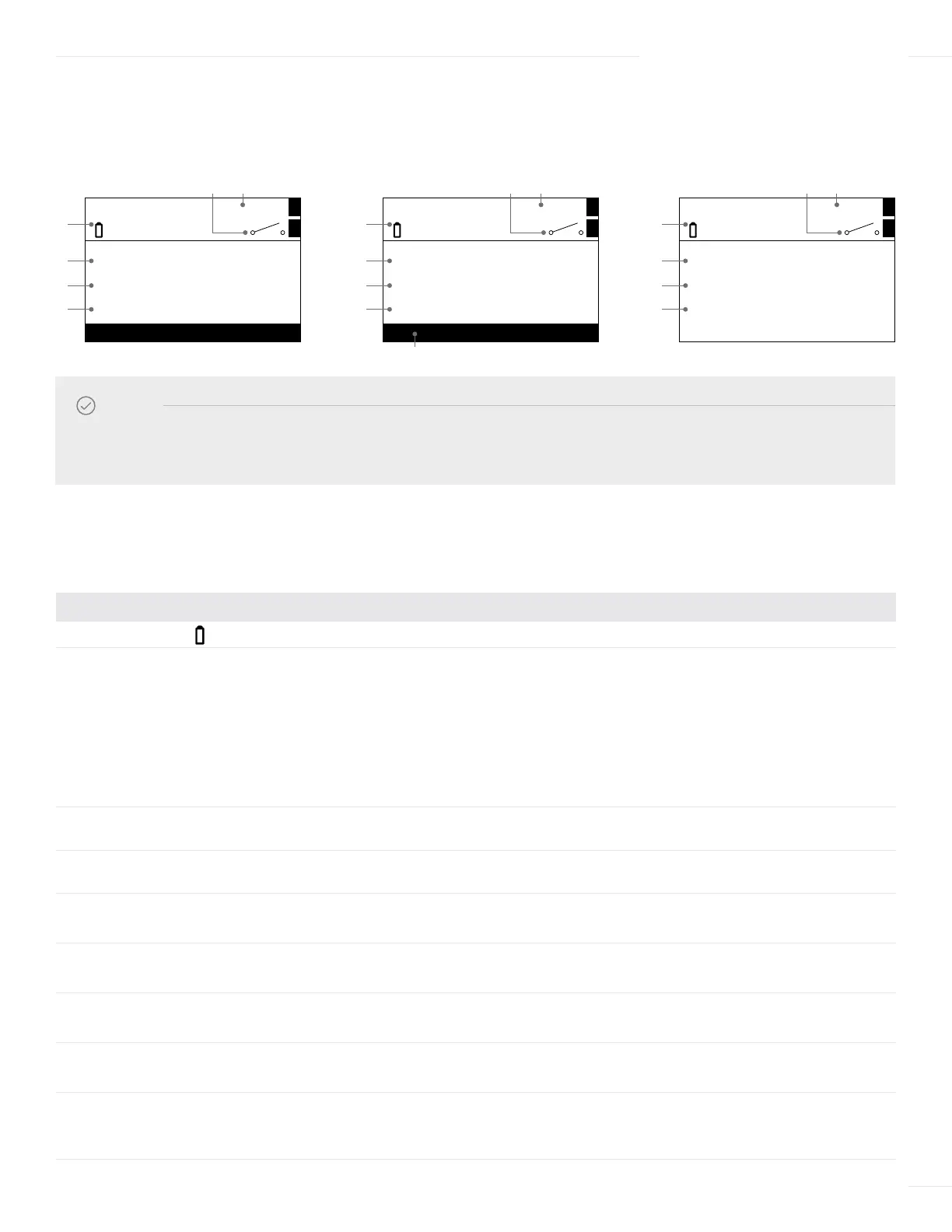
The following icons and messages may be displayed by the ETV Platinum Plus.
# MODE MESSAGE DESCRIPTION
1 ALL The battery icon blinks when the battery is weak.
2 HTLV HTLV Limit = 160°F
Valve Close! See
Log
The alarm is set to be triggered when the system temperature exceeds the
displayed setting for the specified Delay Alarm period. See “HTLV Setpoint”
on page 50.
The system temperature exceeded the alarm limit. HTLV lockout has occurred
(the control closed the HTLV valve). View the alarm logs (See “Alarm Log”
on page 54).
When in the ETV + HTLV mode, this message will alternate with the
“HTLV Limit = 160°F” message.
3 HTLV Valve Open The system temperature is below the alarm limit (HTLV Alarm is not
triggered). The control opened the HTLV valve.
4 ETV No Flow! The Flow Switch option is enabled and no flow is detected. See “Wiring the
Flow Prove” on page 31.
5 HTLV HTLV Lockout Alarm When a HTLV Lockout occurs, “HTLV Lockout” blinks.
When an active alarm occurs, “Alarm” blinks.
6 ALL Target Temperature
EMS Open/Short
The control target temperature setting.
When EMS is used and the signal fails, “EMS Open/Short” is shown.
7 ALL Value or Switch Icon When Aux 1 is configured as Temperature input, the value is shown.
When Aux 1 is configured as Switch, the switch status icon is shown.
8 ALL Value or Switch Icon When Aux 2 is configured as Temperature input, the value is shown.
When Aux 2 is configured as Switch, the switch status icon is shown.
9 ALL Communication
Lost!
Internet Communication (ICMS) option only.
The control is set to communicate over a network and communication is not
detected. This message will alternate with the date and time message.
06 DISPLAY AND PROGRAMMING
DEFAULT DISPLAY
The ETV Platinum Plus default display varies depending on selected Control Mode and alarm condition.
NOTE
When in the ETV + HTLV mode, the area above the variable function buttons that describe the button’s function may not
be displayed due to inactivity. Pressing the far-right button in the default display will enter into the Menu screen.
SYS
MENU
1
2
Target = 120°F
Mod. Out = 70%
Mon 10-08-12 12:00Pm
50°F
°F
120
1
8 7
6
4
9
SYS
MENU
1
2
HTLV Target 160°F
Valve Close! See Log
Mon 10-08-12 12:00Pm
50°F
°F
145
1
8 7
6
3
9
LOCKOUT
5
SYS
1
2
Target = 120°F
Mod. Out = 70%
HTLV Limit = 160°F
Mon 10-08-12 12:00Pm
50°F
°F
120
1
8 7
6
4
2, 9



 To Next Page