059305–00 REV. E
HEAT-TIMER CORP.
|
53
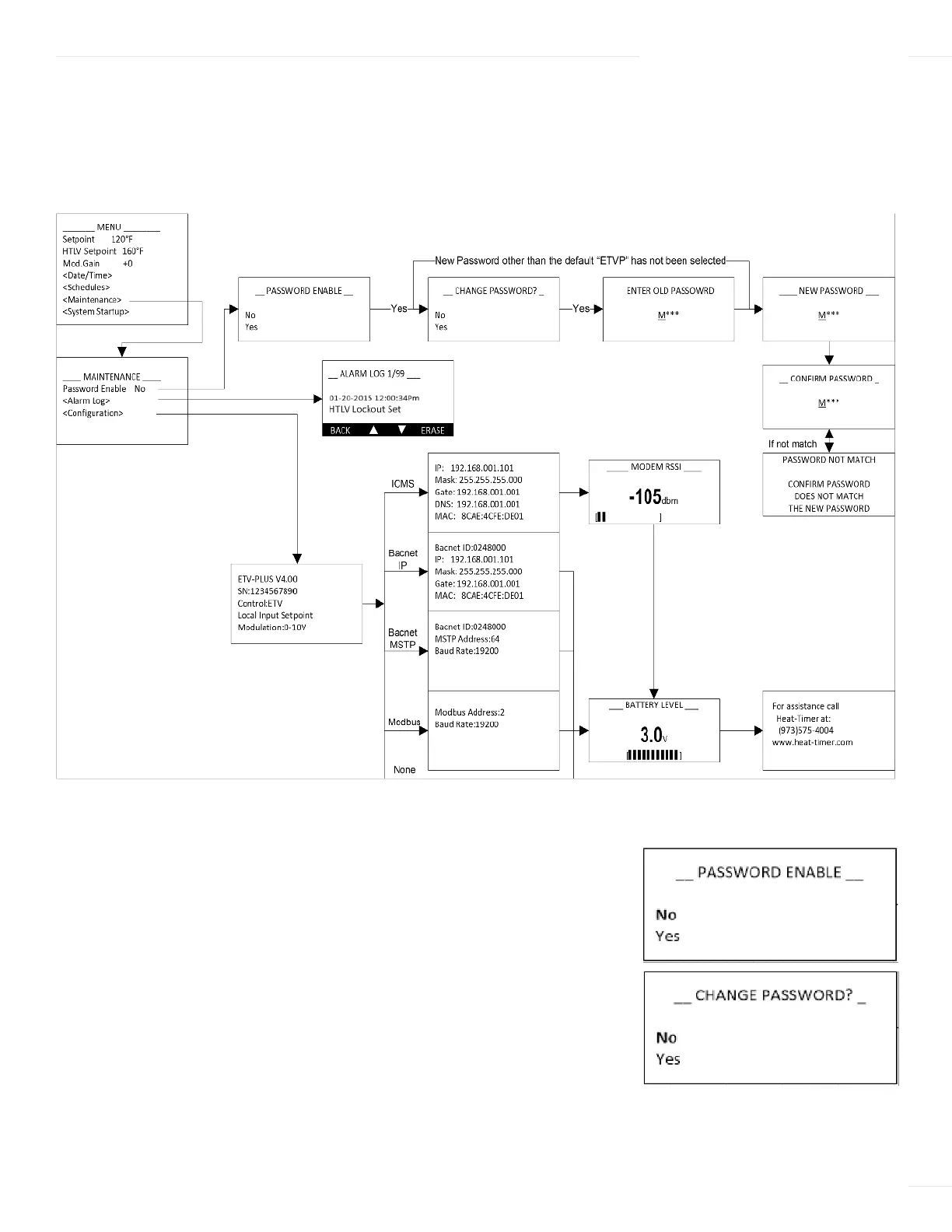
MAINTENANCE MENU
The Maintenance menu is used to modify critical system behavior and view previous alarm conditions. It should only be used by
system installers.
PASSWORD ENABLE
Selections: No, Yes Default: No
Available in Control Mode: All
Menu Path: /Maintenance > Password Enable
Description: When set to Yes, a password must be entered in order
to access the ETV Platinum Plus programming menus. When enabled,
the password can be set or changed. When setting/changing the password, it must be
entered twice and both entries must match. If the password entries do not match, an
error is displayed and the password must be re-entered.
06 DISPLAY AND PROGRAMMING



 To Next Page