50
|
HEAT-TIMER CORP.
059305–00 REV. E
06 DISPLAY AND PROGRAMMING
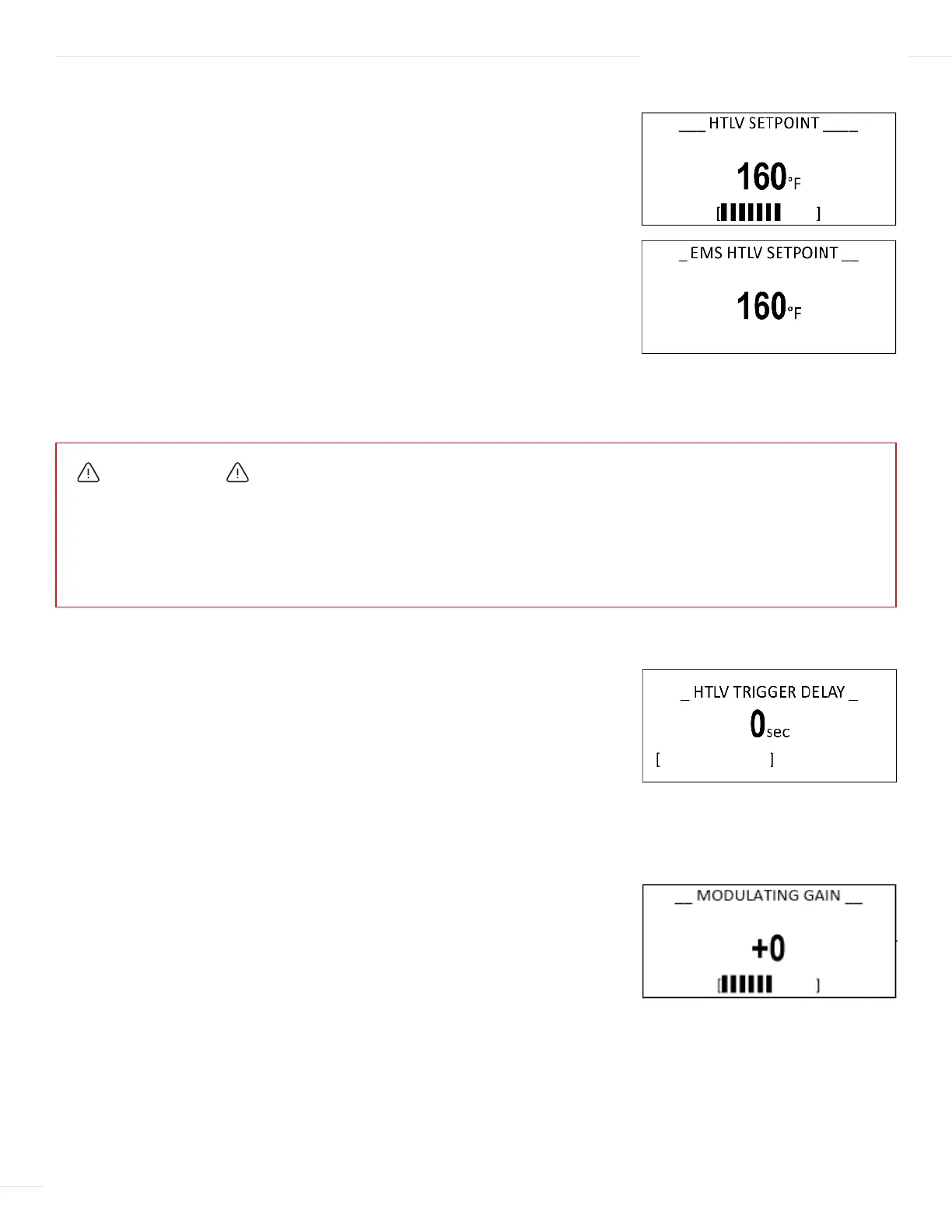
HTLV SETPOINT
Selections: 40°F/4.5°C to 200°F/93° Default: 110°F/43°C
Available in Control Mode: HTLV or ETV + HTLV
Menu Path: /HTLV Setpoint
Description: The HTLV Setpoint is the mixed valve outlet temperature above which the
ETV Platinum Plus will close the HTLV valve and trigger an alarm. This action prevents
the mixed outlet from reaching excessive temperatures. An alarm message is displayed
(See “Alarm Messages” on page 41) and the event will be recorded in the Alarm Log
(See “Alarm Log” on page 54).
If the Setpoint Input was set to EMS 4–20mA, the HTLV Setpoint can only be changed
remotely using the 4–20mA input signal. It will be available as read-only through the
control (See “Setpoint Input” on page 44).
A HTLV Trigger Delay can be adjusted to help eliminate false alarms (See “HTLV Trigger
Delay” on page 50).
HTLV TRIGGER DELAY
Selections: 0 to 60 seconds Default: 15 sec
Available in Control Mode: HTLV or ETV + HTLV
Menu Path: /HTLV Setpoint > HTLV Trigger Delay
Description: The HTLV Trigger Delay prevents the alarm from being triggered
immediately and the HTLV valve from closing unless the alarm situation is maintained
for the full delay period. This helps eliminate false alarm situations that normally may
only last for a few seconds.
MODULATING GAIN
Selections: –10 to +10 Default: +0
Available in Control Mode: ETV or ETV + HTLV
Menu Path: /Mod. Gain
Description: The Modulating Gain adjusts the PID aggressiveness of the control. The
higher the gain, the more aggressive the ETV Platinum Plus adjusts the mixing valve
based on changes in water temperature.
If the water temperature tends to oscillate quickly above and below the desired
setpoint, reduce the gain. If the water temperature tends to stay consistently below or
above the Set Point, increase the gain.
Start with a gain of “0”. Before making any additional gain changes, always wait at the
least ten minutes after adjusting the gain to determine its affect on the system.
WARNING
SCALD HAZARD! Water temperatures over 125°F (52°C) can instantly cause severe burns. Children, disabled, and the
elderly are at highest risk of being scalded. If anyone using hot water in the building fits the above description, or if local
codes or state laws require specific water temperatures at the outlet, it is recommended to not exceed at Setpoint limit
of 125°F (52°C). Water drained from system drain valves may also be extremely hot. Make sure all connections are tight
and direct all water flow away from personnel.
-- STANDBY DELAY --
10 min
[ ]
BACK ▲▼ SAVE
-- Run-On --
0 min
[ ]
BACK ▲▼ SAVE
------ SETBACK -------
0
o
F
[ ]
BACK ▲▼ SAVE
-- LEAD ROTATION --
24hrs
[ ]
BACK ▲▼ SAVE
-- LEAD ROTATION --
Manual
Time
Last-On
BACK ▲▼ SAVE
-- STANDBY TIME --
10 min
[ ]
BACK ▲▼ SAVE
LAST STAGE HOLD
0
o
F
[ ]
BACK ▲▼ SAVE
------ GAIN ------
+0
[ ]
BACK ▲▼ SAVE
---- LAG DELAY ----
0 min
[ ]
BACK ▲▼ SAVE
-- SOFT-OFF DELAY --
45 sec
[ ]
BACK ▲▼ SAVE
MODULATION SETTINGS
Gain +0
Lag Delay 0min
Soft-Off Delay 45sec
BACK ▲▼ SAVE
---- LAG DELAY ----
0 min
[ ]
BACK ▲▼ SAVE
-- SOFT-OFF DELAY --
45 sec
[ ]
BACK ▲▼ SAVE



 To Next Page