44
|
HEAT-TIMER CORP.
059305–00 REV. E
06 DISPLAY AND PROGRAMMING
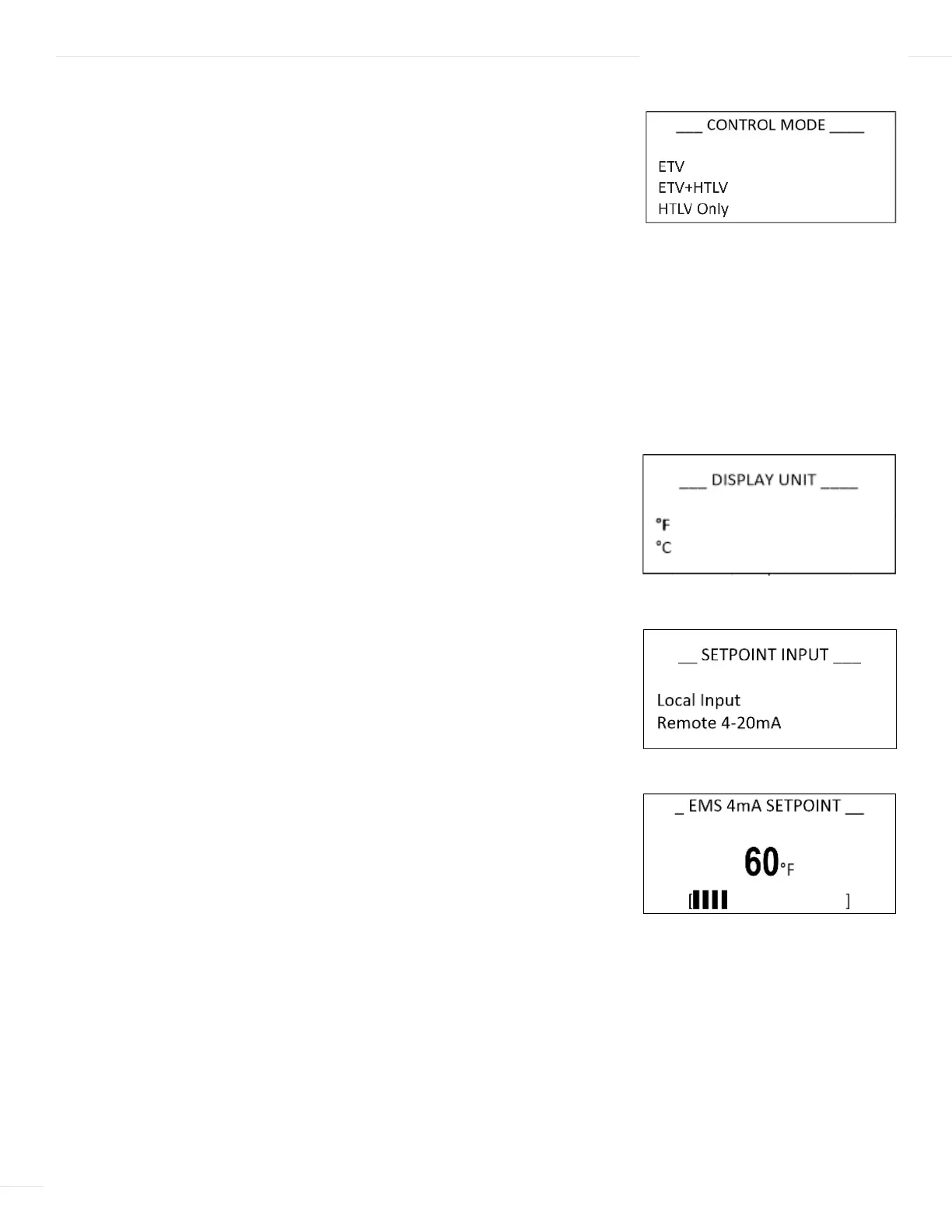
CONTROL MODE
Selections: ETV, ETV + HTLV, HTLV Only
Available in Control Mode: All Default: ETV
Menu Path: /System Startup > Control Mode
Description:
ETV—Controls the electronic mixing valve to regulate the water
temperature. This mode can also accept the Flow Prove input to determine the mixing
valve position during no flow periods.
HTLV—Triggers an alarm and shuts the hot water supply to system using a HTLV valve
when experiencing excessive mixed temperature. This mode does not accept the Flow
Prove input.
ETV + HTLV—Controls the electronic mixing valve to regulate the water temperature
and the HTLV valve and alarm to manage the hot water inlet. This mode also accepts
the Flow Prove input to determine the mixing valve position during no flow periods.
See “Wiring the Flow Prove“ on page 30 and “Flow Switch“ on page 45.”
DISPLAY UNIT
Selections: °F, °C Default: °F
Available in Control Mode: All
Menu Path: /System Startup > Display Unit
Description: This option changes the sensors’ display and all temperature settings
standard to Fahrenheit or Celsius.
SETPOINT INPUT
Selections: Local Input, Remote 4–20mA Default: Local Input
If Remote 4–20mA is selected: Default: 60°F/16°C
4mA range: (40°F/4.5°C to 200°F/93°C)
--- BOOST MODE ---
30 Minutes
Disable
BACK ▲▼ SAVE
--- SENSOR FAULT ---
All Off
All On
BACK ▲▼ SAVE
--- BOOST MODE ---
30 Minutes
Disable
BACK ▲▼ SAVE
--- SENSOR FAULT ---
All Off
All On
BACK ▲▼ SAVE
--- BOOST MODE ---
30 Minutes
Disable
BACK ▲▼ SAVE
--- SENSOR FAULT ---
All Off
All On
BACK ▲▼ SAVE



 To Next Page