4) In the main menu, select " → TCP/IP→ IP/Port", set "IP Address" as
the router's private IP (for example: 192.168.1.101) or select "DHCP" to
obtain the IP address automatically.
The specific operation steps are as follows:
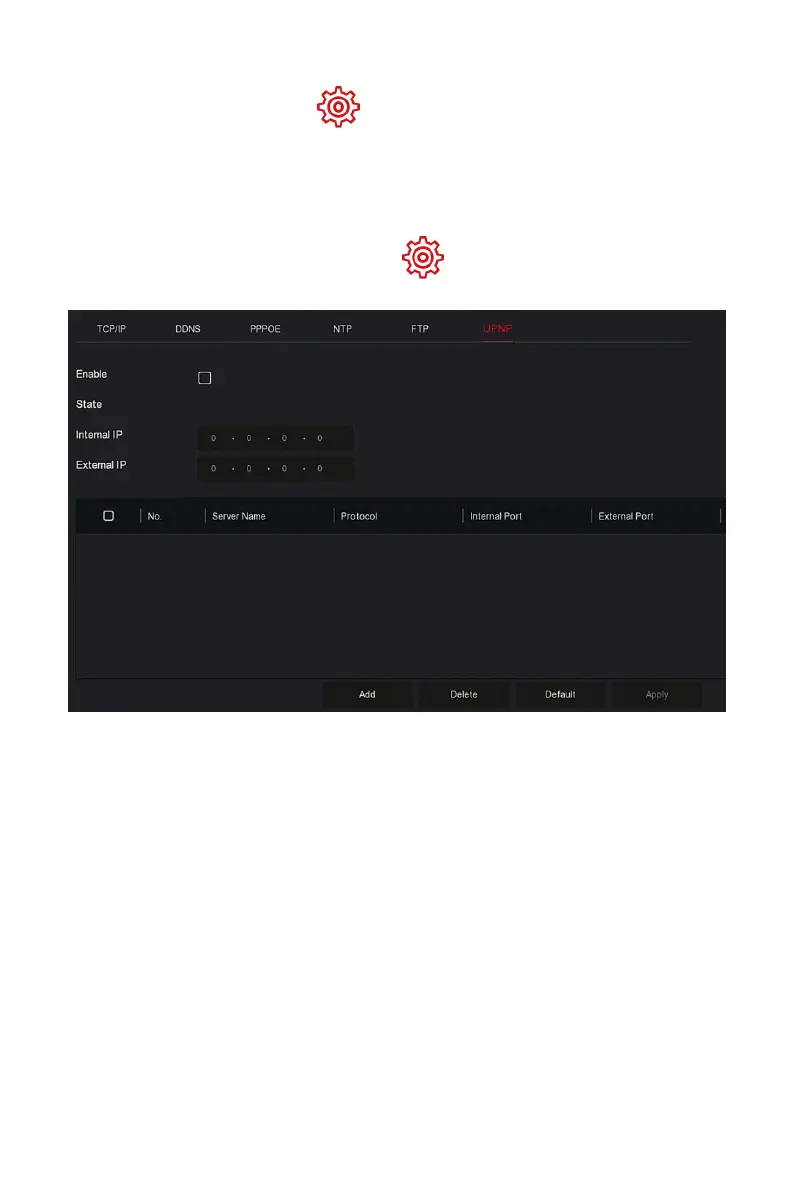
Step 1: On the main menu page, click " → TCP/IP → UPnP" to enter the
UPnP interface, as shown in Figure 5-48.
Figure 5-48
Steps 2: Enable the UPnP function and configure related parameters such as
Internal IP, External IP, and port mapping information of the UPnP route.
Steps 3: Click "Apply" to save the configuration.
Enable: Turn on/off the device UPnP function.
State: Displays the mapping status of UPnP.
Internal IP: Enter the router's LAN port address. After the mapping is
successful, the IP address will be automatically obtained without
setting.
External IP: Enter the router's WAN port address. After the mapping is
successful, the IP address will be automatically obtained without
setting.
Port Mapping Table: This corresponds to the UPnP mapping table
information on the router.



 To Next Page