Click to enter the system maintenance
interface.(Detailed operation as 5.3.8)
Click to enter the alarm information
interface.(Detailed operation as 5.3.9)
Click to enter the backup progress interface.(Detailed
operation as 5.3.10)
Click to enter the logout interface.(Detailed operation
as 5.3.11)
Table 5-2
5.3 Operation
5.3.1Preview
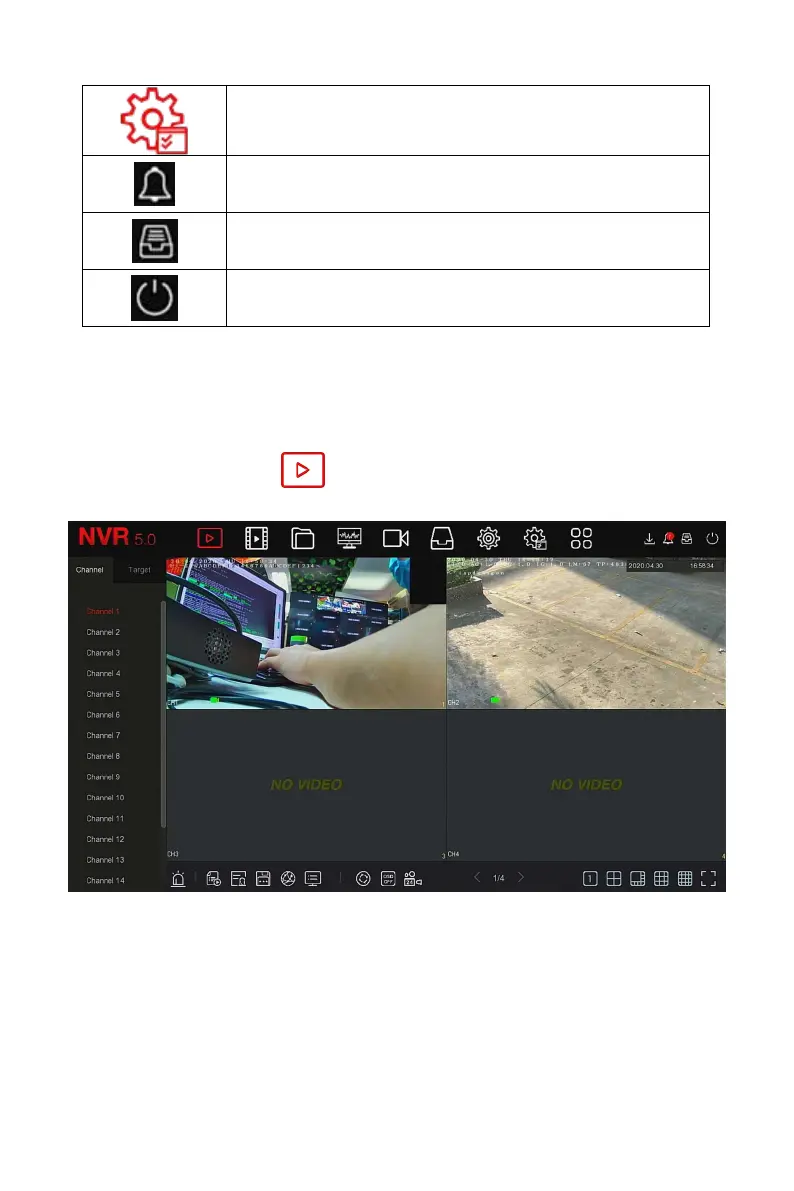
In the main menu, click " " to enter the preview interface, as shown in
Figure 5-6:
Figure 5-6
Channel: Display all channels of the system. Double-click a channel, and
the real-time picture of the channel will be displayed in the current
preview box (red box).



 To Next Page