Table 6-3
6.5 Configuration
6.5.1 Local Config
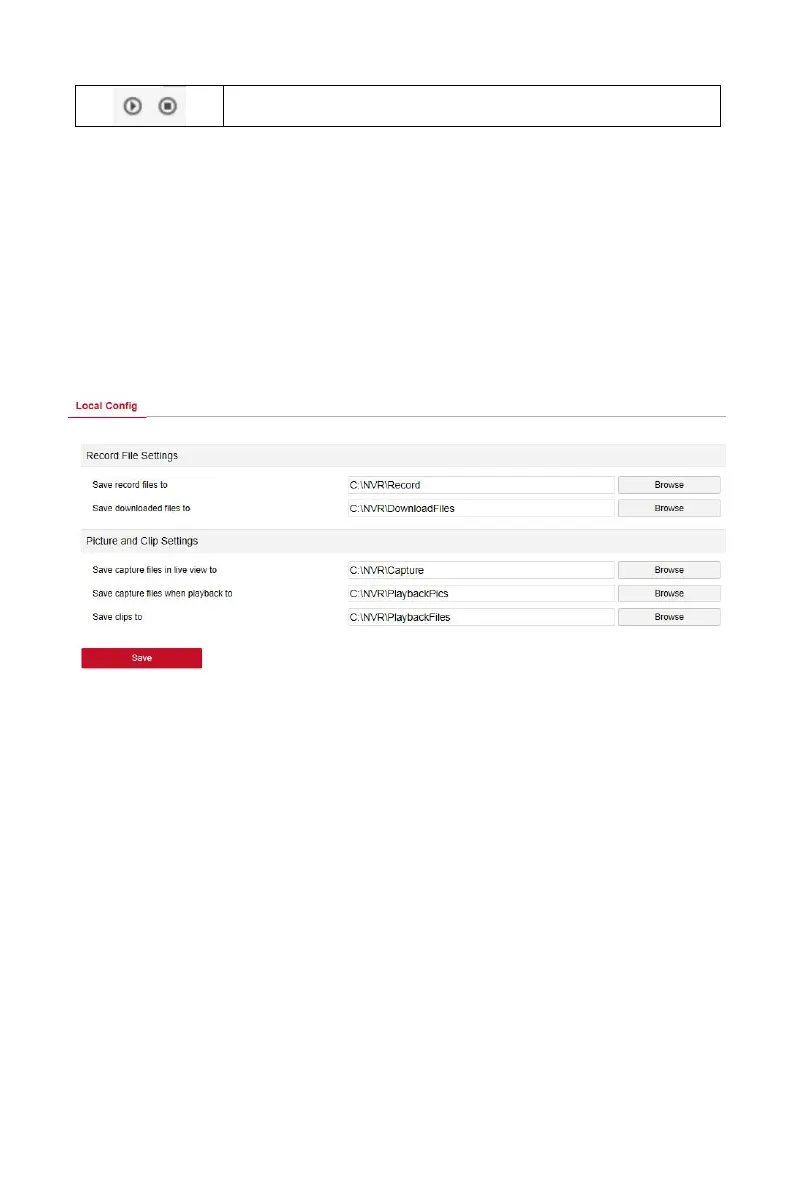
In the main interface, click "Configuration →Local Config→Local Config" to
enter the local configuration interface, as shown in Figure 6-5 below. Here
you can set the device video file, capture and clip corresponding to the local
computer's save path, click "Browse" to select the path to save, click "Save"
to complete the path settings.
Figure 6-5
6.5.2 Camera
6.5.2.1 Add Camera
In the main interface, click "Configuration → Camera →Add Camera" to enter
the add camera interface, as shown in Figure 6-6 below. Here you can add,
edit, and delete devices to the device as needed. The relevant parameters
are consistent with the NVR-side settings.



 To Next Page