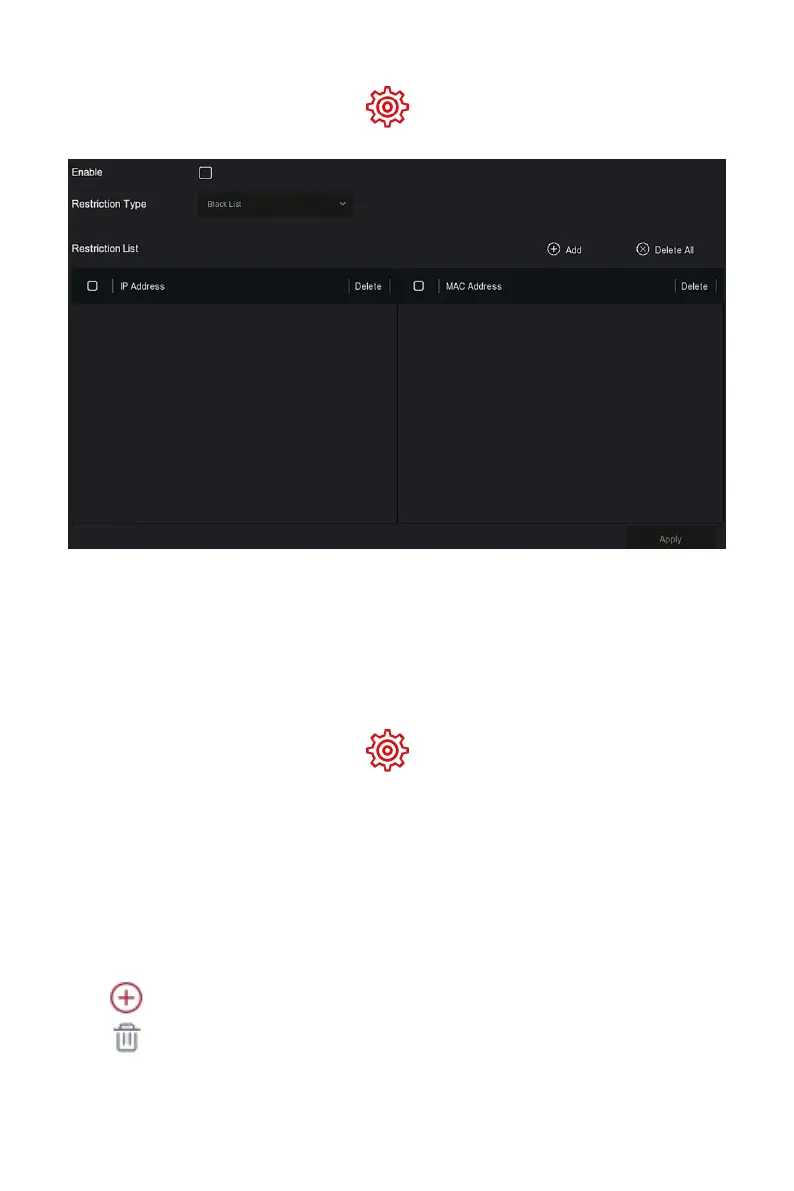
Step 1: In the main menu, choose" →Address Filter" to enter Address
Filter setting interface, as shown in Figure 5-49 below.
Figure 5-49
Steps 2: Choose "Restriction Type ", such as "Blacklist ".
Steps 3: Click "Add ", choose IP address(or MAC address ), input IP address.
Steps 4: Click "Apply", the IP address or MAC address will be added to the
Blacklist of the device.
IP address and MAC address filtering steps:
Step 1: In the main menu, choose" →Address Filter" to enter Address
Filter setting interface.
Steps 2: Choose "enable→Restriction Type".
Steps 3: Click "Apply" to save the setting.
Enable: Enable / Disable the filtering function of NVR.
Restriction Type : There are two options: "Blacklist " and"Whitelist ".
Restriction List: Corresponding to the list of the currently selected type
list, display all the added IP address, MAC address and status (Enable /
Disable) in the list.
Add: Add blacklist and whitelist.
Delete: Delete the list selected in the filter list.



 To Next Page