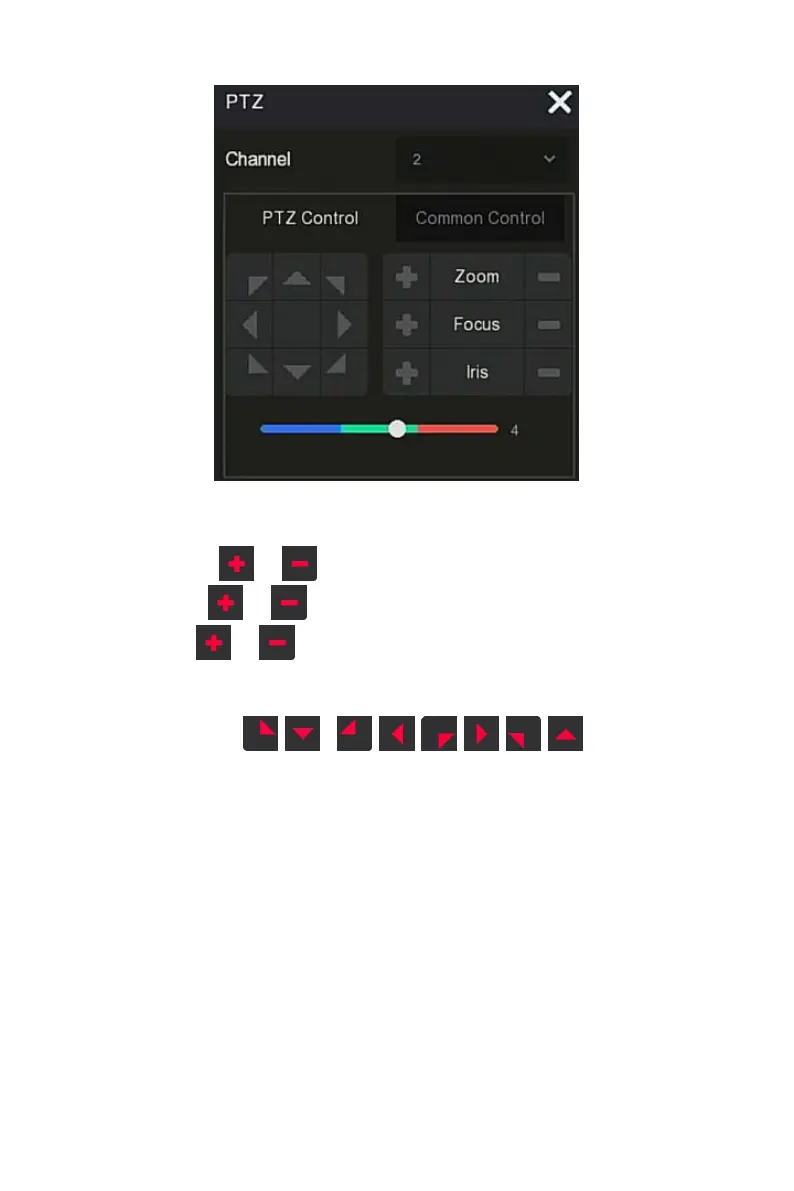
Figure 4-11
○
2
Channel: Select the channel where the PTZ device is located.
Zoom: Click / to adjust camera zoom in/out.
Focus: Click / to adjust camera focusing.
Iris: Click / to adjust camera brightness.
Speed: To control the speed of the pan/tilt, for example, the rotation
speed in steps of 7 is much greater than the rotation speed in steps of 1.
Direction: Use / / / / / / / to adjust the
direction of the PTZ camera.
On the PTZ setup interface, click "Common Control" to enter the common
control interface, common control for calling preset points, select the cruise
line to turn on / off the cruise, as shown in Figure 4-11
○
3
:



 To Next Page