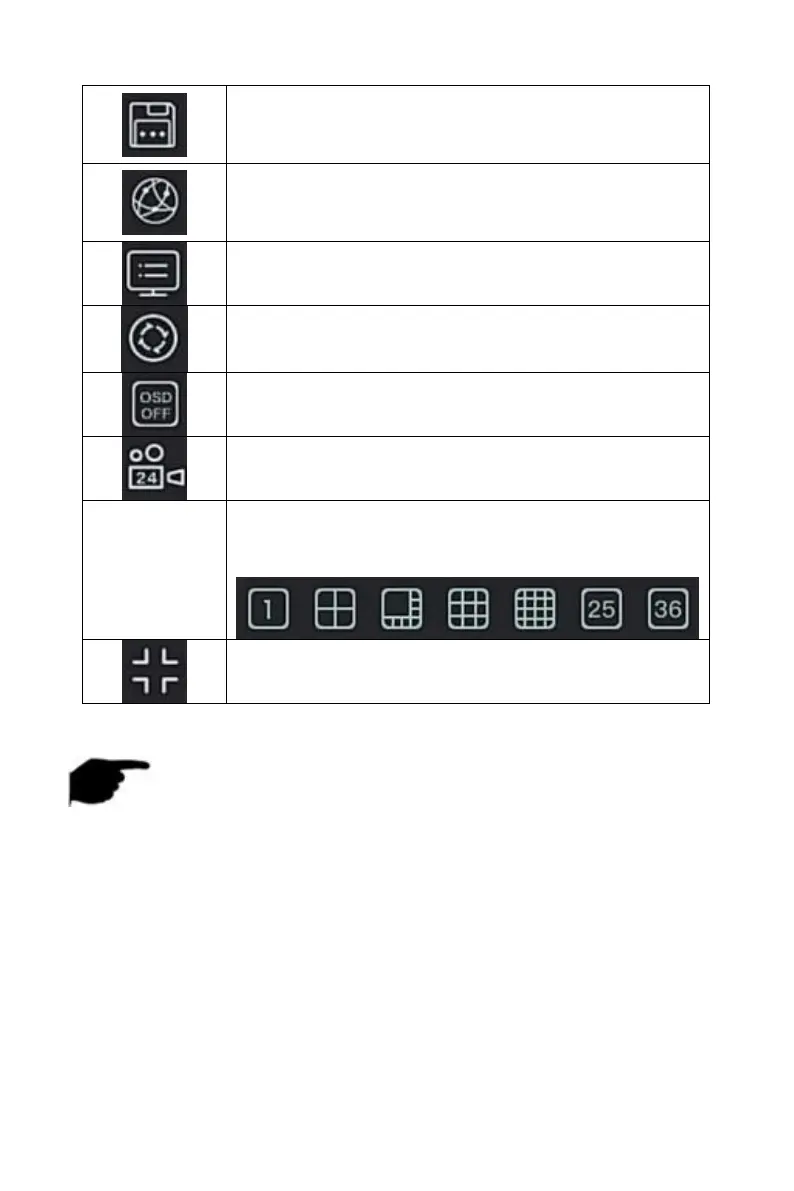
Click to enter the HDD interface, where you can view
the hard disk status,capacity and other related
information.
Click to enter the network status interface, where you
can view the device's IP address, subnet mask,
gateway and other network information.
Click into the system information interface. (Detailed
operation as 5.1.2).
Poll: Click into the poll setup interface (Detailed
operation as 5.1.3)
Turn on / off the channel name and channel number
of each channel.
Turn on / off all-day timing recording for all channels
Screen splitting will divide the screen into 1, 4, 9, 16,
etc. according to the number of devices supported by
the NVR.
Exit full screen, click to enter the main menu mode.
Table 5-1
NOTE
At present, only some equipment of the company supports fisheye
correction.
Multi-screen display depends on the maximum number of channels
supported by the device. For example, there are 9 screens in the
shortcut menu of the 9-channel device and 16 screens in the 16-channel
device shortcut menu…
The 64-channel NVR supports dual-screen preview device real-time
video, in which interface HD1 and VGA are the main screen interfaces,
and HD2 is the auxiliary screen interface. In the main screen, you can
set the system to preview 64 channel video. Add the channel added to
the main screen to the sub screen by adding the device interface. The



 To Next Page