EasyManua.ls Logo

HeroSpeed NVR - Page 92

Default Icon
225 pages
Print Icon
To Next Page IconTo Next Page
To Previous Page IconTo Previous Page
Loading...
91
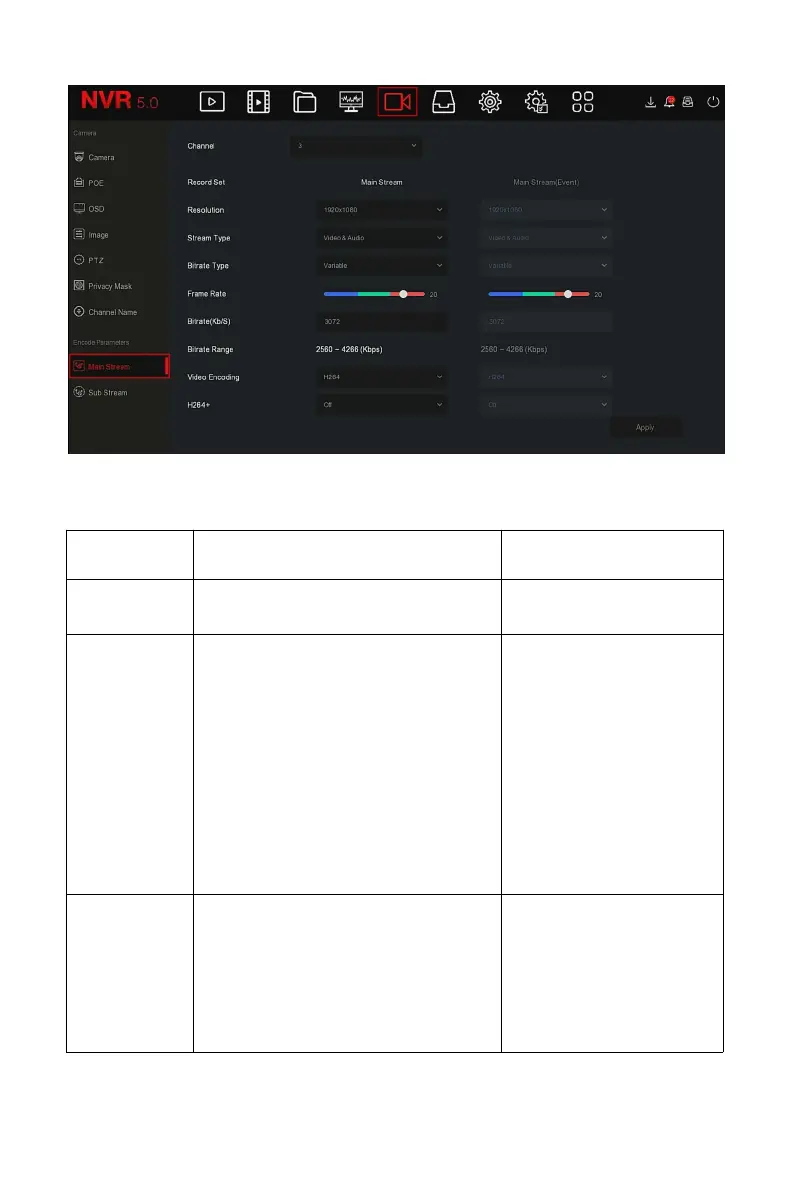
Figure 5-37
Steps 2: Set recording parameters, please refer to Table 5-4 for specific
parameter descriptions.
Name
Details
Setting
Channel
Select the channel to set recording
parameters
Select through the
drop-down box.
Record Set
There are two types of video
compression parameters: Main
Stream (timing) and Main Stream
(Event).
Main Stream (timing): Encoding
parameters for ordinary recording.
Main Stream (Event): encoding
parameters for events such as
motion detection, alarm input, and
smart detection

NOTE:
The event parameters
cannot be set and are
consistent with the
timing parameters.
Resolution
Resolution refers to the number of
pixels contained in a unit length.
Select through the
drop-down box.
NOTE:
The encoding resolution
is related to the IP
device.