DTS-60A OPERATORS MANUAL
5
1.3 User Interface
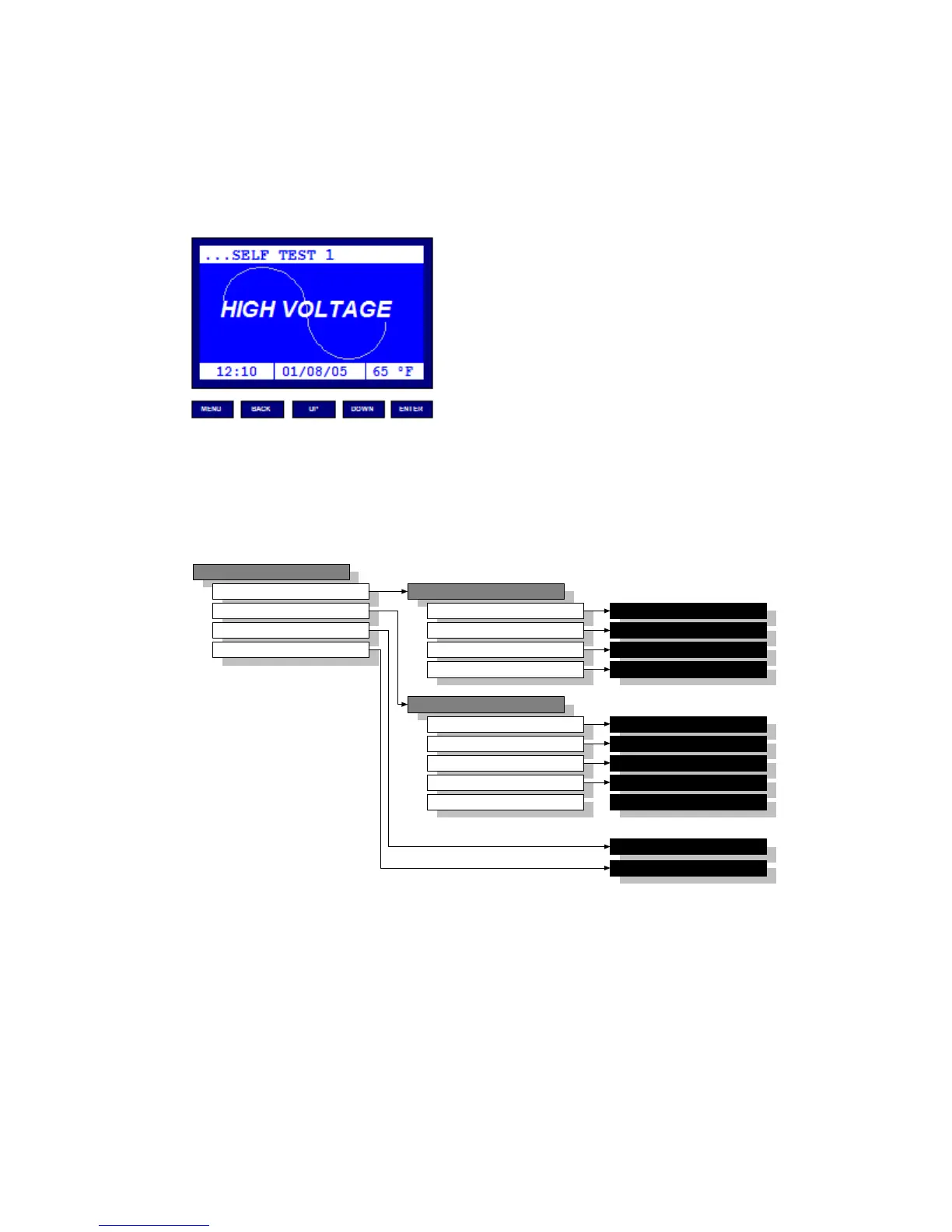
The equipment User Interface is based on a dot-matrix Liquid
Crystal display (LCD) and a compact 5-key keyboard, Figure 1.2. The
user-friendly graphical interface makes the equipment's operation
simple and attractive.
Figure 1.2 – Equipments User Interface
1.3.1 Menu Overview
The equipment operation is based on a user friendly structure of
menu/ submenu driven functions. An overview of the menu/
submenu selections is summarized in Figure 1.3.
Figure 1.3 – Equipment's User Interface
MENU
TESTS
SETTINGS
TEST HISTORY
REMOTE OPERATION
TESTS
SELECT
CREATE
EDIT
DELETE
SETTINGS
TIME/DATE
OPERATOR
LCD CONTRAST
LANGUAGE
TEST HISTORY APP
REMOTE OPERATION APP
SELECT TEST APP
CREATE TEST APP
EDIT TEST APP
DELETE TEST APP
SETUP TIME/DATE APP
SETUP OPERATOR APP
SETUP LCD CONT. APP
SETUP LANGUAGE APP
REGION SETUP REGION APP



 To Next Page