DTS-60A OPERATORS MANUAL
24
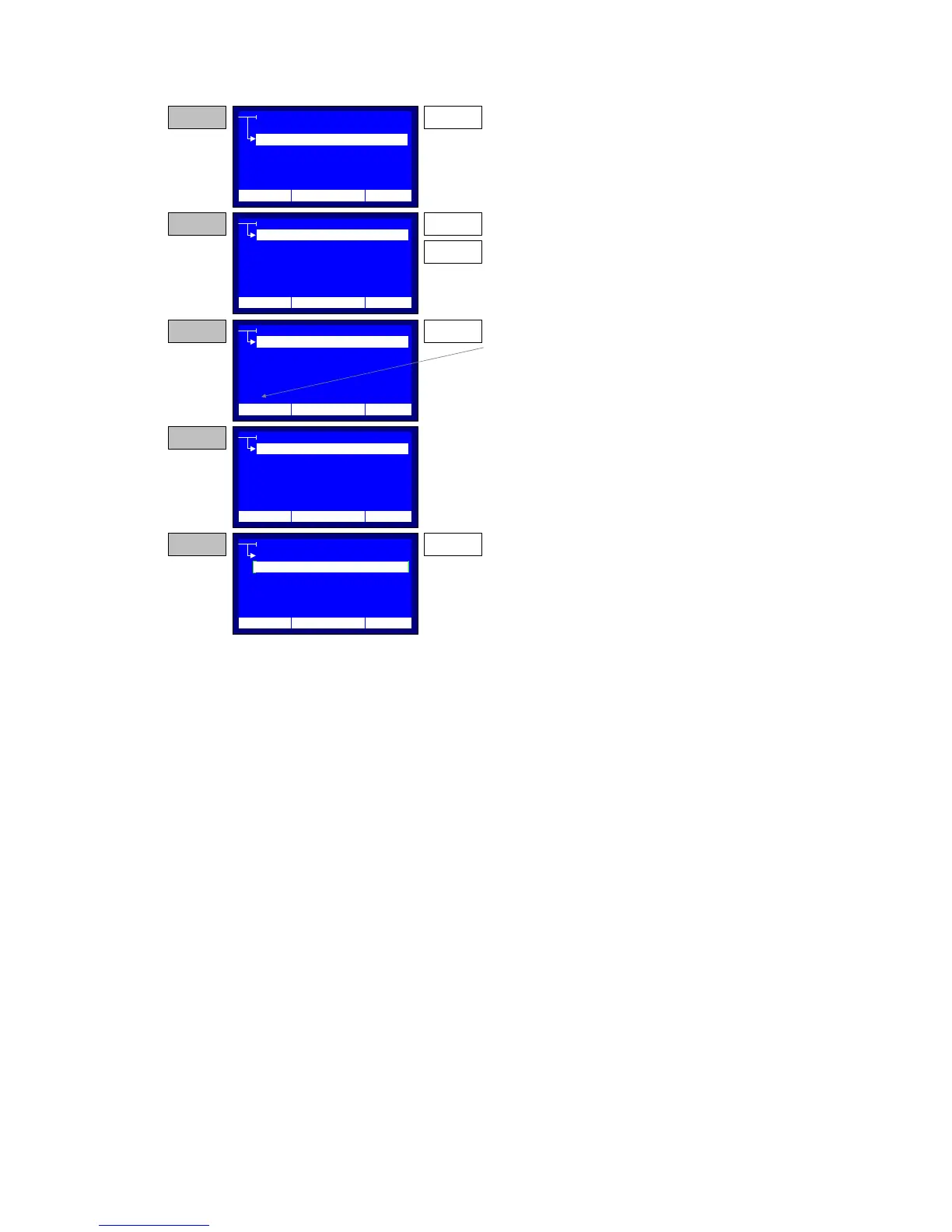
Figure 2-6 – Operator Set-up
2.3.3 LCD Contrast Setup
The LCD Contrast could be adjusted using this function. When the user
presses the ‘ENTER’ key for entering the LCD Contrast Setting a bargraph
representating the current contrast is displayed, Figure 2-7. Using the ‘UP’
and the ‘DOWN’ keys the user can adjust the LCD contrast. Using the
‘ENTER’ key, the new adjustment is saved and the LCD contrast bargraph
disappears. Figure 2-6 illustrates the LCD Contrast setup procedure.
SETTINGS
TIME/DATE
OPERATOR
LCD CONTRAST
LANGUAGE
OPERATOR
NAME
COMPANY
CONTACT INFO
OTHER INFO
OPERATOR
NAME
COMPANY
CONTACT INFO
OTHER INFO
HIGH VOLTAGE, INC
STEP 1 ENTER
Press the ENTER key while the selector points to
the OPERATOR item
STEP 2
The system Displays the Operator's setup menu.
Use the UP/ DOWN key to select an item.
UP
DOWM
OPERATOR
NAME
COMPANY
CONTACT INFO
OTHER INFO
STEP 3
Press the ENTER key in order to enable string
entry for the selected item. The string entry cursor
is displayed at the bottom of the menu.
ENTER
_
STEP 4
Enter the desired string (according paragraph
1.3.2) and at the end press the ENTER key.
OPERATOR
NAME
COMPANY
CONTACT INFO
OTHER INFO
JOHN SMITH
STEP 5
Select other Operator items according STEP 2,
and enter the desired strings. If all the changes
have been made press the BACK key, in order to
return to Settings Menu
BACK
12:10 01/08/05 65 °F
12:10 01/08/05 65 °F
12:10 01/08/05 65 °F
12:10 01/08/05 65 °F
12:10 01/08/05 65 °F
REGION



 To Next Page