DTS-60A OPERATORS MANUAL
22
2.3.1 Time/Date Setup
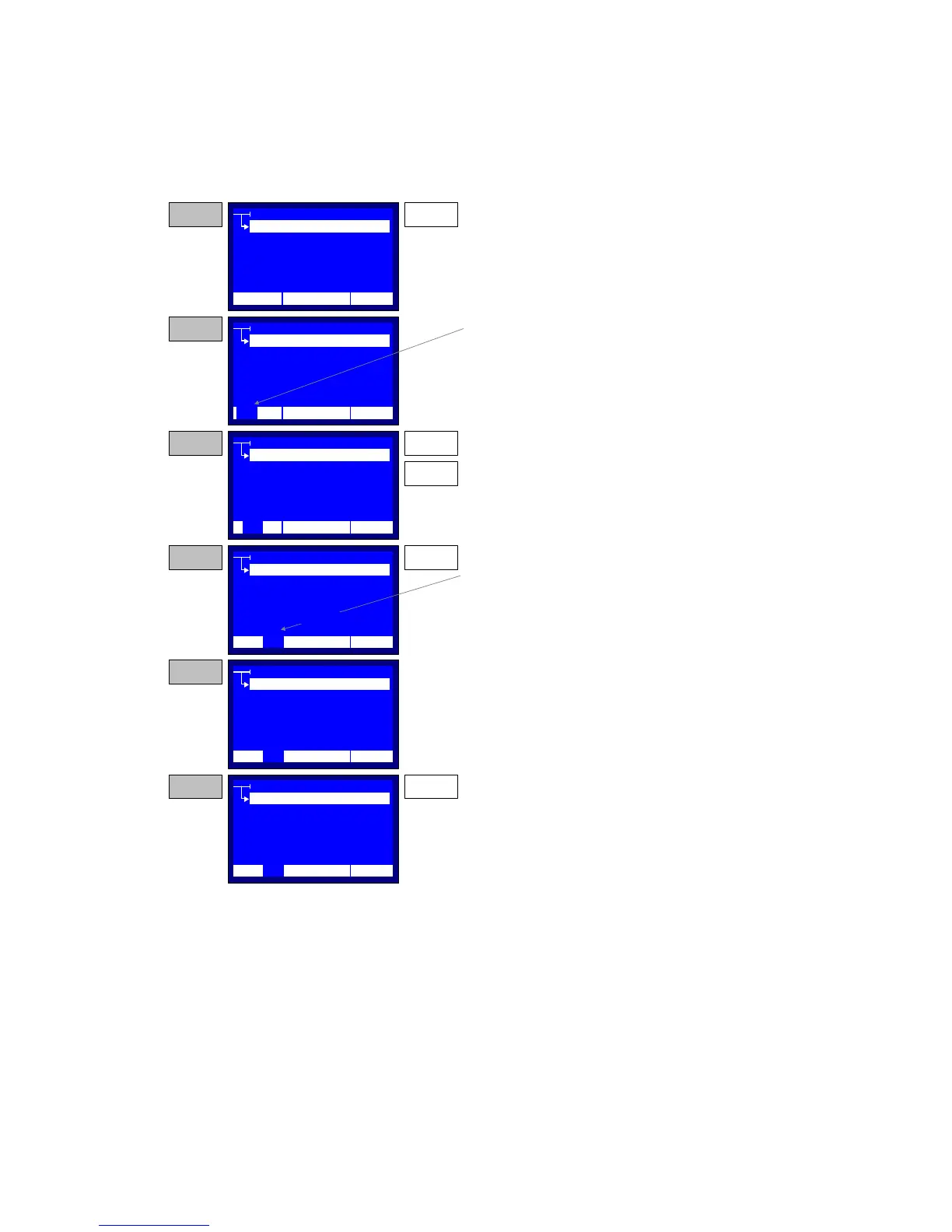
The Time/Date set-up application renders a simple method for
modifying the real-time system clock. A step-by-step Time and Date setup
procedure is depicted in Figure 2.5.
Figure 2.5 – Set-up Time and Date
REGION
REGION
SETTINGS
OPERATOR
TIME/DATE
LCD CONTRAST
LANGUAGE
STEP 1 ENTER
Press the ENTER key while the selector points to
the TIME/Date item
SETTINGS
OPERATOR
TIME/DATE
LCD CONTRAST
LANGUAGE
STEP 2
The application inverts the hours tag of the time,
displayed at the last line of the LCD
SETTINGS
OPERATOR
TIME/DATE
LCD CONTRAST
LANGUAGE
STEP 3
Use the UP and DOWM keys for selecting the
appropriate Hours Value. The value can be 0-23.
UP
DOWN
SETTINGS
OPERATOR
TIME/DATE
LCD CONTRAST
LANGUAGE
STEP 4
Press the ENTER key to enter the Hours in time
and go to the minutes selection.
ENTER
SETTINGS
OPERATOR
TIME/DATE
LCD CONTRAST
LANGUAGE
STEP 5
Repeat the above for all the Time and Date tags.
After entering the year tag, the system
automatically return to the Settings Menu
SETTINGS
OPERATOR
TIME/DATE
LCD CONTRAST
LANGUAGE
NOTE
If the BACK key is pressed when updating any of
the time/date tags, the system discards any
changes and return to the Settings menu.
BACK
12:10 01/08/05 65 °F
12:10 01/08/05 65 °F
12
12:10 01/08/05 65 °F
12
12:10 01/08/05 65 °F
10
12:10 01/08/05 65 °F
10
12:10 01/08/05 65 °F
10
REGION
REGION
REGION
REGION
REGION



 To Next Page