DTS-60A OPERATORS MANUAL
26
2.3.4 Language Setup
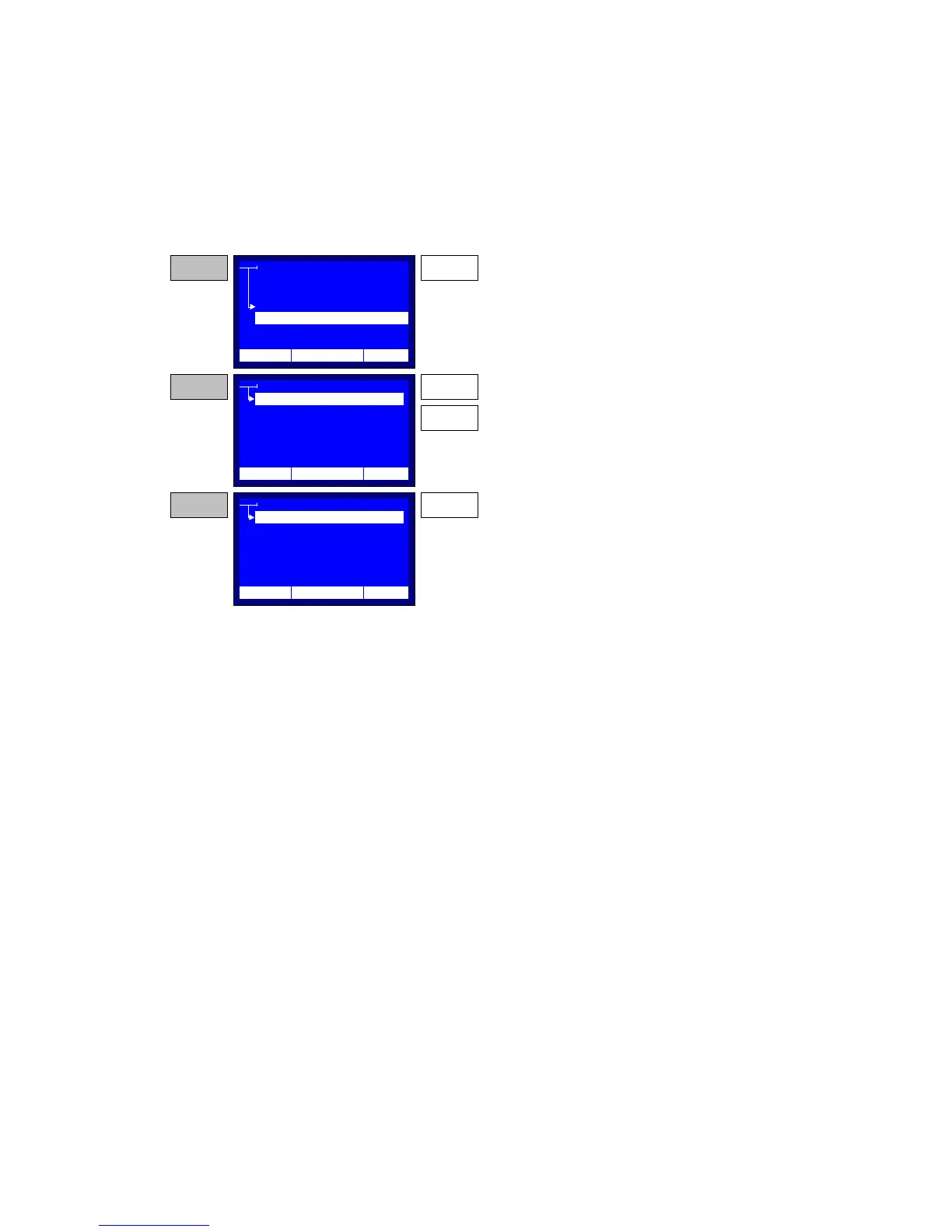
The Language Set-up, Figure 2-8 is a simple menu-driven function.
Using the ‘UP’ and ‘DOWN’ keys the user selects a language. Using the
‘ENTER’ key the new language is selected and LCD messages revert to the
new language. After selecting a language the system automatically restarts
from the main menu, with the new language enabled.
Figure 2-8 – Language Set-up
LANGUAGES
ENGLISH
GERMAN
STEP 1
SYSTEM SETTINGS
TIME/DATE
LCD CONTAST
PRINTOUT
LANGUAGE
ENTER
Press the ENTER key while the selector points to
the LANGUAGE item. The system will display the
Language Setup application.
STEP 2 UP
Use the UP and DOWN keys and move the
selection within items.
DOWN
LANGUAGES
ENGLISH
STEP 3 ENTER
Press the ENTER key to enable the selected
language. The system will restart the main menu,
while reverting all messages to the selected
language format.
FRENCH
SPANISH
GREEK
GERMAN
FRENCH
SPANISH
GREEK
12:10 01/08/05 65 °F
12:10 01/08/05 65 °F
12:10 01/08/05 65 °F



 To Next Page