DTS-60A OPERATORS MANUAL
31
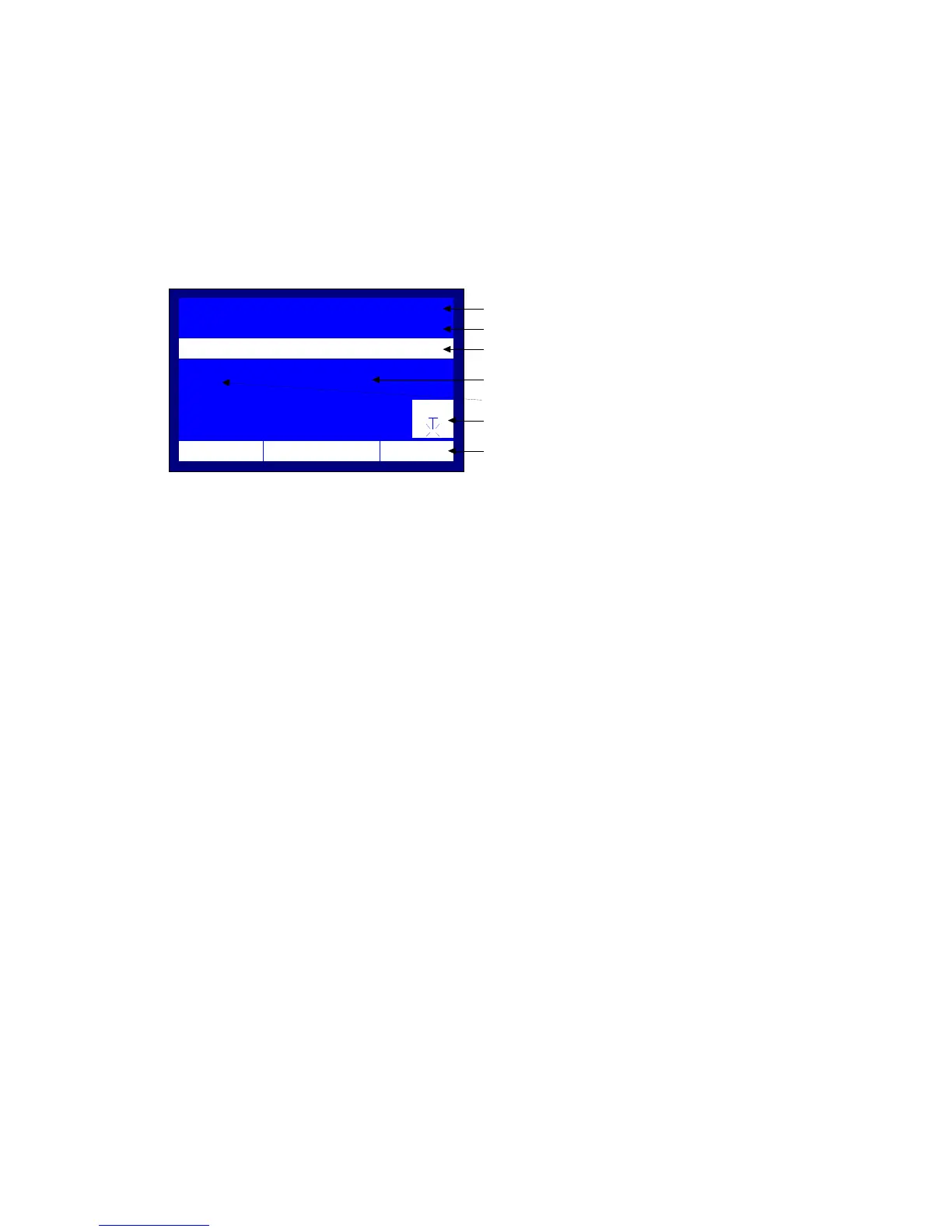
main screen of the Simple Test, Figure 3-4. The screen displays the following
information:
1
st
line: Test Name, which is the Simple Test
2
nd
line: Adjustable voltage ramp (blinking)
3
rd
line: Stage duration of the test
Current high voltage output (large digits in kV)
Stirrer icon (if enabled)
Lst line: Current time, date and temperature (also used for messages)
Figure 3-4 – Simple Test Main Screen
The user has the following controls:
1. Use of the ‘UP’ and ‘DOWN’ keys for the voltage rate of rise setup
2. Use of the ‘BACK’ key for enabling/ disabling the Stirrer
3. Use of the ‘ENTER’ key for starting the Simple Test
4. Use of the ‘MENU’ key for exiting from the Simple Test and go to
the system’s Main Menu (see paragraph 3).
0.0
kV
STIR
STAGE
1
12:10 01/08/05 65 °F
Program Name is Simple Test
Total Duration of Test Program
Voltage Rate of Rise Setup (Blinking)
Current High Voltage Output
Stirrer Indicator
System Messages
(Time/Date/Temperature. etc)
Stage Indicator
TEST:SIMPLE TEST
TIMER:
00:00:00
VOLTAGE:
0.5 kV/s



 To Next Page