BIOS FIRMWARE UPDATE INSTRUCTIONS
4-23
Then, enter setup, and press <F9> to load the default and save before any test run.
x64 Windows environment
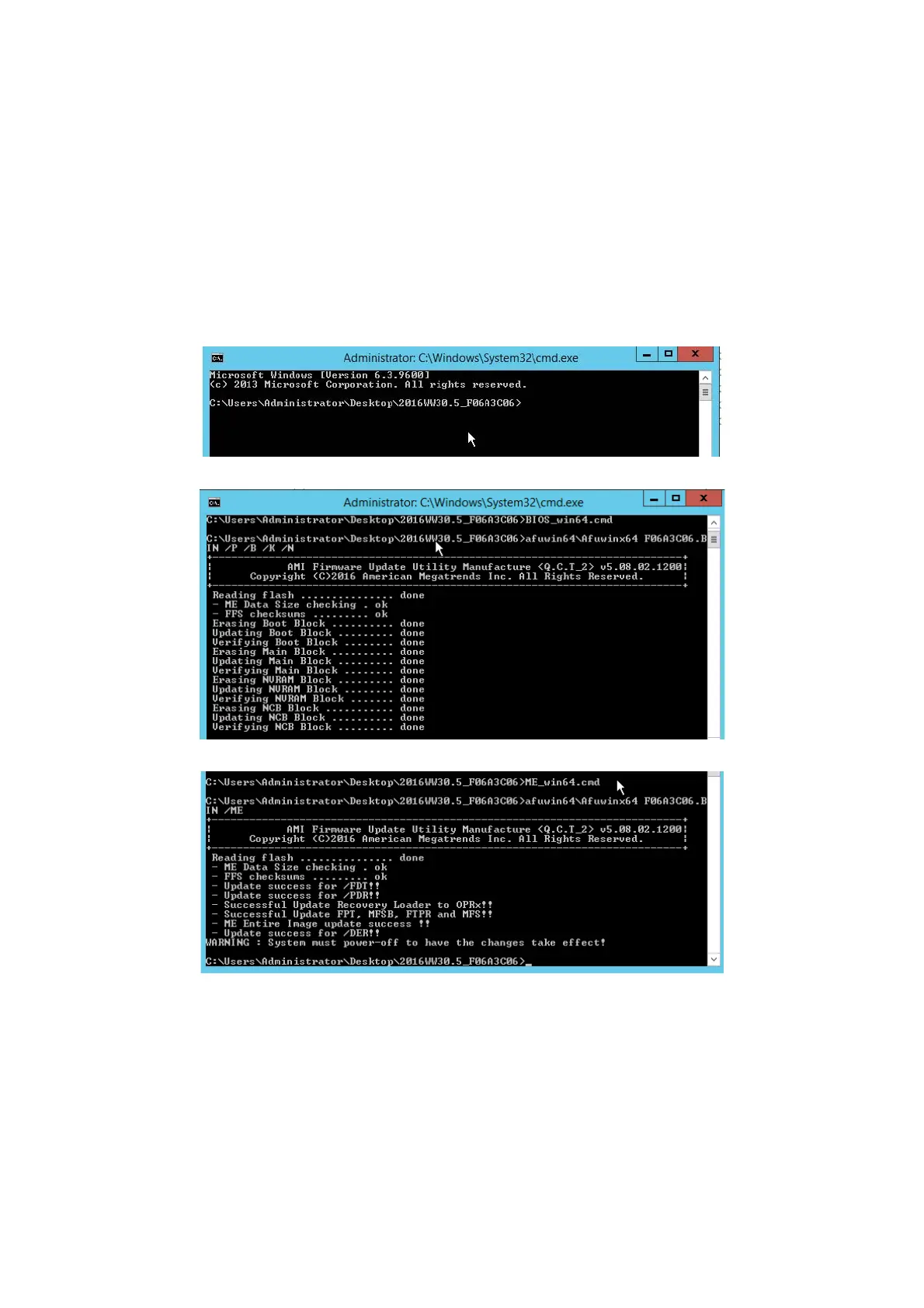
Follow the steps below to update both the BIOS and ME FW:
Power on the system and boot into the Windows OS.
Unzip the release package to
the same folder in the HDD.
Launch a Command Prompt in the release package folder, or change to the folder
where the release package is located.
Execute batch file “BIOS_win64.cmd” to update BIOS.
Execute batch file “ME_win64.cmd” to update ME FW.
Af
ter the update is complete, perform a DC cycle, the new BIOS/ME FW runs.
Then, enter setup, and press <F9> to load default and save before any test run.
For x64 Linux environment
Follow the steps shown as below to update both BIOS and ME FW:
Power on the system and boot into Linux OS.




 To Next Page