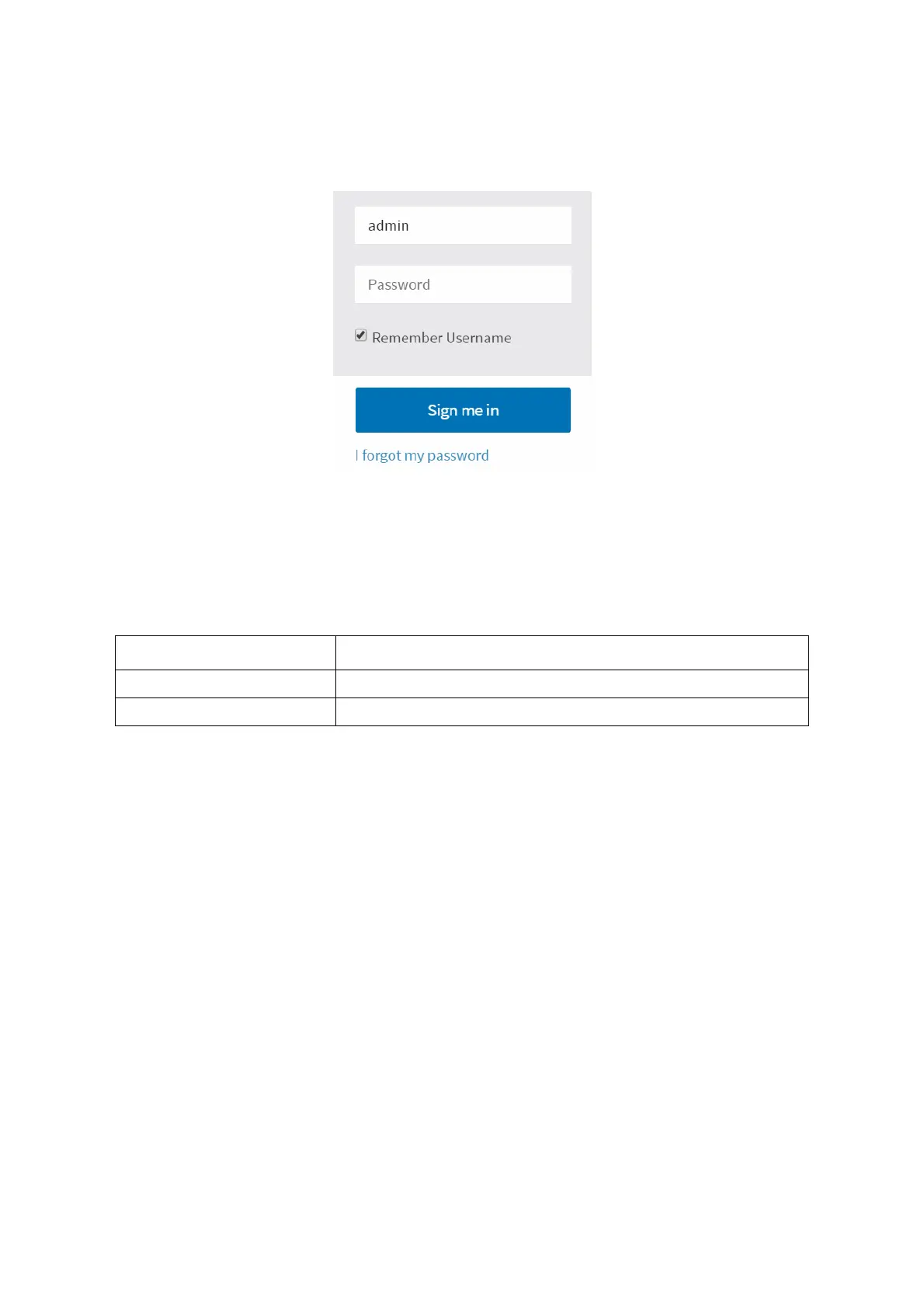
BMC LOGIN
5-19
The OEM Proprietary, Administrator and Operator privilege levels are authorized to login
to the
Web interface. The User and No Access privilege levels do not allow access
through the BMC web GUI.
Aft
er being authenticated, the following web page appears.
The BMC GUI consist
s of various menu items. Menu Bar located on the left pane displays
Dash-board, Sensor, System Inventory, FRU Information, Logs & Reports, Settings, Remote
Control.
Figure 5-5. Login Web Page
I
Forgot My Password: If you forget your password, you can generate a new one with
this link. Enter the Username, click on the I forgot my password link. This will send the
newly generated password to the configured email address for your account.
Table 6: Default Username and Password
FIELD DEFAULT
Username admin
Password cmb9.admin
Note:
The default username and password are in lowercase characters. You should change the
admin password once you have logged in.



 To Next Page