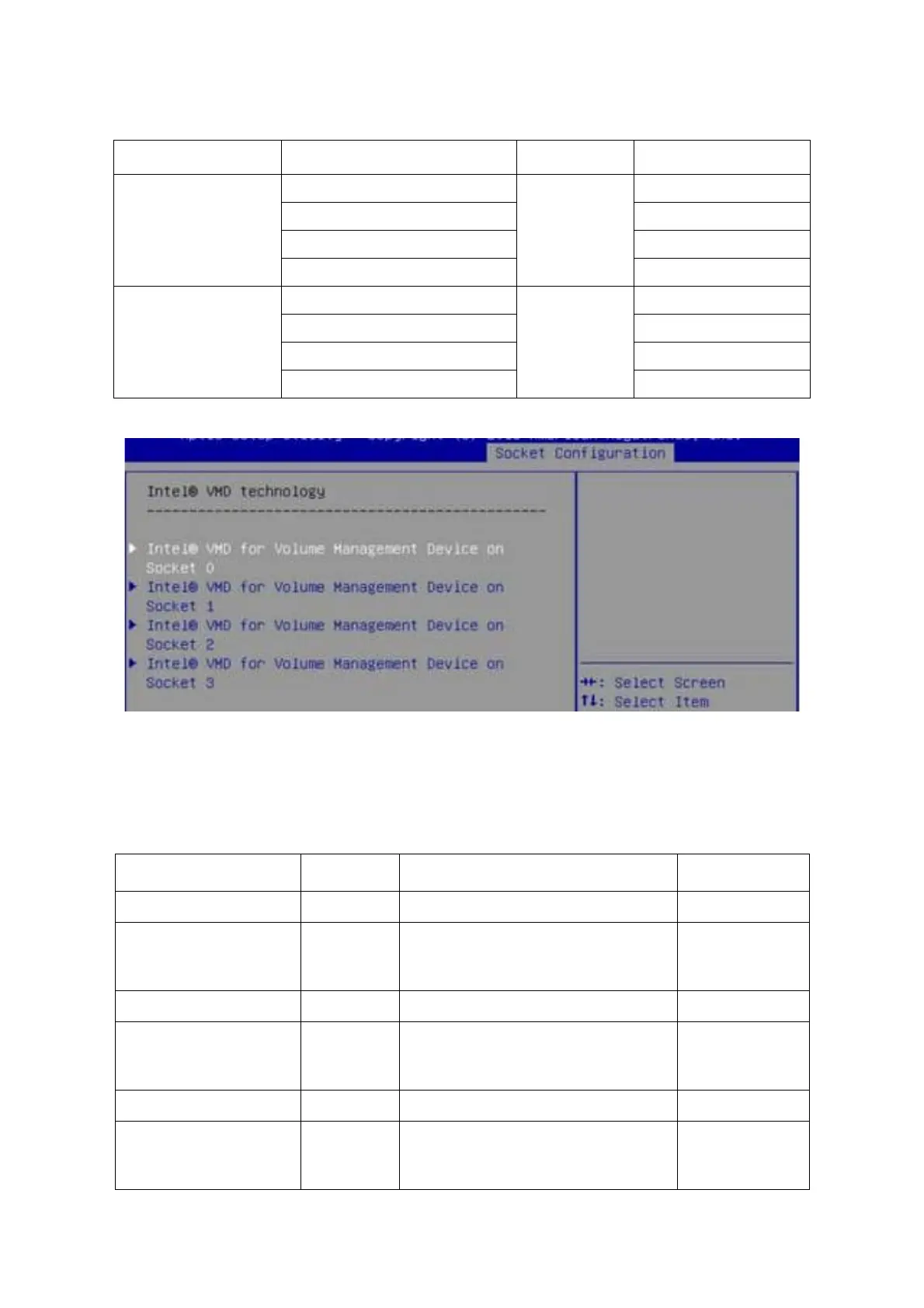
ABOUT THE SYSTEM ENABLING THE INTEL® VMD TECHNOLOGY
1-17
Press the up or down arrow key to select CPU socket 0 ~ 3.
E/nable/disable the Intel® VMD feature from PStack0 for CPU0/CPU3.
Enable/disable the Intel® VMD feature from PStack1 for CPU1/CPU2.
CPU Socket 2
1A
PStack0
8
1B 9
1C 10
1D 11
CPU Socket 3
2A
PStack1
12
2B 13
2C 14
2D 15
Table 11: Intel® VMD on Socket X Screen Description
SETUP ITEM OPTIONS
Description
COMMENTS
VMD Config for PStack0 Information only.
Intel® VMD for Volume
Management Device for
PStack0
[Disable]
[Enable]
Enable/Disable Intel® Volume Manage-
ment Device Technology in this Stack.
VMD Config for PStack1
Intel® VMD for Volume
Management Device for
PStack1
[Disable]
[Enable]
Enable/Disable Intel® Volume Manage-
ment Device Technology in this Stack.
VMD Config for PStack2
Intel® VMD for Volume
Management Device for
PStack2
[Disable]
[Enable]
Enable/Disable Intel® Volume Manage-
ment Device Technology in this Stack.
Table 10: Intel® VMD PCIe Root Port BIOS Setup Option Table (Continued)
CPU SOCKET VMD PORT #PSTACK#STORAGE DRIVE SLOT #




 To Next Page