EasyManua.ls Logo

Hitachi VM-E530A - Page 12

Hitachi VM-E530A
56 pages
Print Icon
To Next Page IconTo Next Page
To Previous Page IconTo Previous Page
Loading...
27.
REW/REVIEW
Button
Use
this
button
to
fast
rewind
tapes
or
for
visual
search.
During
visual
search
the
camcorder
rewinds
at
approximately
7
times
normal
playback
speed.
Also
use
this
button
to
set
date
and
time.
Furthermore,
use
this
button
to
review
the
last
few
seconds
of
the
tape
you
are
recording.
28.
F.FWD
Button
Use
this
button
to
fast
forward
tapes
or
for
visual
search.
During
visual
search
the
camcorder
fast
forwards
at
approximately
9
times
normal
play¬
back
speed.
Also
use
this
button
to
set
date
and
time.
29.
Sfart/Stop
Button
When
the
CAM/OFF/VIDEO
switch
is
in
CAM
press
this
button
to
start
recording.
When
pressed
a
second
time
the
camera
pauses.
During
playback
use
this
button
to
stop
the
tape
temporarily.
Pressing
a
second
time
resumes
nor¬
mal
playback.
30.
CAM/OFF/VIDEO
Power
Switch
This
switch
turns
the
camcorder
on
and
off.
Set
the
switch
to
CAM
for
camera
recording,
and
to
VIDEO
for
playback.
Hold
down
the
small
red
button
as
you
slide
the
switch
to
CAM
or
VIDEO.
You
do
not
need
to
hold
down
the
red
button
to
slide
the
switch
to
OFF.
31.
Hand
Strap
Refer
to
page
18.
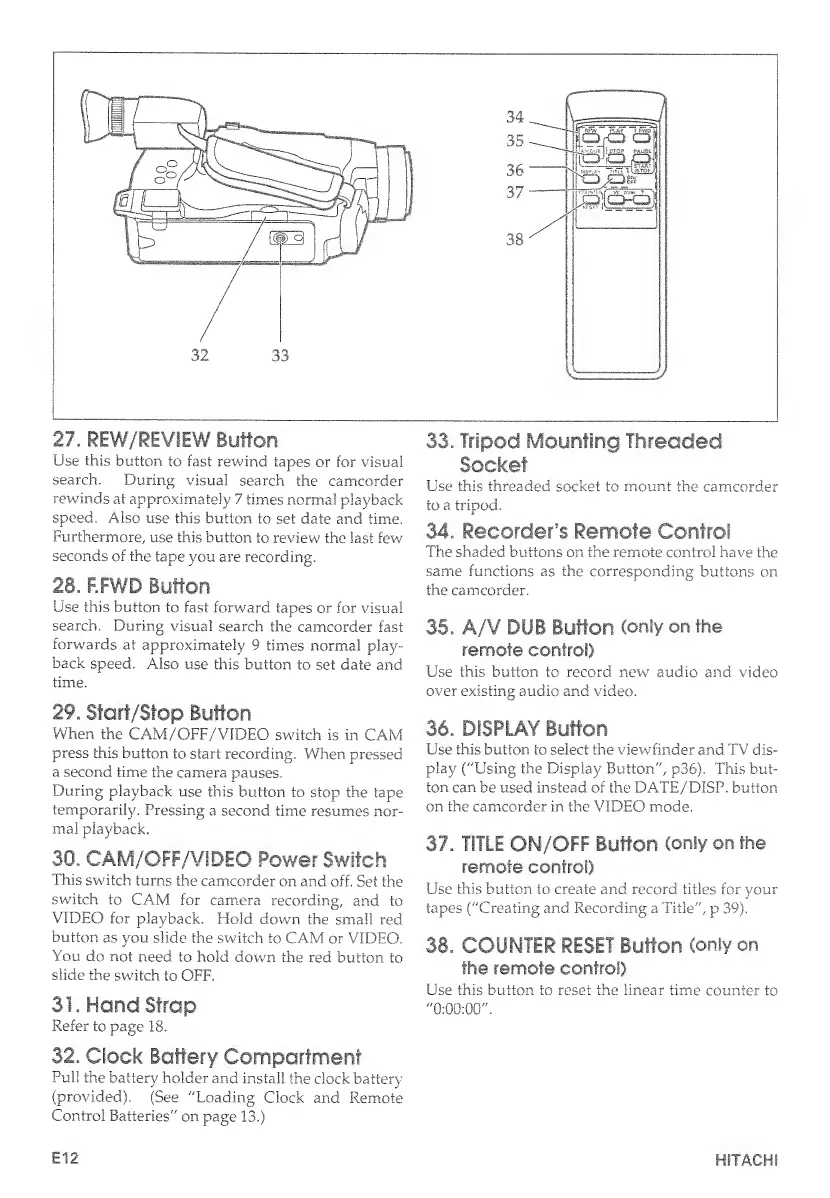
32.
Clock
Battery
Compartment
Pull
the
battery
holder
and
install
the
clock
battery
(provided).
(See
"Loading
Clock
and
Remote
Control
Batteries"
on
page
13.)
33.
Tripod
Mounting
Threaded
Socket
Use
this
threaded
socket
to
mount
the
camcorder
to
a
tripod.
34.
Recorder’s
Remote
Control
The
shaded
buttons
on
the
remote
control
have
the
same
functions
as
the
corresponding
buttons
on
the
camcorder.
35.
A/V
DUB
Button
(only
on
the
remote
control)
Use
this
button
to
record
new
audio
and
video
over
existing
audio
and
video.
36.
DISPLAY
Button
Lise
this
button
to
select
the
viewfinder
and
TV
dis¬
play
("Using
the
Display
Button",
p36).
This
but¬
ton
can
be
used
instead
of
the
DATE/DISP.
button
on
the
camcorder
in
the
VIDEO
mode.
37.
TITLE
ON/OFF
Button
(only
on.
the
remote
control)
Use
this
button
to
create
and
record
titles
for
your
tapes
("Creating
and
Recording
a
Title",
p
39).
36.
COUNTER
RESET
Button
(only
on
the
remote
control)
Use
this
button
to
reset
the
linear
time
counter
to
"
0
:
0
0
:
0
0
"
.
E12
HITACHI

Table of Contents

Related product manuals