Insight FD Mini C-Arm Imaging System User Guide
Controls and Indicators
15 MAN-09971 Revision 001
Keyboard Controls
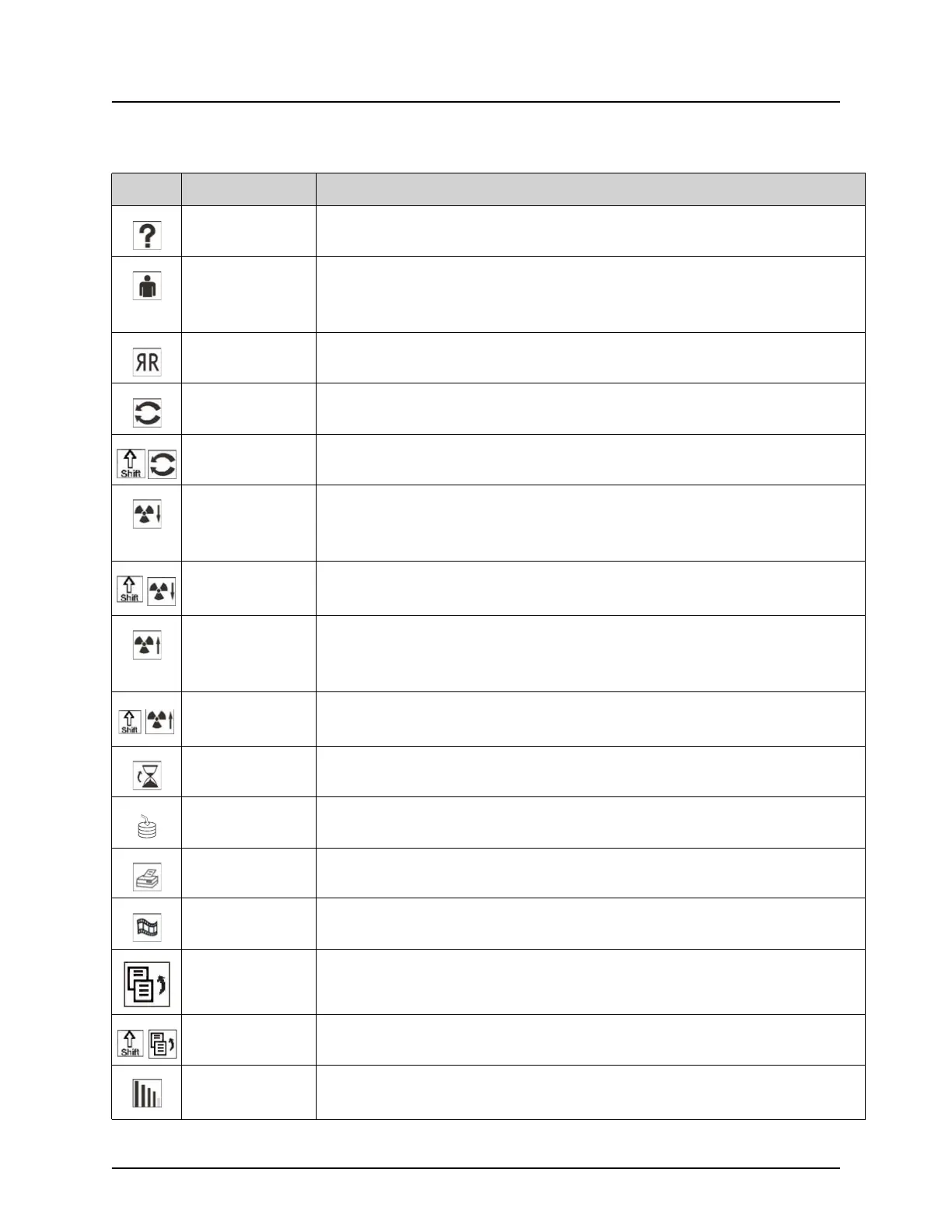
Table 5 Keyboard Controls
Icon Function Key Function
F1 Displays help window.
F2 Displays the Patient Information window in Image Acquisition
session.
Displays the Select Study for Review window in Review session.
F3 Flips image horizontally.
F4 Rotates image 10 degrees clockwise.
Shift-F4 Rotates image 10 degrees counterclockwise.
F5 Decreases kV/mA if simultaneous is on or decreases kV if
simultaneous is off.
Pressing this key puts the system into manual mode.
Shift-F5 Decreases mA if simultaneous is off.
Pressing this key puts the system into manual mode.
F6 Increases kV/mA if simultaneous is on or increases kV if
simultaneous is off.
Pressing this key puts the system into manual mode.
Shift-F6 Increases mA if simultaneous is off.
Pressing this key puts the system into manual mode.
F7 Resets fluoro alarm timer.
F8 Saves the current image to the patient’s record.
F9 Prints the current image to the local printer.
F10 Toggles Play back of a recorded cine loop on/off.
F11 Restores physician’s defaults.
Shift-F11 Returns the system to Auto Power mode.
F12 Cycles through the Noise suppression settings during image
acquisition.















 To Next Page