Insight FD Mini C-Arm Imaging System User Guide
Using the System
MAN-09971 Revision 001 16
Using the System
Moving the System
1. Ensure that the system is powered off.
See Powering Down the System on Page 20.)
2. Unplug the power cord and wrap it around the cord guides on the
back of the cabinet.
3. Store the foot switch in the foot switch shelf.
4. Flip the monitor forward and down.
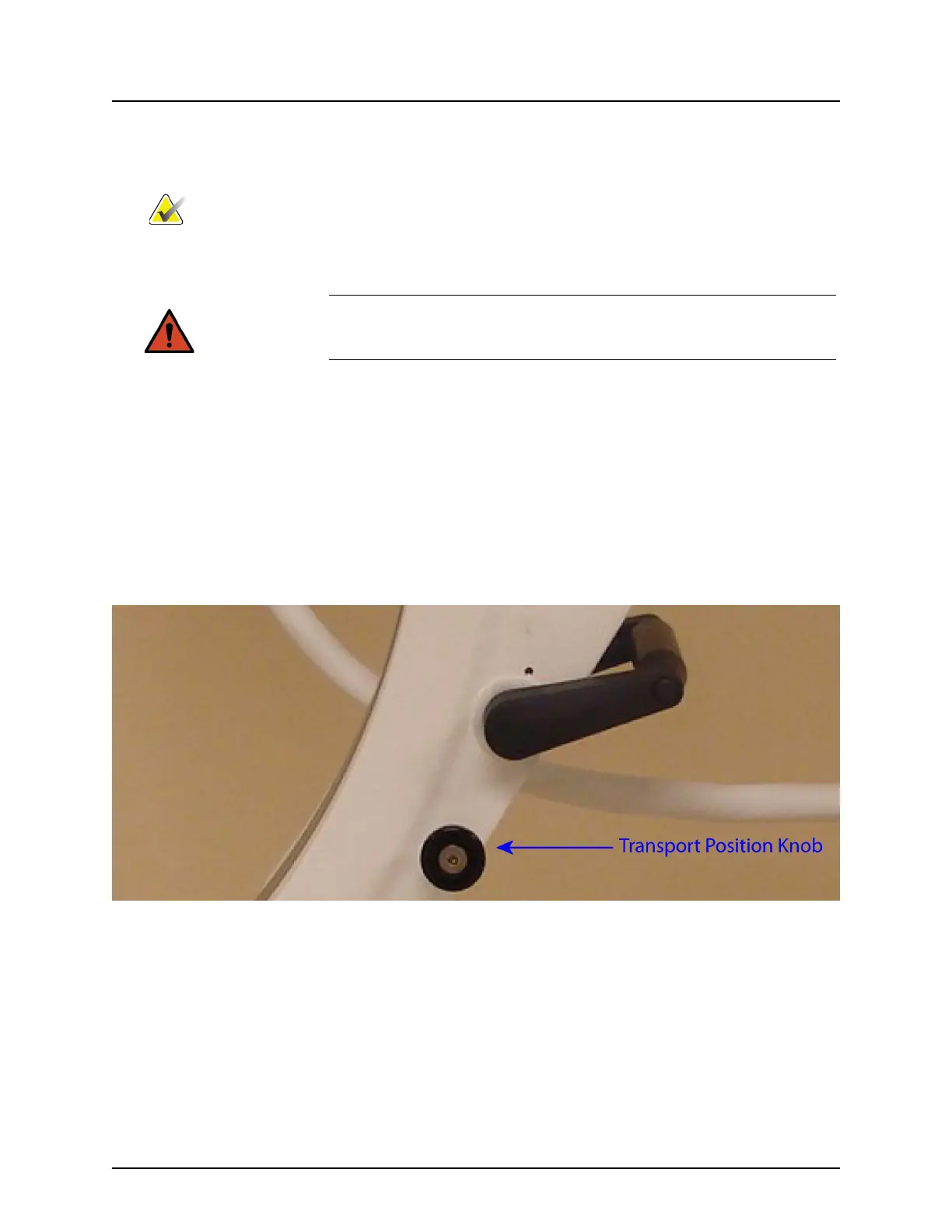
5. Place the flex-arm and C-arm in the locked position (Figure 6) using
the Transport Position Knob on the side of the C-arm housing.
Figure 6 Transport Position Knob
6. Lock the rear casters to prevent the system from moving. The
swiveling angle of the rear casters can be locked to prevent lateral
movement of the system or unlocked to allow lateral movement.
Note Insight operators should read the Radiation Safety section before
operating the system.
Warning: Before moving the system, the flex-arm and C-arm must be in the
locked storage position to prevent tipping.




 To Next Page