Insight FD Mini C-Arm Imaging System User Guide
Using the System
MAN-09971 Revision 001 20
Powering Down the System
To close the application and place the system in standby:
• From the Insight main screen click the Shut Down button.
• From the Exit menu on the Insight main screen, click Exit before
unplugging the power cord.
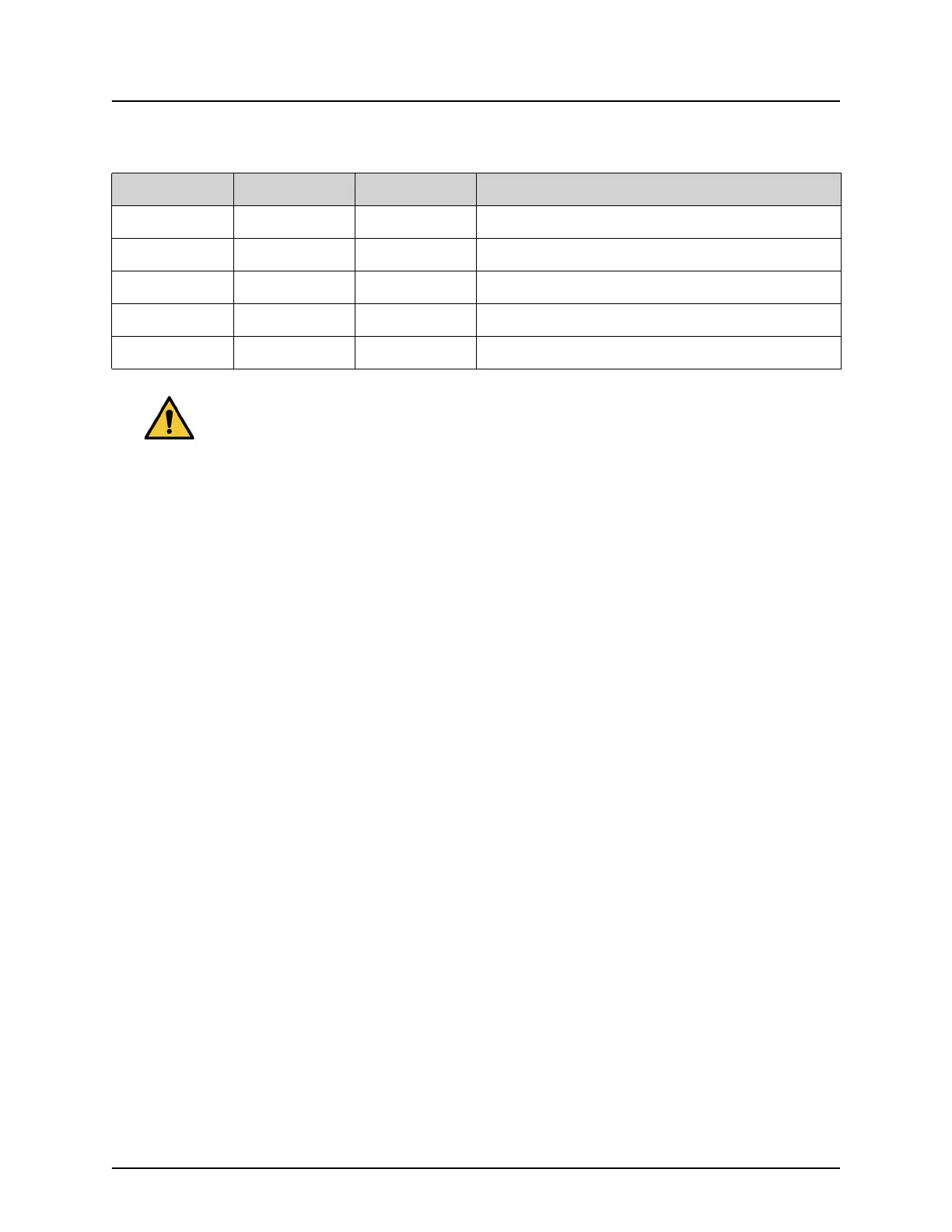
Table 6 Conditioning Schedule
Step kV mA Minimum Time
1 40 0.05 2 minutes
2 50 0.10 2 minutes
3 60 0.10 2 minutes
4 70 0.10 3 minutes
5 75 0.10 3 minutes
Caution The system must warm up for FOUR MINUTES before
generating X-rays. Failure to provide adequate warm up could
result in damage to the system.




 To Next Page