Insight FD Mini C-Arm Imaging System User Guide
Using the Insight Application
57 MAN-09971 Revision 001
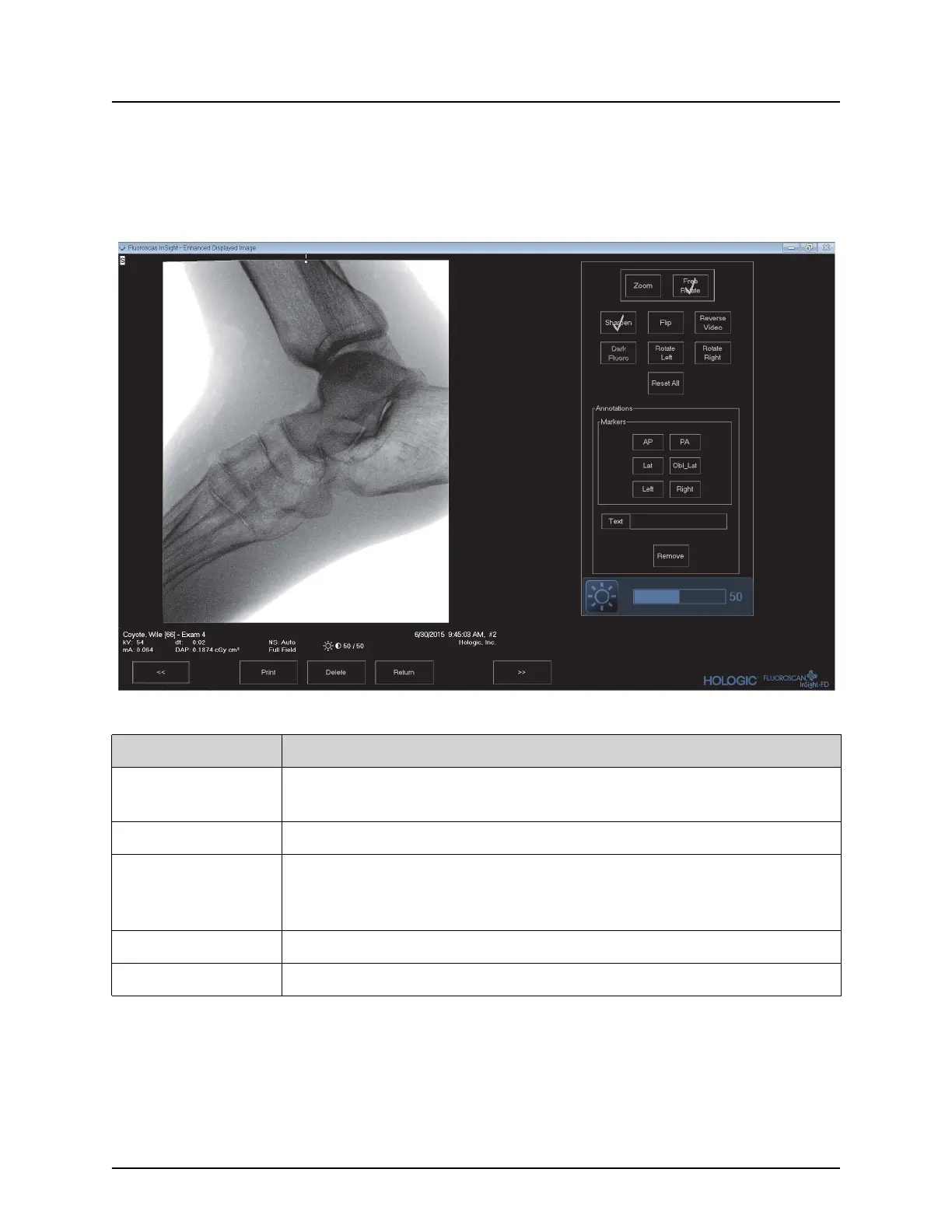
Enhanced Displayed Image Screen
Available from the Review Images screen by selecting one image and
clicking Full View, or by double clicking an image.
Figure 34 Enhanced Displayed Image Screen
The tool set is identical to the tool set described in on page 48
Table 39 Detailed Image Viewing Screen, Button Functions
Button Function
<< (Previous
Image)
Displays the previous image.
Print Prints a copy of the image
Delete Deletes the image currently being displayed. If the system setting
Query on Delete is enabled, the user is asked to confirm the deletion.
Click Yes to confirm; No to cancel the deletion.
Return Returns to the Review screen.
>> (Next Image) Displays the next image.















 To Next Page