Insight FD Mini C-Arm Imaging System User Guide
Using the Insight Application
47 MAN-09971 Revision 001
* May be disabled or initially checked or unchecked. (Physician Preferences on
Page 30)
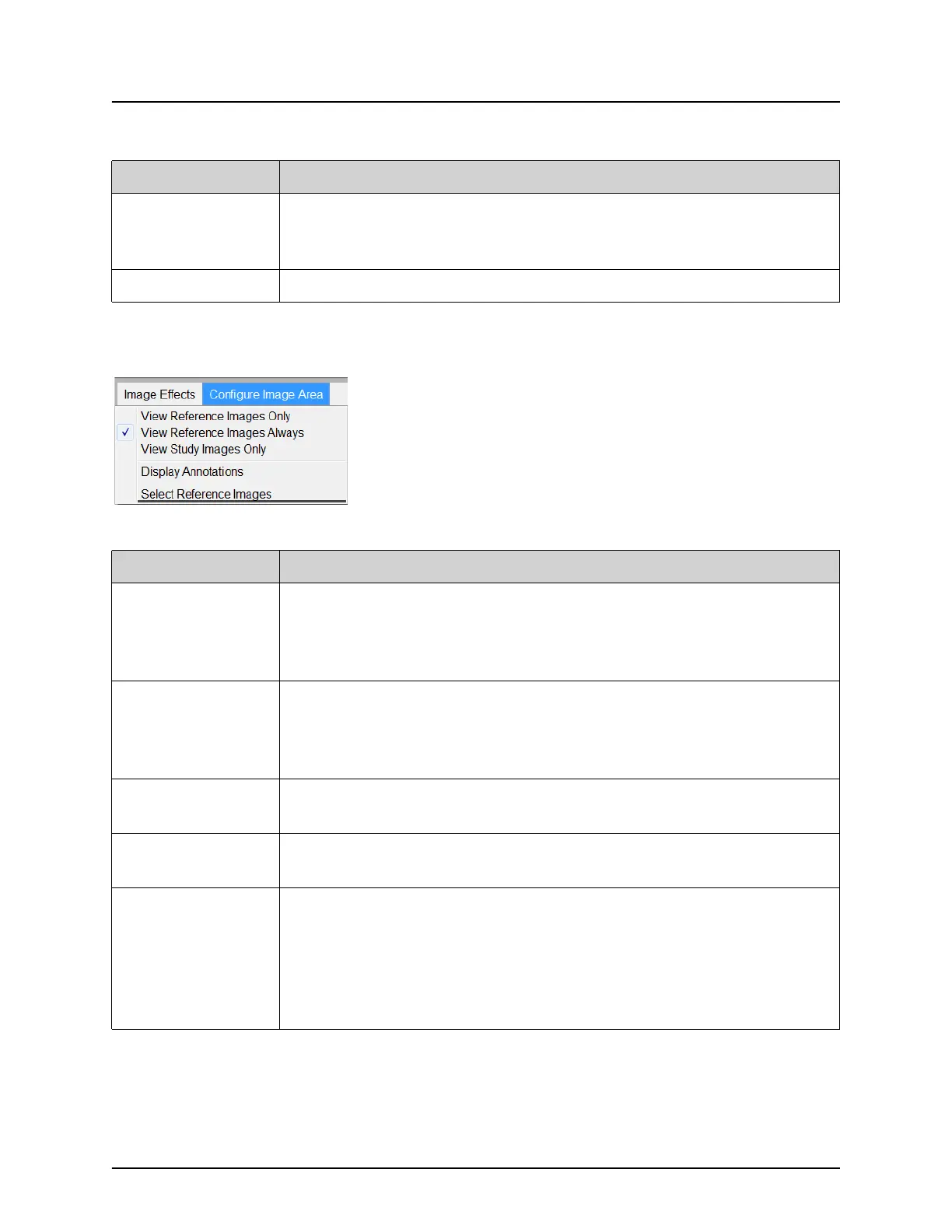
Figure 27 Configure Image Area Menu
Save Current
Enhancements as
Defaults
Enabled if the selected physician is registered on the system.
Saves the current image effect settings as the selected physician’s
preference settings.
Update Offsets Updates the offsets for Flat Field correction.
Table 30 Image Effects Menu
Function Description
Table 31 Configure Image Area Menu
Function Description
View Reference
Images Only
Only images tagged as reference images are displayed in the
filmstrip. This includes images tagged as reference during the
current session and/or reference images selected from previous
studies for the current patient.
View Reference
Images Always
Images tagged as reference always display at the top of the
filmstrip followed by reference images selected from previous
studies for the current patient, followed by non-reference images
acquired in the current session in reverse order.
View Study
Images Only
Only images (reference and non-reference) acquired in the current
session are displayed in the filmstrip.
Display
Annotations
Displays annotations on the image displaying in the live image
area.
Select Reference
Images
Displays the Select Reference Images window allowing users to
select images from any current patient study residing on the
system.
Selected images are put into the filmstrip following any reference
images acquired during the current session unless View Study
Images Only is checked.















 To Next Page