Insight FD Mini C-Arm Imaging System User Guide
Using the Insight Application
45 MAN-09971 Revision 001
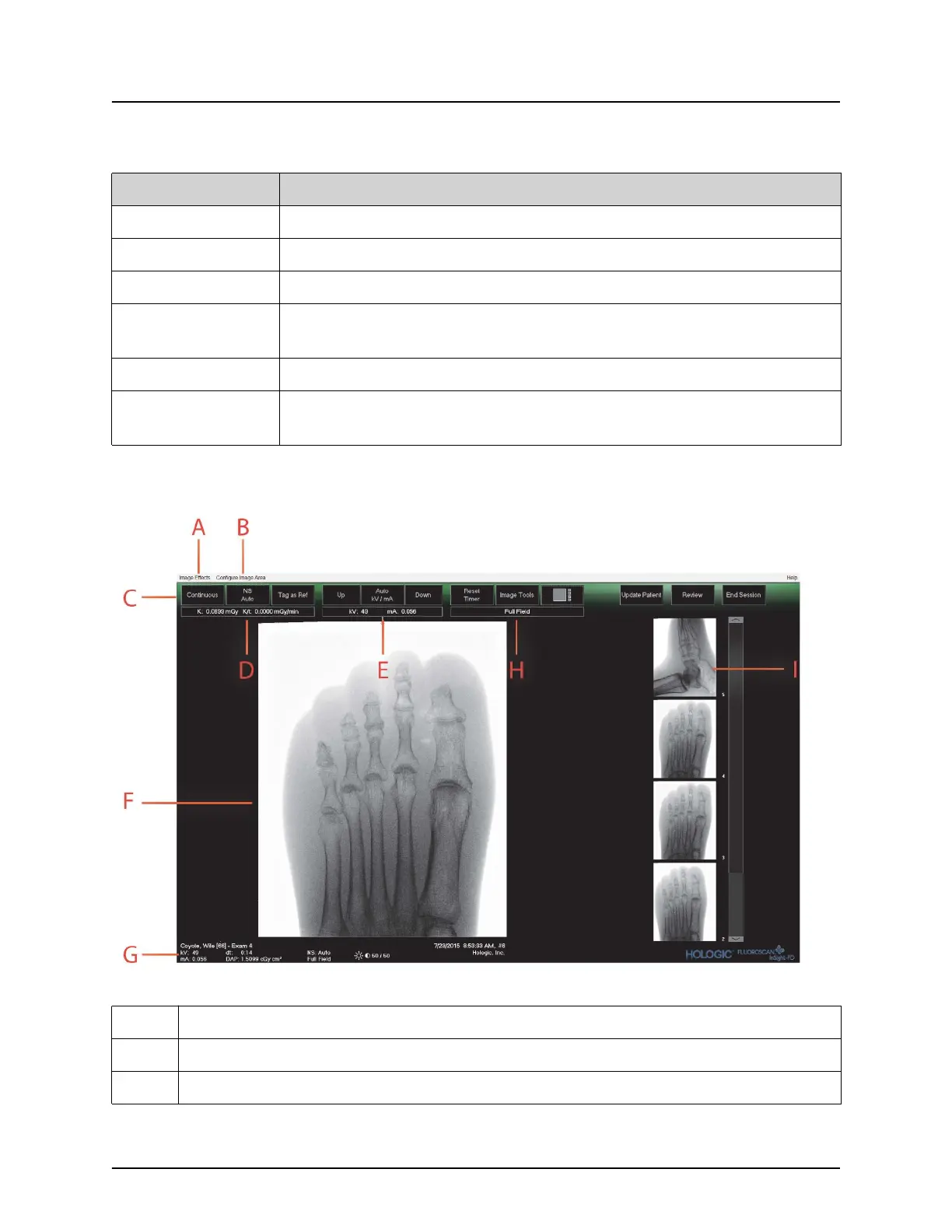
Image Acquisition Screen
Figure 25 Image Acquisition Screen
Table 28 Select or Enter Patient Window, Button Functions
Button Function
Clear All Clears Patient Information fields
Perform Displays the Image Acquisition screen
Review Displays the Review screen
End Session Terminates the entry of Patient Information and leaves the Select
or Enter Patient screen
Apply Changes Enters changes without leaving the Select or Enter Patient screen
Cancel Cancel the entry of Patient Information without leaving Select or
Enter Patient screen
Table 29 Image Acquisition Screen
A Image Effects Menu (Table 30)
B Configure Image Area Menu (Table 31)
C Function Buttons (Table 32)




 To Next Page