Insight FD Mini C-Arm Imaging System User Guide
Configuring the Application
27 MAN-09971 Revision 001
Worklist Configuration
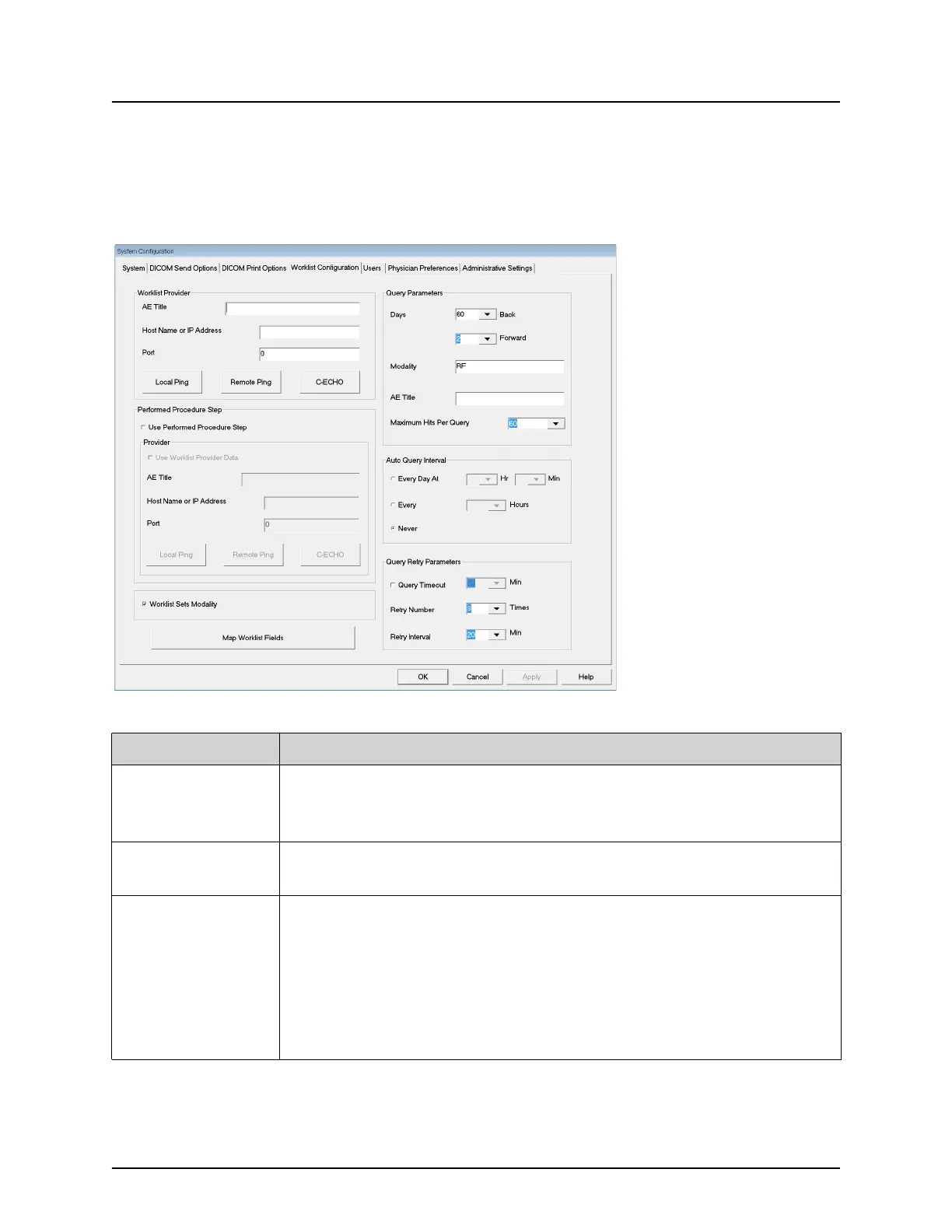
Available from System Configuration menu (Figure 10) on the Main
Screen.
Figure 14 Worklist Configuration
Table 13 Worklist Configuration, Section Descriptions
Section/Field Description
Worklist
Provider
Identifies the system to access for the Worklist by providing entry
fields for the provider's AE Title, Host Name or IP Address, and
Port.
Use Performed
Procedure Step
When checked, DICOM Modality Performed Procedure Step shall
be performed when required.
Provider Allows the user to access a system other than the one identified in
the Worklist Provider section.
When Use Worklist Provider Data is checked, AE Title, Host Name
or IP Address, and Port fields are automatically populated with
data identical to the contents of the corresponding fields in the
Worklist Provider section. When unchecked, the fields can be
populated by the user.















 To Next Page