Insight FD Mini C-Arm Imaging System User Guide
Configuring the Application
MAN-09971 Revision 001 34
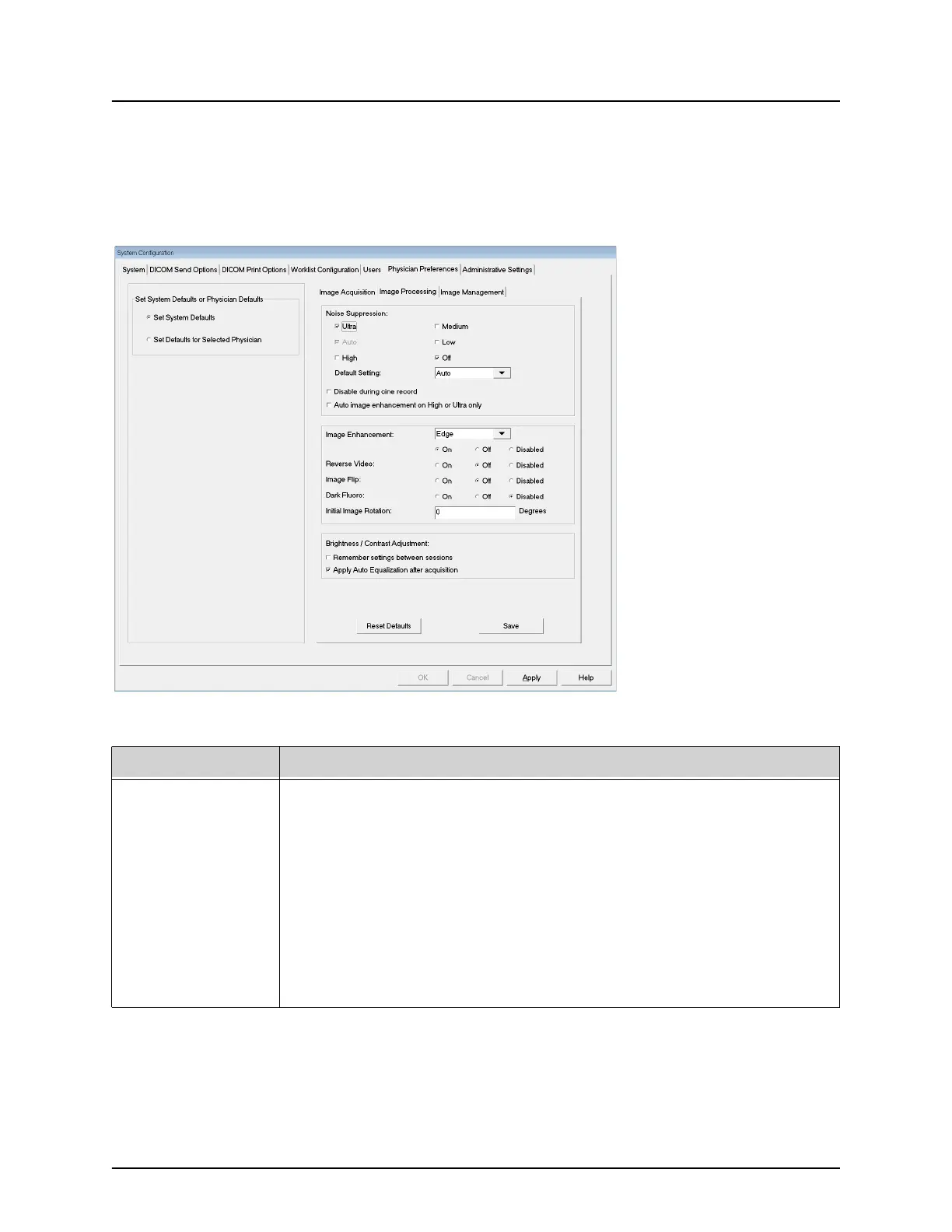
Physician Preferences — Image Processing
Displays the current default preference settings for the system or the
selected physician. Settings can be customized by an administrator.
Figure 18 Physician Preferences — Image Processing
Table 20 Physician Preferences, Image Processing Tab, Section/Field Descriptions
Section/Field Description
Noise
Suppression
Select noise suppression for Image Acquisition screen (Ultra, Auto,
High, Medium, or Low).
Disable during cine record - When checked, disables noise
suppression when cine recording.
Auto edge enhancement on High or Ultra only - When checked,
image enhancement occurs only when noise suppression is set to
High or Ultra.
Default Setting defines the initial noise suppression for an image
acquisition session. Select Ultra, Auto, High, Medium, Low, or Off
from the dropdown list.















 To Next Page