Insight FD Mini C-Arm Imaging System User Guide
Using the Insight Application
MAN-09971 Revision 001 44
Image Acquisition Session
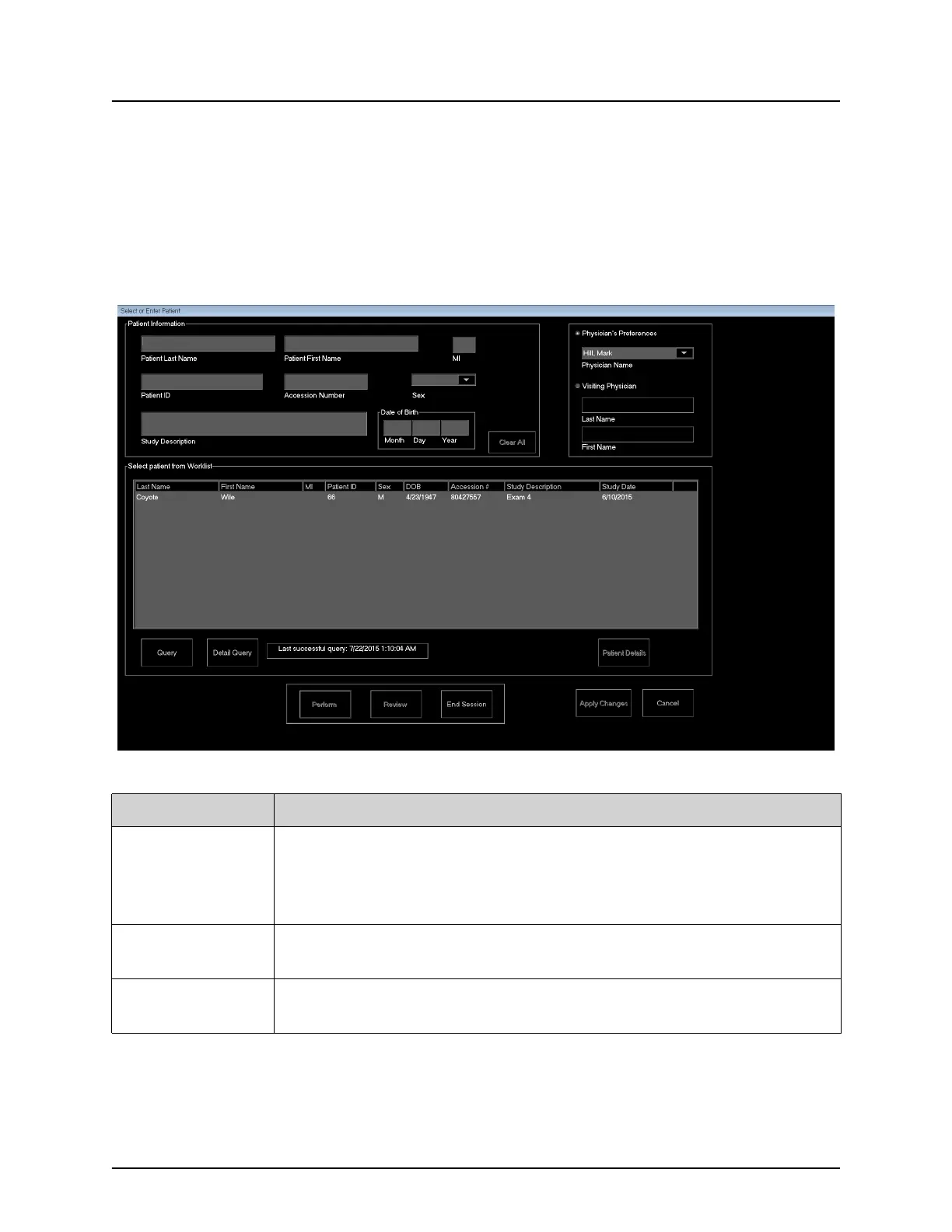
Select or Enter Patient Window
Available from Main Screen by clicking Perform, from the Image
Acquisition screen by clicking Update Patient, and from the Review
screen during an image acquisition session by clicking Update Patient.
Figure 24 Select or Enter Patient Window
Table 27 Select or Enter Patient Window, Section/Field Descriptions
Section/Field Function
Patient
Information
Identifies the current patient. Data is either entered by the user or
filled in when a patient is selected from the “Select Patient from
Worklist” selection list. Click Clear All to clear Patient Information
fields.
Physician's
Preferences
Selection button and dropdown selection list of physicians
registered on the system.
Visiting
Physician
Selection button and entry fields for physician's name to be used
when a physician is not registered on the system.















 To Next Page