Insight FD Mini C-Arm Imaging System User Guide
System Maintenance
MAN-09971 Revision 001 68
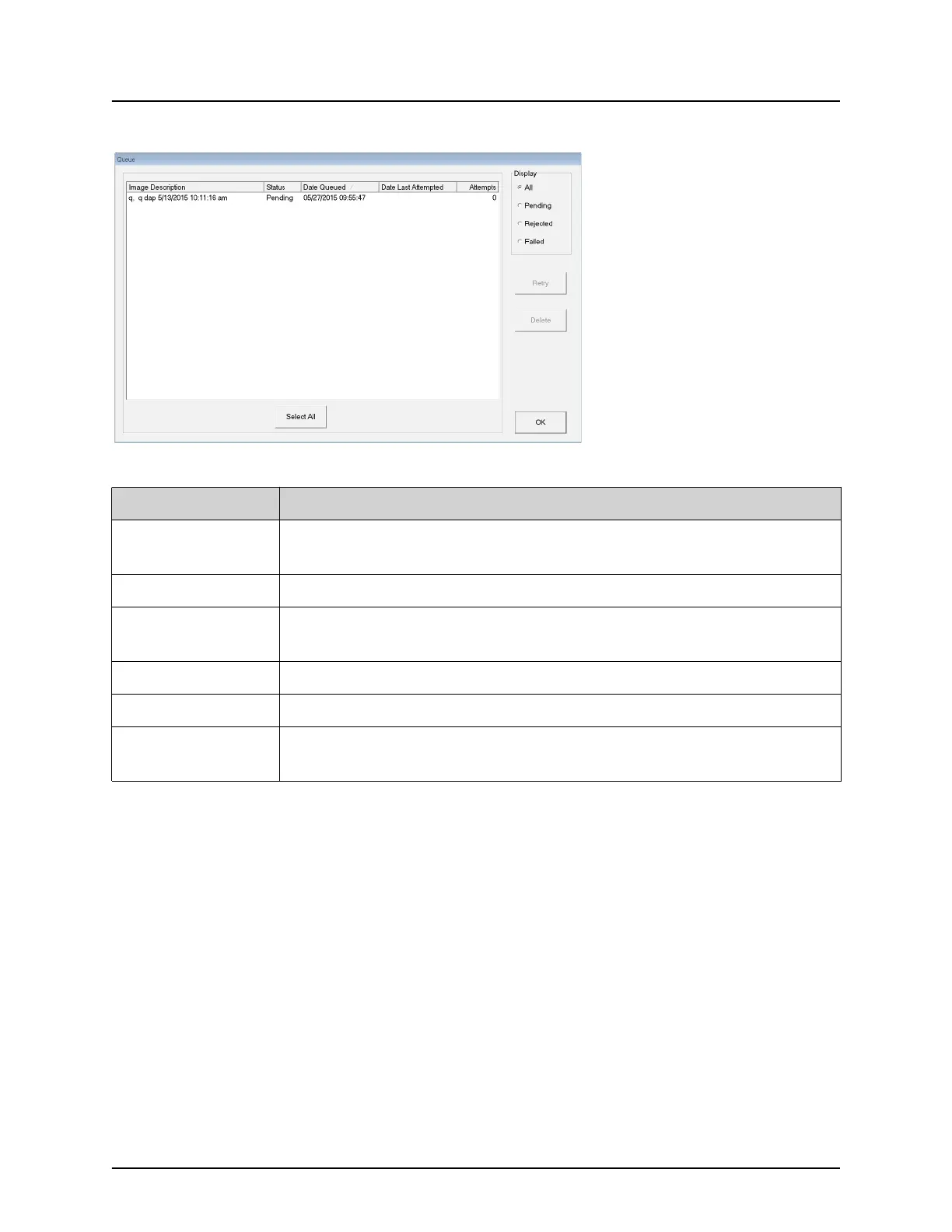
Figure 45 View DICOM Queue
System Maintenance
System Backup
Any user can backup system configuration and calibration data to a
selected removable media device by selecting System Backup from the
Tools menu on the Main Screen.
System Recover
Administrators can restore system configuration and calibration data
from a selected removable media device by selecting System Recover from
the Tools menu on the Main Screen.
Table 48 Queue Window, Section Description and Button Functions
Section/Button Description/Function
DICOM Queue
List
Selection list of queue request information that can be filtered.
Display Filters the selection list depending on the selected radio button.
Select All/
Deselect All
Selects or deselects all DICOM requests listed in the Queue List.
Delete Deletes the selected DICOM request(s).
Retry System tries to send the selected DICOM request(s) again.
OK Closes the Queue window and returns to the previous screen
(Main Screen or Review Images screen).















 To Next Page