Selenia User Guide
Chapter 6—The User Interface
104 MAN-03270 Revision 003
Workflow Suggestions to Select a Patient and Acquire an Image
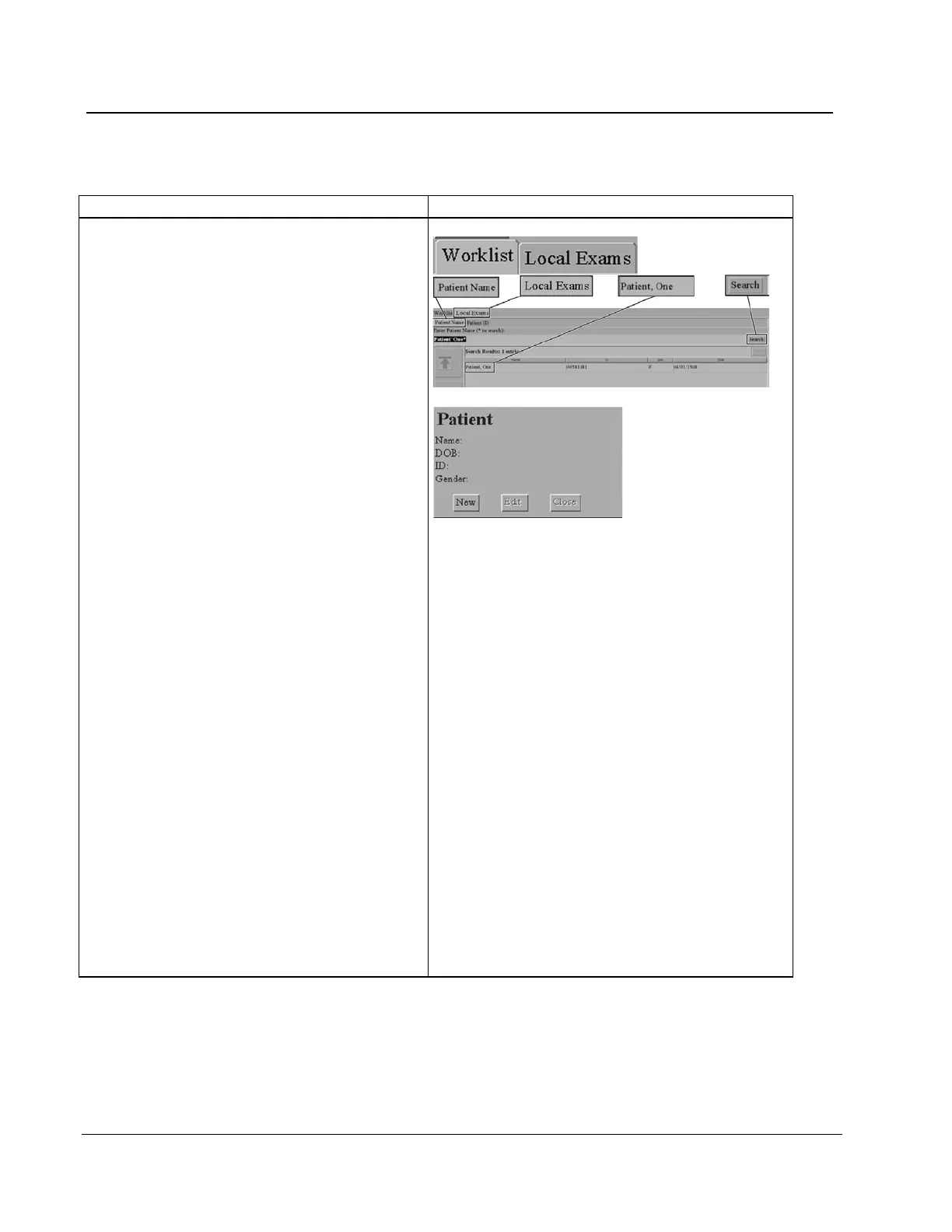
2. Select the patient or add a new patient.
You can select a patient by querying the
MWL or by searching the local database.
Query the MWL
a. Select Worklist tab in upper left of the
screen.
b. Use the Bar Code Scanner to input query
data (the procedure opens).
- OR -
Type the query data, then select Query.
c.
Select the patient from the list, then select
the Enter key.
Search the Local Database
Select the Local Exams tab in the upper left of
the screen.
a. Select the Patient Name tab (or ID tab),
then enter the data.
b. Select the Search button. (See More
Information about Searches on page 55 for
information about wildcard searches.)
c. Select the patient from the list.
Add a New Patient
a. Select New from the Patient area of the
screen.
b. Enter the required information.
c. Select the Accept button.












 To Next Page