Selenia User Guide
Chapter 6—The User Interface
MAN-03270 Revision 003 105
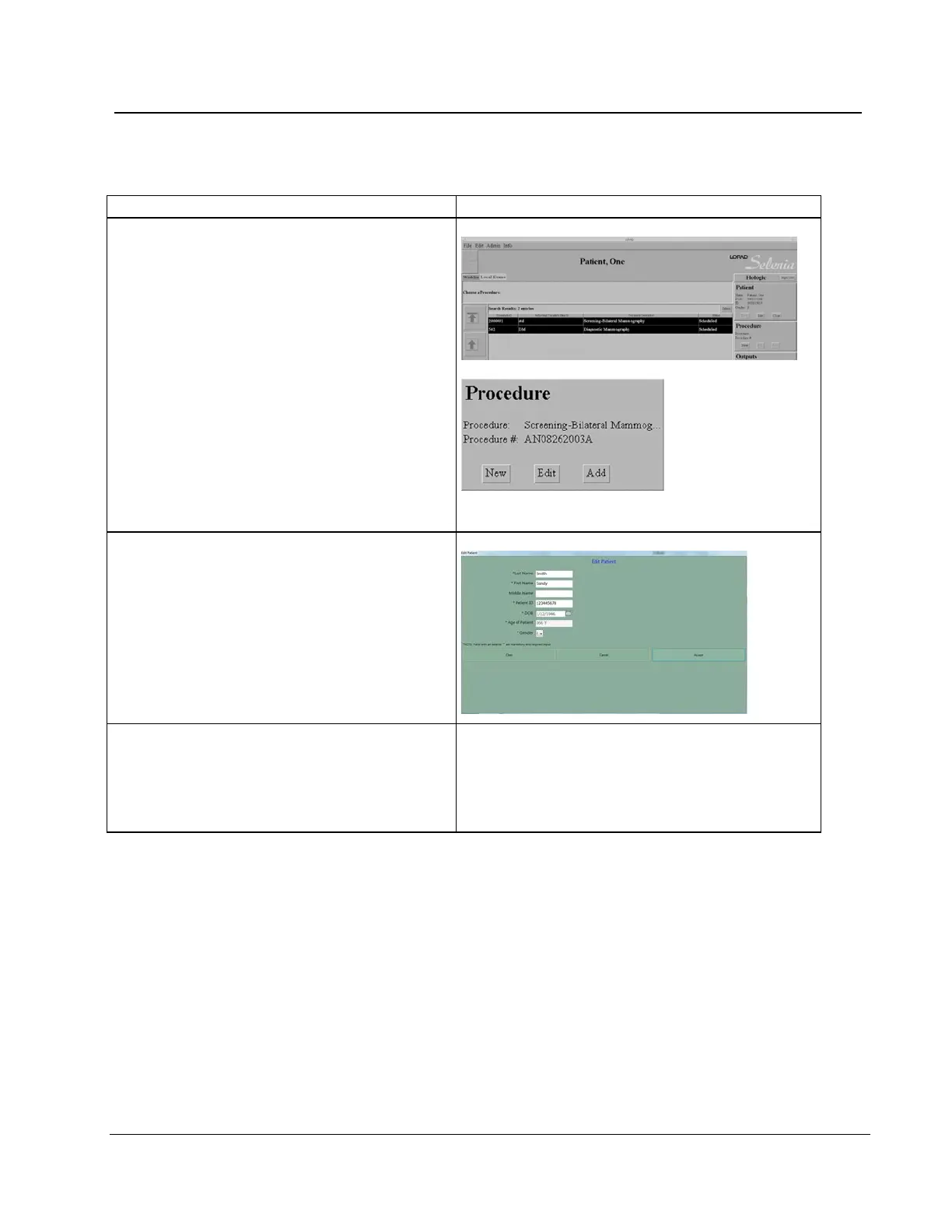
Workflow Suggestions to Select a Patient and Acquire an Image
3. Select the Procedure, when more than one is
scheduled.
Select from the scheduled procedures list
a. Find the procedure in the list.
b. Click the Select button.
Add a procedure
a. Select New in the Procedure area.
b. Select the procedure from the list.
c. Select the Accept button.
4. Edit the Patient Information, if necessary. To
edit:
a. Select the patient from the patient list.
b. Select Edit from the Patient area.
c. Make the changes in the Edit Patient
screen.
d. Select the Accept button.
5. Install the accessories. See The Selenia
Accessories on page 43 for installation,
removal, and alignment procedures for each
device.
• Face Shield
• Compression Paddle
• Magnification Platform
• Crosshair












 To Next Page