Selenia User Guide
Chapter 4—Startup, Functional Tests, and Shutdown
MAN-03270 Revision 003 37
Monthly Control Function Tests
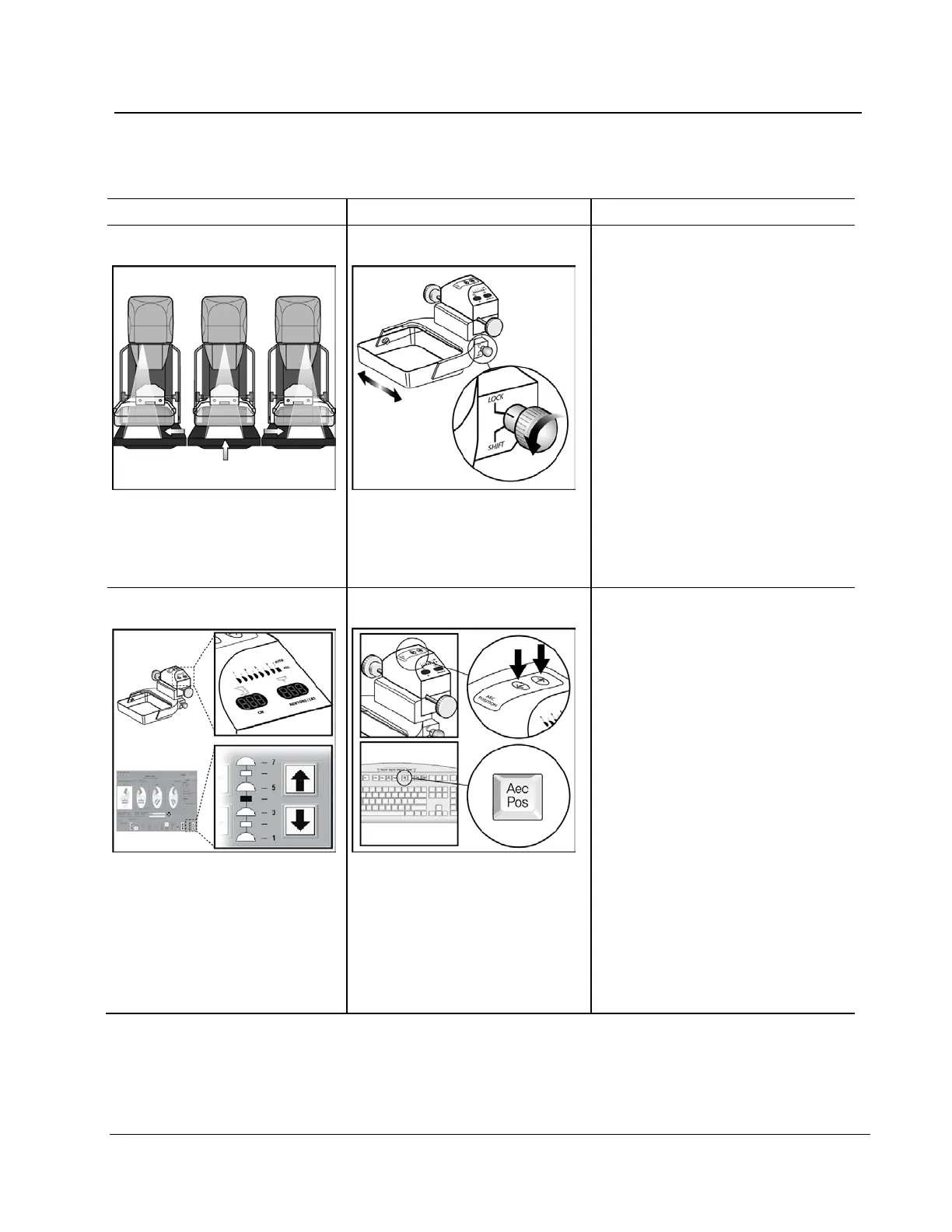
1. Install a Smart Paddle.
2. Rotate the release knob on the
side of the paddle from the lock
to the shift position.
3. While you hold the knob in the
shift position, move the paddle
into a detent position.
4. Turn on the light field lamp.
5. Confirm the collimator position
matches the paddle position.
6. Repeat this procedure for the
other two paddle positions.
7. Apply compression and confirm
the paddle does not unlock.
1. Select an AEC mode.
2. Change the AEC position with
the compression device arrow
button.
3. Confirm the indicator positions
on the sides of the device and
Acquisition Workstation display
match the current position.
4. Move past position 7 or 1.
5. Confirm the Auto position
indicator on the compression
device illuminates and the
display indicates Auto.
6. Select the AEC arrows on the
display and repeat steps 3 to 5.
7. Use the keyboard function key
and repeat steps 3 to 5.












 To Next Page