Selenia User Guide
Chapter 6—The User Interface
MAN-03270 Revision 003 65
Warning:
An increased exposure adjustment leads to a higher
dose to the patient. Keep the patient dose as low as
practical to get good image quality.
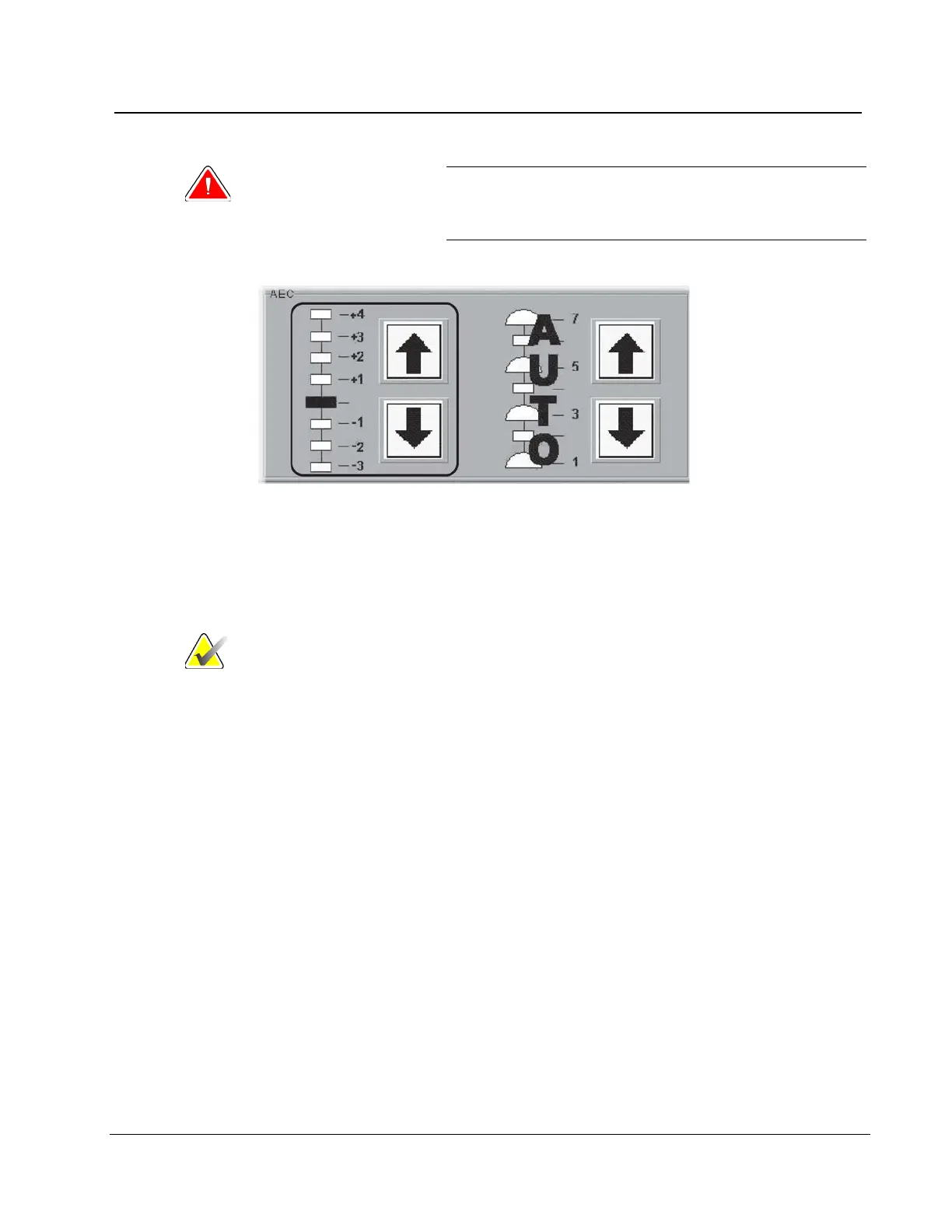
Figure 48: AEC Exposure and Sensor Position Adjustments
6.2.7.2.5 AEC Sensor Position Indicator Settings
Select one of the seven positions to indicate the area of interest for AEC calculations. Or
select Auto AEC where a larger area is tested.
Note
Always confirm the position of the AEC Sensor before an
AEC exposure.
The AEC Sensor Position has eight available positions.
• The Positions 1 through 7 are manually selected, from the chest wall edge (position 1)
to the nipple edge (position 7).
• Position 8 (Auto) automatically positions the sensor.
To change the AEC Position selection, use:
• The buttons on the compression device.
• The AEC Pos key on the keyboard.
• The AEC position arrows on the Acquisition Workstation display.
Set the AEC Sensor Position after you compress the breast. The displays on the side of the
Compression Device and the lower right corner of the screen indicate the position setting.












 To Next Page