Selenia User Guide
Chapter 6—The User Interface
74 MAN-03270 Revision 003
Note
To create more space on the hard disk drive, unprotect
patients who do not need protection.
To unprotect a patient record:
1. Select the patient.
2. Select the Unprotect button.
6.2.8.2.3 Manage Queues
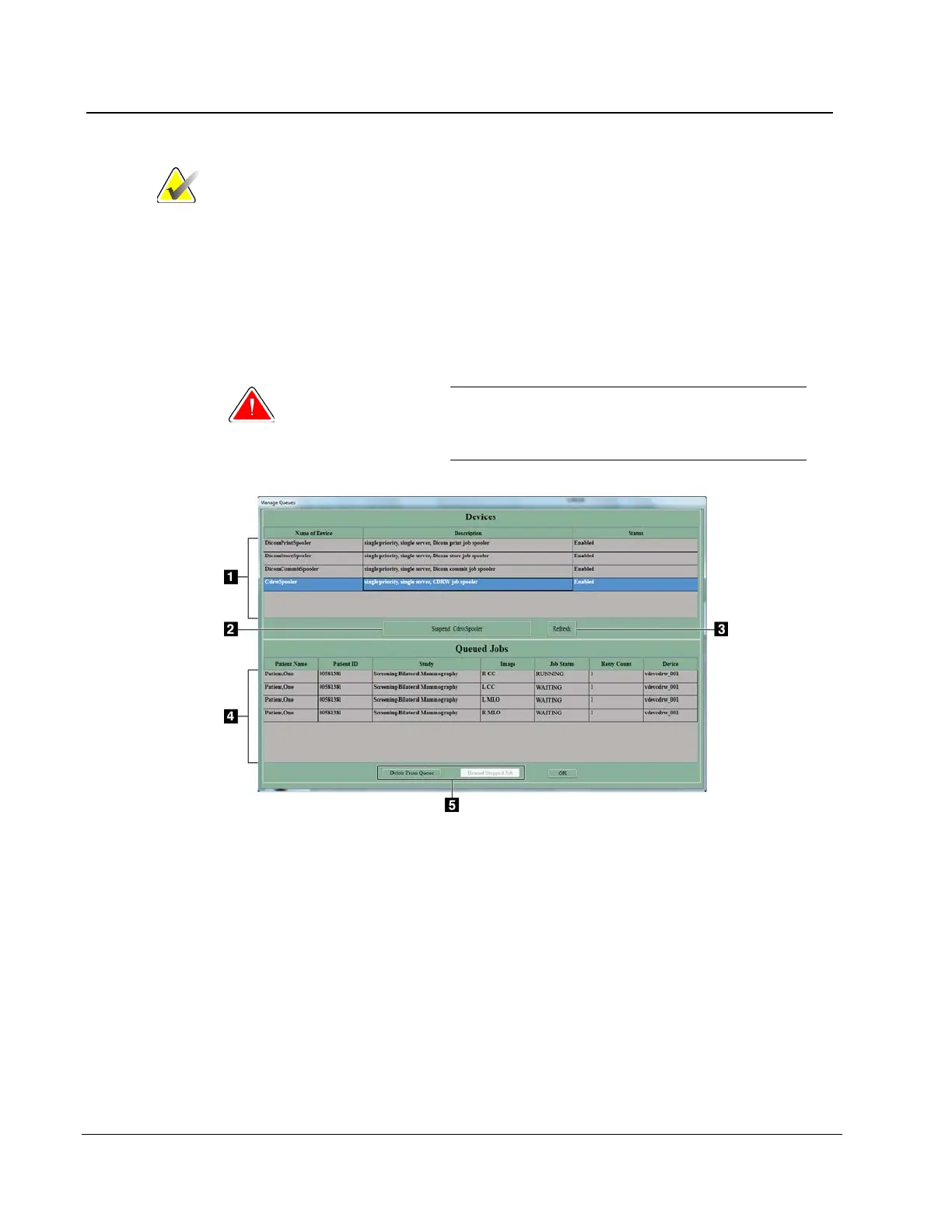
Use Manage Queues to find problem jobs or a specified job in the queues.
Warning:
When you select Delete Job, the job is
permanently deleted. If you did not send the
job, resend it to a storage device later.
Figure 54: Manage Queues
Figure Legend
1. View the list of available queues.
2. Enable or disable a job spooler.
3. Update the list of Queued Jobs.
4. View the list of jobs in the queue.
5. Remove the inactive jobs from the queue. Resend stopped jobs.












 To Next Page