Selenia User Guide
Chapter 6—The User Interface
MAN-03270 Revision 003 87
6.4.2.2 Film Label Area
The film label area which is the small rectangle in the upper, left corner is blank in the
Preview.
A Digital Marker next to the label displays the Technologist initials and the marker for the
selected View. You can move or change the marker.
6.4.2.3 Hanging Options
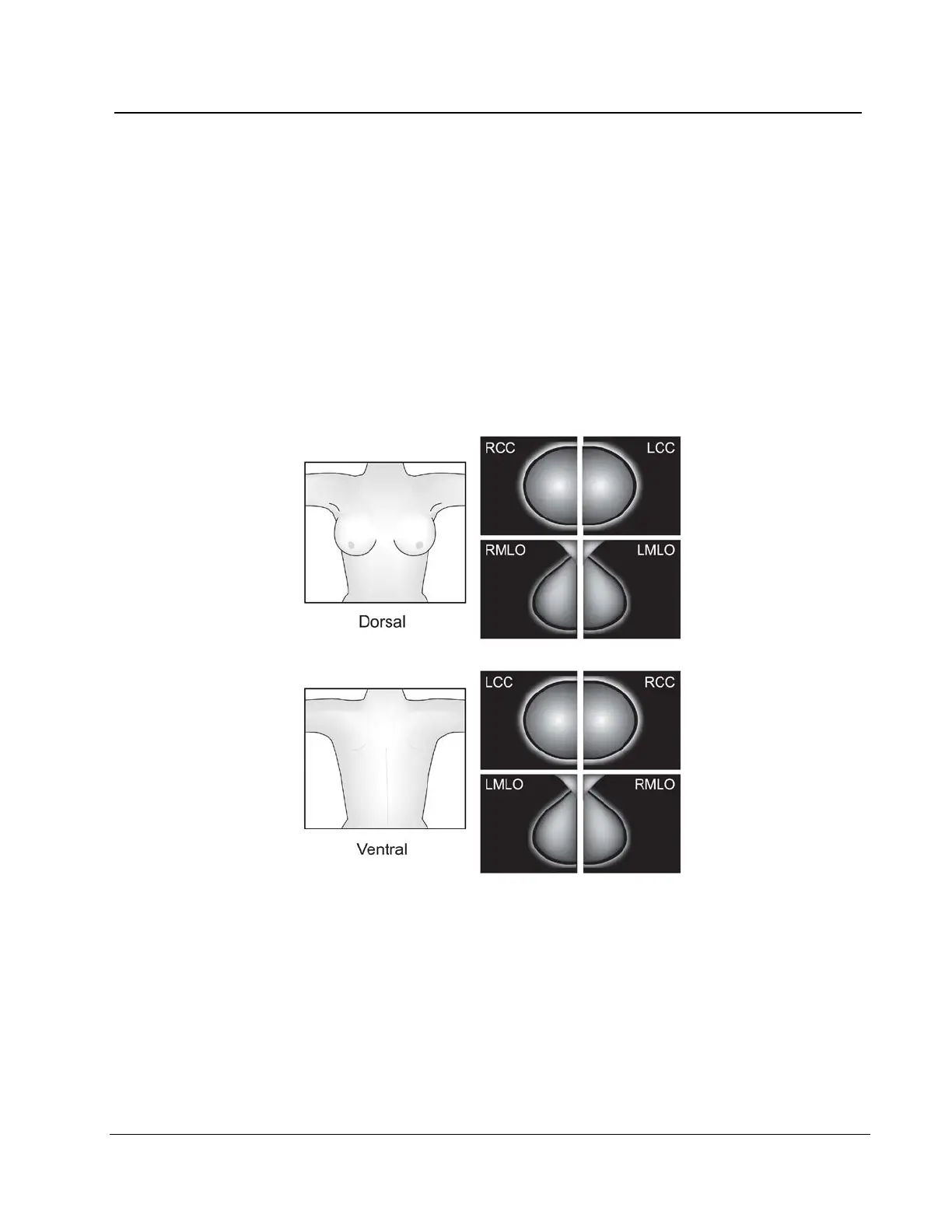
The Images in this manual are displayed in the Dorsal orientation (the Operator faces the
patient).
Figure 63: Hanging Options
This option can affect how images display on your diagnostic workstation. Confirm the
effect of the options with the vendor.












 To Next Page