Extinguishing Control Computer 8010 – 19-Inch
FB 798955.GB0 / 09.07 15
2.6 Test mode
The automatic zones no. 1 - no. 8 can be switched to Test mode via the function keys and the ten-button
keypad of the control panel.
In operation
Unlocked
For operation, it is necessary to enable the keypad via the key-switch.
Example: Test mode
Î Switching on for zone No.6
12 45 8
9 10111213
Zone
6
Test operation
3 7
6
Detector zone
Fire/Switch off/Trouble
In operation
Switching off
Test operation
Extra releasing 1
Outputs
Alarm
Emergency release
Extinguishing system
activated
Extinguishing system
enabled
In operation
Switching off
Test operation
Extra releasing 1
Outputs
Alarm
Emergency release
Extinguishing system
activated
Extinguishing system
enabled
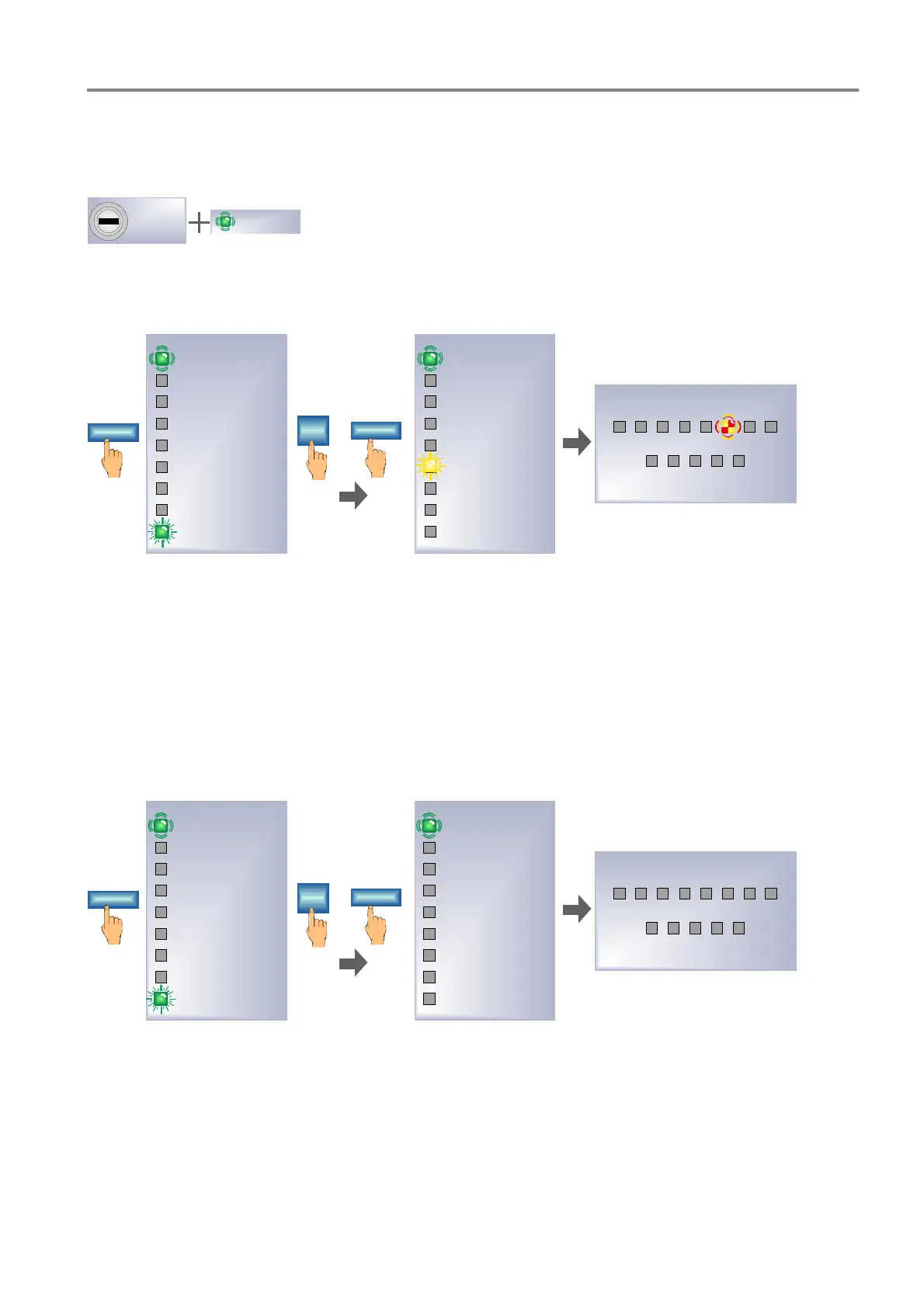
Fig. 11: Indication and Operation – Switching on Test mode for detector zone No.6
The zone input in Test mode is indicated in the zone display with a yellow/red flashing LED. The yellow LED
>Test Mode< also lights up to indicate that the zone display is showing the status of the detector zone.
Example: Test mode
Î Switching off for zone No.6
12 45 8
9 10111213
Zone
6
On
3 76
Detector zone
Fire/Switch off/Trouble
In operation
Switching off
Test operation
Extra releasing 1
Outputs
Alarm
Emergency release
Extinguishing system
activated
Extinguishing system
enabled
In operation
Switching off
Test operation
Extra releasing 1
Outputs
Alarm
Emergency release
Extinguishing system
activated
Extinguishing system
enabled
Fig. 12: Indication and Operation – Switching off Test mode for detector zone No.6


 To Next Page
 Loading...




