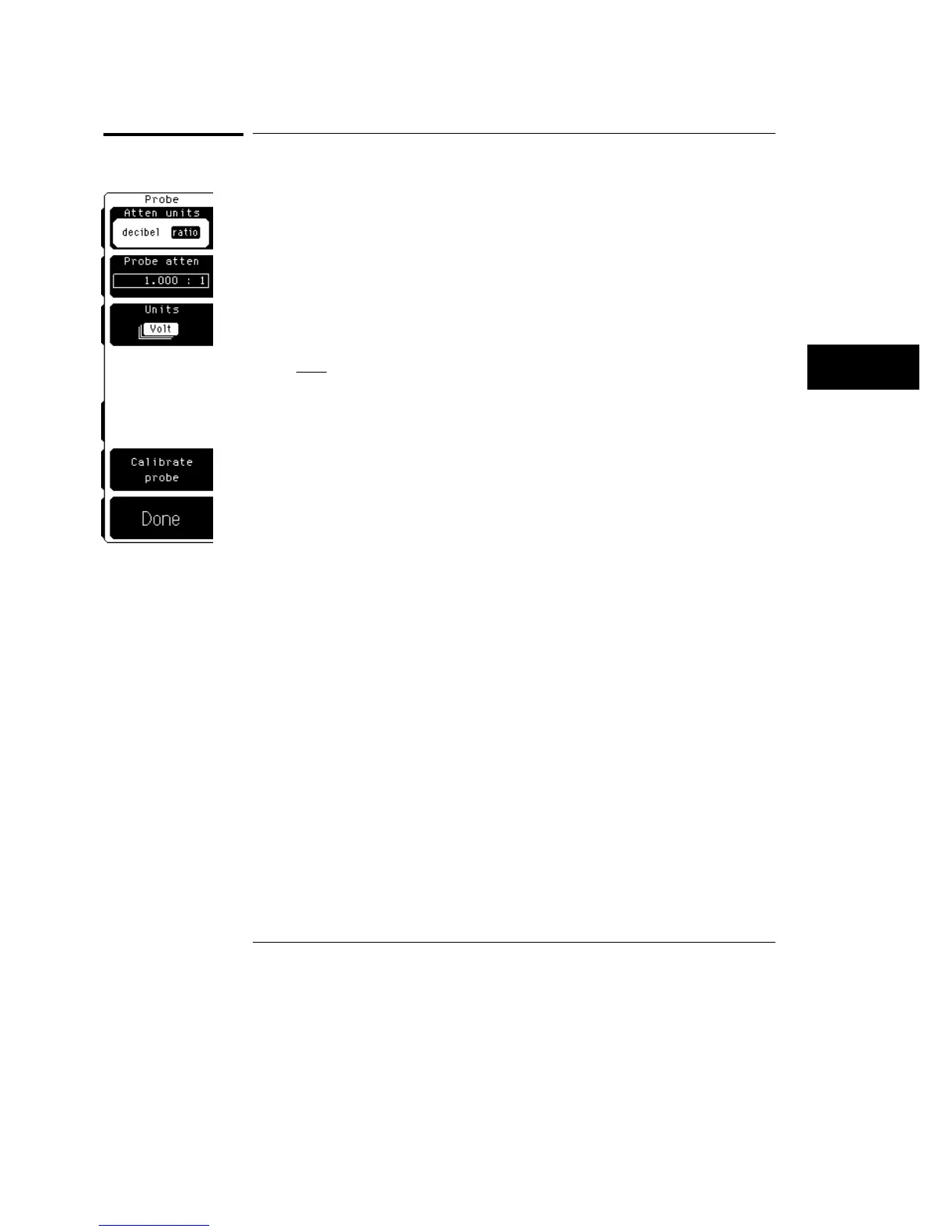
Probe
The probe menu allows you to set up the oscilloscope for the probe you are
using, and to calibrate the a probe to the probe’s actual attenuation and offset.
Atten units
Attenuation units let you pick how you want to represent the probe
attenuation factor. The choices are either decibel or ratio. You set the
attenuation units to ratio for probes and to decibel for attenuators.
The formula for decibel is:
20 log
V
out
V
in
Probe atten
Probe attenuation lets you select a probe attenuation that matches the probe
or device connected to the oscilloscope. When the probe attenuation is set
correctly, the oscilloscope maintains the current scale factors if possible. All
marker values and voltage measurements will reflect the actual voltage at the
tip of the probe.
The probe attenuation range is from 0.0001:1 to 1,000,000:1.
When you connect an active probe power connector to the plug-in, the
oscilloscope automatically sets the probe attenuation. For all other probes,
set the probe attenuation with the knob, arrow keys, keypad, or use the
Calibrate probe softkey.
See Also
"Calibrate Probe" in this chapter for information on how to calibrate to the tip
of the probe when you are using voltage probes.
Channel Menu
Probe
6–7



 To Next Page