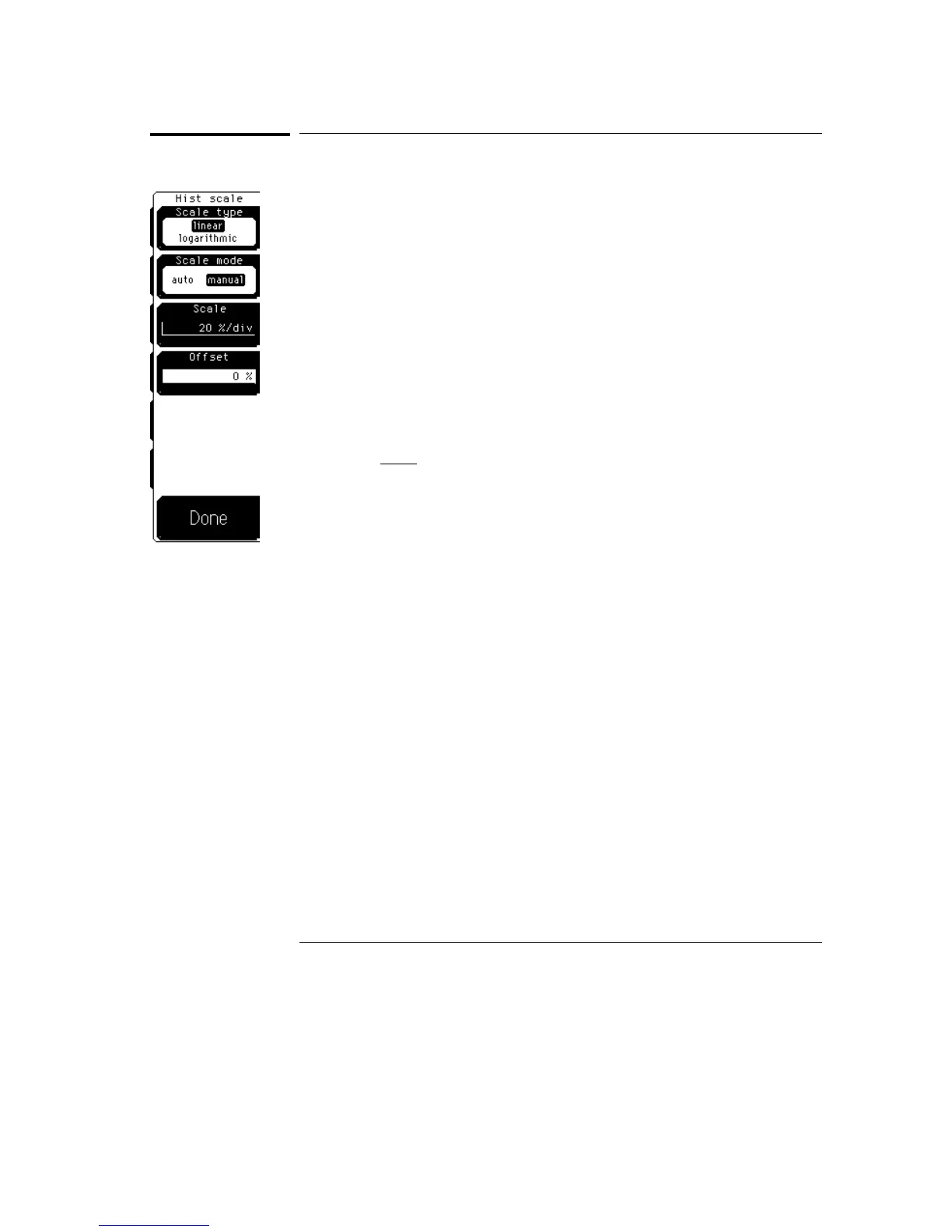
Histogram Scale
The hist (histogram) scale softkey gives you access to a second-level menu
that allows you to set the scale of the histogram.
Scale Type
Linear sets the display of the histogram results to the number of hits per
division, while logarithmic sets the display of the histogram results to dB.
Linear scale
For linear scale type, the scale is in the percentage of the
peak per division. For example, on a horizontal histogram, 20% places
one-fifth of the histogram in each of eight divisions with the top of the
peak (100%) at the middle of the display.
Log scale
For log scale type, the scale is in decibels per division. The
histogram is plotted according to the following formula.
dB
=
20
log
X
peak
,
where
•
X is the number of hits in a histogram row for vertical histograms, or the
number of hits in a histogram column for horizontal histograms.
•
Peak is the number of hits in the largest histogram column or row.
•
dB is the log value that gets plotted.
Linear offset
For linear scale type, the offset is the percentage of the
peak at the left edge or lower edge of the display. For example, on a
horizontal histogram, an offset of 20% places 20% of the peak at the
lower edge of the display. Therefore, 20% of the histogram will be below
the display, and the other 80% of the histogram will be above the lower
edge of the display (displayed on the screen).
Histogram Menu
Histogram Scale
24–8



 To Next Page