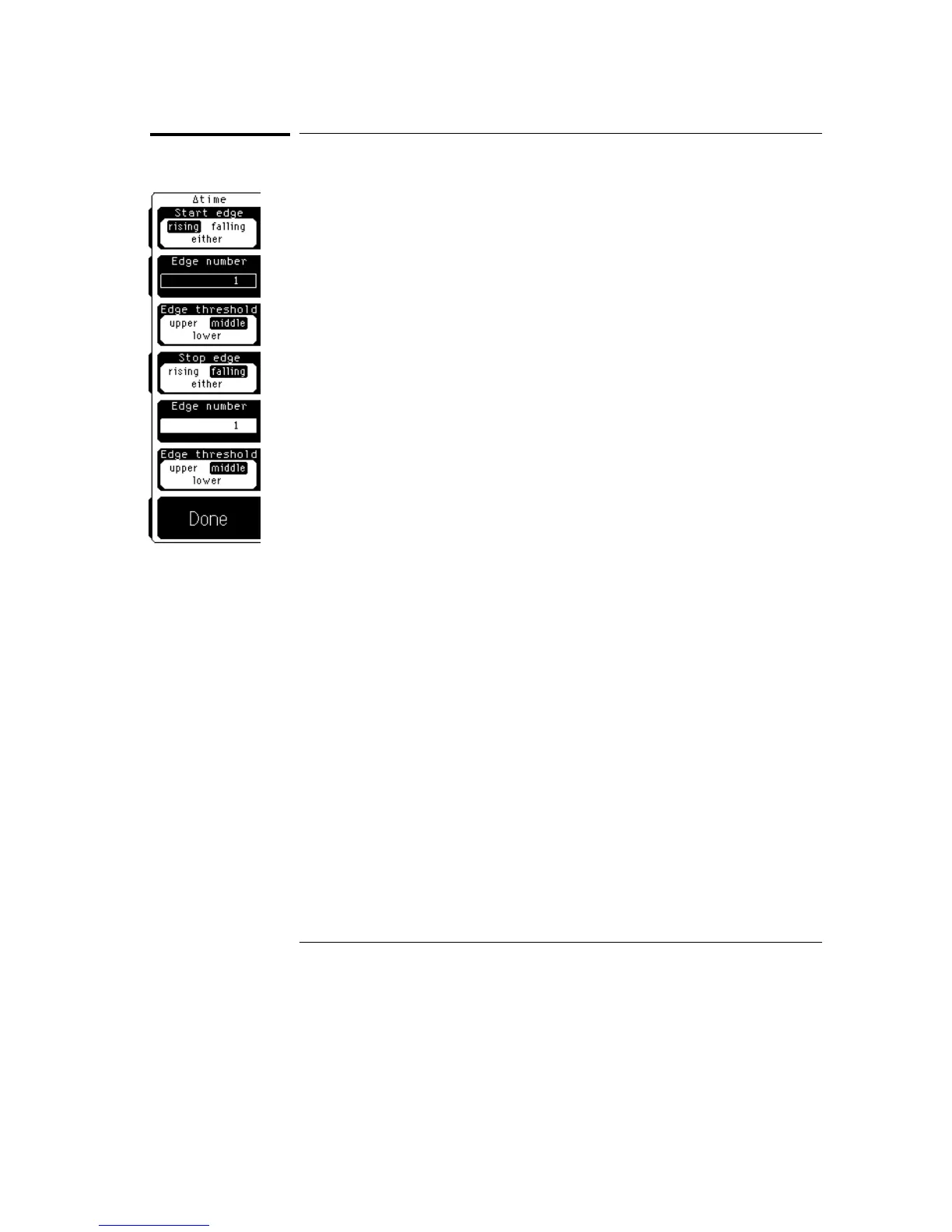
Define
∆
time
Define
∆
time sets up the parameters for all automatic
∆
Time measurements.
The sources for the
∆
time measurement are not selected in this menu. You
select the sources when you select automatic
∆
Time measurement from the
keypad on the front panel (shift milli on the keypad).
Start edge or Stop edge
You can set the start edge or the stop edge to rising, falling, or either. The
selection effects all
∆
time measurements.
Edge number
You can set the start edge number or stop edge number from anywhere 1 to
65,534. The selection affects all
∆
time measurements.
The automatic measurements are made on waveforms that are on the display.
If you select an edge that is not on the display, Edge? is displayed instead of
the measurement results. To get a
∆
time measurement, you must either
select an edge that is already on the display or reduce the time base scale
setting so the selected edge is on the display.
Edge threshold
You select both a start edge threshold and a stop edge threshold. The edge
threshold choices are upper, middle, or lower. You set the threshold values
in the Thresholds menu that was described earlier in this chapter. The
selection affects all
∆
time measurements.
Define Measure Menu
Define
∆
time
7–8



 To Next Page