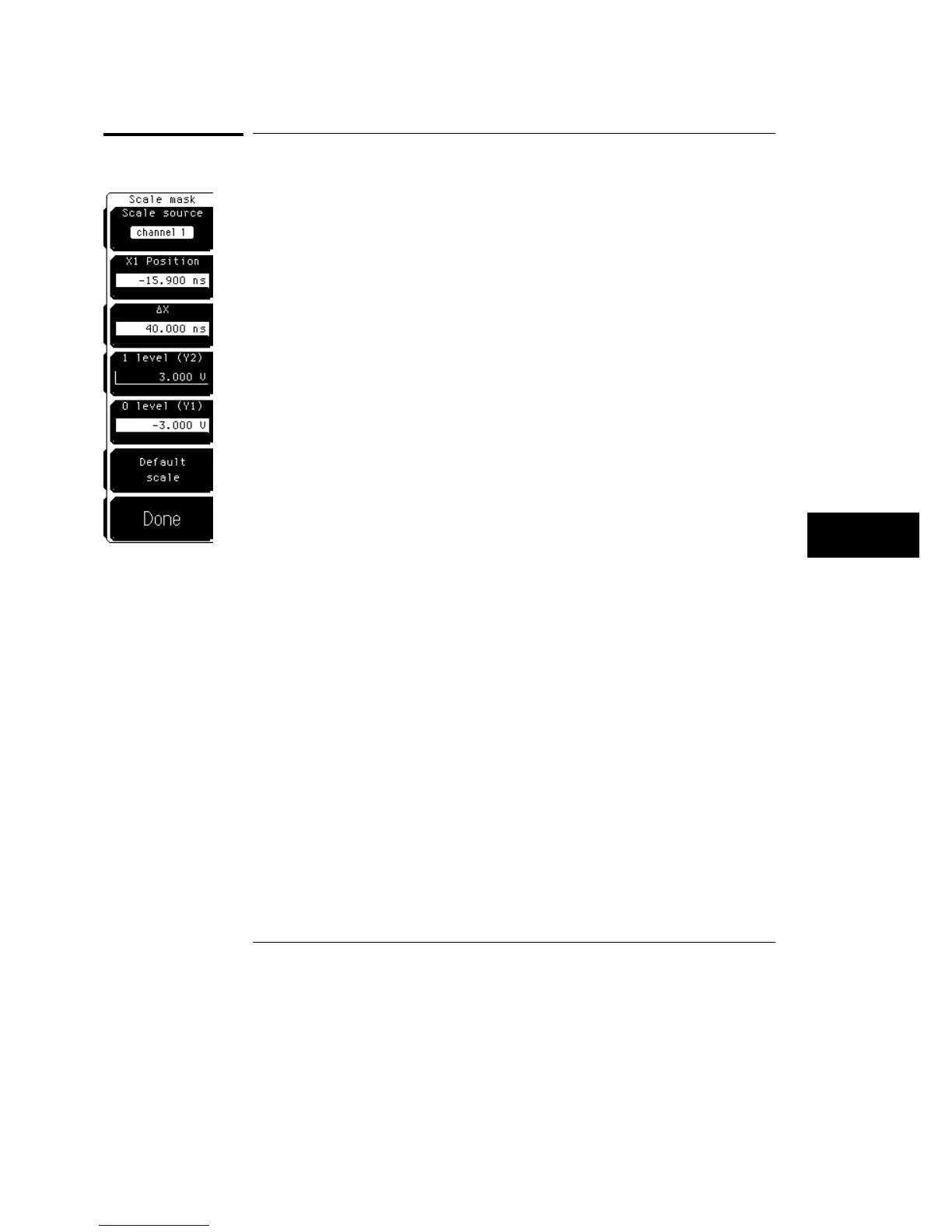
Scale mask
The
Scale mask
softkey gives you access to a second level menu that allows
you to set the scale of the mask. Basically, you are defining the coordinate
system for the mask, where the X, Y pairs 0,0 and 1,1 are located.
Scale Source
The
Scale source
softkey selects the channel or function that the Y1 and Y2
markers are scaled to. For example, if
0 level (Y1)
is set to
−
100 mV and
1
level (Y2)
is set to
+
100 mV, the distance between the markers depends on
the vertical scaling of the source. If the source is set to 100 mV/div, the
markers will be two divisions apart. If the source is set to 1 V/div, the
markers will be about a minor division apart.
With a channel as the source, the scaling of the X1 and
∆
X markers is set by
the time/div setting in the time base menu. With a function or memory as the
source, the scaling can be independent of the time base.
Also, the 0 level, 1 level, X1 position, and
∆
X lines show up on the display as
a solid line in the scale mask menu, and as a dotted line in the other mask
menus.
Mask Menu
Scale mask
23–7



 To Next Page